
dlakhomnnnfbppalnpepmjcdigfpgpjm
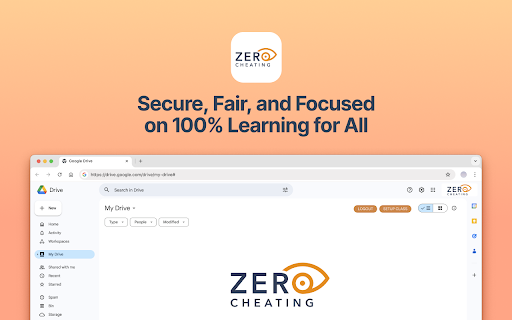


The extension to assess cheating Overview Zero Cheating is a cutting-edge Google Chrome extension designed to ensure 100% academic integrity by monitoring the writing process. With Zero Cheating, educators can prevent AI-assisted cheating before it happens—providing students a fair environment to showcase their true capabilities. Unlike other tools that check the final submission for AI content, Zero Cheating tracks how assignments are created, ensuring authenticity from start to finish. Quick Setup: Get up and running in just 20 minutes. Free Lifetime Access: Unlimited use for individual educators. No IT Required: Zero Cheating is installed directly by the teacher as a simple Chrome extension. No need for IT involvement. No Student Software Needed: Students don't need to install anything. Everything works seamlessly from the teacher’s Chrome profile. Lightweight and Non-Intrusive: The extension operates quietly in the background, allowing educators to monitor the writing process without disrupting normal classroom activities. Future-Proof: While this version is always free for individual teachers, we plan to offer a paid campus-wide license with LMS integration in the future, providing enhanced functionality for larger institutions. 24/7 Support: Our team is here to help with any questions you have. Teachers can book a live demo and get hands-on guidance. Want to see how it works? Visit the Zero Cheating Website to book a live demo. Start using Zero Cheating today and promote fairness and transparency in every assignment.

Cheat
Get your shit done, while getting your cheat on Improve your focus and productivity by limiting your time on distracting websites to 10 cheat minutes an hour. Track the websites on which you cheat the most, set your own schedule. Start getting more done while getting your cheat on!

WriteHuman - History Replay for Google Docs
WriteHuman lets you watch the writing of any Google Doc (that you’re given access to, or the editor of) from start to finish. It loads the video substantially faster than Draftback & other playback Google Doc revision history tools. Simply install the plugin and then click “Load replay” and within 2 seconds you can watch a video from start to finish of the writing process. This extension is not anti-AI, it’s just about transparency. Whether you allow zero AI used by your students or employees or partial AI usage, WriteHuman can give you a look into that process and ensure your rules are adhered to. “But what if they generate the text on another device and then slowly type it out in the Google Doc?” That’s a good point, but watch back the history of one of your own pieces of writing and you’ll see that genuine authorship looks very different than slowly typing out a piece of writing from another screen. Genuine authorship shows movement to different sections of the document, lots of backspacing, lots of deletions and rewrites, etc. And the good news is all of that is viewable within WriteHuman. Most importantly, we DO NOT track the time spent on a document (as of now) as I currently do not believe it is necessary to discern human effort vs AI cheating. However, we will revisit this in the future if it is requested. I have concerns about bias if less time is spent, or a project is started close to the deadline, and I have discussed these concerns with educators and they've confirmed they could be true. HOW TO USE 1. Install. 2. Open any Google document you have edit access to. 3. Click the extension icon in the extension area of Chrome to the right of the address bar. You might need to open the list of all extensions if you have many installed. It's the puzzle icon in the extensions area. Pin WriteHuman for convenience. 4. Click load replay then view replay. DATA PRIVACY & COLLECTION The extension DOESN'T collect any of your personal data. It only fetches document changes on the level of text - nothing about who and when did those changes. By default, all fetched data is stored locally on your computer. You can upload the replay using the share feature, but even then it doesn't use any of your personal data: the online sharing uploads only raw changes data and assigns it a random link so you can share it with others. Unless you give this link to someone - it's impossible to find your replay online. All shared replays are also automatically deleted in 30 days.

LogicLens
Personal coding companion designed to enhance your problem-solving skills on platforms like LeetCode Supercharge your coding journey with our personal coding companion! Seamlessly integrated with LeetCode, this extension analyzes your submissions, identifies areas for improvement, and provides insightful feedback powered by AI.

R Discovery: Academic Research
Read quick summary of a research article, find related articles and patents, save an article to your reading list to be read later This browser extension enables you to obtain new recommendations or factually validated answers to your questions from 250Mn+ research artifacts. All of these, and more, while you are reading an article from any publisher on your browser. With the help of Quick Summary you would be able to understand "What the article is about " and "Why is it important" along with key takeaways. This browser extension is an add-on to our mobile application, RDiscovery, a free app for students and researchers to find and read research papers. When in a hurry, you can save the article to the Library from the browser extension and listen to it from the mobile app on the go. Subscribers to RDiscovery Prime have unlimited access to audio listening, paper translation, Ask RDiscovery and more. Visit https://discovery.researcher.life/
