
dkmmgphmpckhbbfmljacadkmbkgdopcj
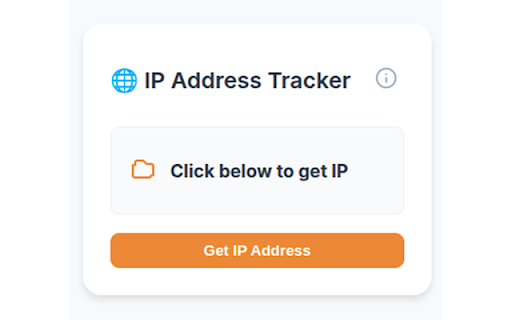
Displays the user's public IP address in a beautiful popup UI. IP Address Tracker is a lightweight and privacy-focused Chrome extension that instantly shows your current public IP address in a sleek, minimal popup. Whether you're a developer, network admin, or just checking VPN status — this tool gives you what you need, with no clutter and no tracking. One-click access to your public IP address Clean, compact, and responsive popup design 🛡️ Privacy First Your IP address is only displayed locally in the popup. This extension does not collect, store, or transmit any personal data. 🚀 Why install it? Perfect for developers, IT professionals, or anyone who regularly checks their network status, IP, or VPN connection. Fast, simple, and respectful of your privacy.

IP Address & Geolocation
Shows your IPv4 & IPv6 address and also geolocational informations about your IP addresses. A badge of your current country is shown on the icon, which will refresh every 3s. So you can easily see, if you have a broken VPN or proxy connection when the country-code changes unexpectedly. Additionally a notification appears on your desktop when one of your IP addresses (IPv4 or IPv6) has changed - of course, it can be turned off in settings. You can also display your position on a map by clicking the corresponding button next to the IP address. Your user agent is shown in the entries as well. Please feel free to contribute at GitHub: https://github.com/AykutCevik/Geolocate-IP-Browser-Extension The request to the server to obtain your geolocational information is secured at least with TLSv1. Also Perfect Forward Secrecy is enabled.

VPN IP Checker
VPN IP Checker – Your all-in-one tool for network details and VPN verification. The VPN IP Checker app helps you reveal comprehensive network details in a single click. 🕸 Meet VPN IP Checker, your premier Chrome Extension for identifying your IP address instantly. Enjoy an effortless experience: just click the extension button to get all the necessary information about your connection! All-in-One Information: Find out your IP address and complete details about it in one click. Location Mapping: Get your location based on your IP address. Click on the geo-data to open the map. Network Type Detector: We verify your IP against various databases and automatically display icons indicating the network type (VPN, Hosting, or Mobile). Currency Detector: Always know the local currency associated with your IP address's location. Timezone Detector: Instantly view the timezone of your connection. ISP Name Detector: Identify your Internet Service Provider. 🚀 Kickstart Your Journey with VPN IP Checker: Add the VPN IP Checker extension to your Chrome browser. Tap the extension icon to view all essential information about your IP and Network. User-Centric Design: Our extension boasts a clean, intuitive interface for a seamless experience. Full Details: We aggregate information from different databases into one simple window. Multipurpose: Perfect for checking your ISP, VPN status, Proxy, and Mobile operator. Privacy First: Your data belongs to you. We do not store your data on our servers. 🔧 Instructions for Using VPN IP Checker: Tap the "Add to Chrome" button to install the extension. Tap on the VPN IP Checker icon to get your information. That's it! Very simple and useful. 🔹 Is VPN IP Checker free? Absolutely! With the VPN IP Checker extension, you can check your IP address completely for free. 🔹 How does the VPN IP Checker extension manage my data? We prioritize your privacy. VPN IP Checker does not collect your personal data. Try VPN IP Checker now and redefine your IP analysis experience!

IP Tracker
One-click fast IP address finder with IP Tracker for instant IP information lookup, location insights, and quick network checks. 🌍 IP Tracker — instant ip address and domain intelligence, right inside your browser. See who owns an ip address, where it's located, and whether it's safe to interact with — in a single popup, with a single click. No setup, no account, no learning curve. 🔍 Every ip address or domain lookup surfaces the full picture: ➤ Geolocation — country, city, ISP, ASN, and organization ➤ WHOIS — registrar, registration and expiration dates ➤ DNS records — A, MX, NS, and TXT ➤ Safety check — community abuse reports plus VPN, proxy, and Tor detection, distilled into a clear green / yellow / red verdict ➤ Domain categorization — phishing, newly-registered, social network, malware, and more ➤ Network type — data center, ISP, mobile, business, and other classifications 🎯 Use IP Tracker for: 🔐 Fraud prevention and trust verification: • Verify an email sender, refund request, or sign-up before trusting it • Spot residential proxies, VPNs, or Tor exits used in account abuse • Check community abuse reports for an ip address you're unsure about • Look up a vendor's domain before sharing data or making a purchase 🖥️ DevOps and engineering: ▸ Investigate unfamiliar ip addresses from server logs, alerts, or dashboards ▸ Confirm ASN ownership when debugging routing or CDN issues ▸ Resolve a domain to its DNS records without leaving the browser ▸ Check WHOIS data when planning a migration or domain acquisition 🔍 Research and due diligence: ✔️ Verify a partner or vendor's infrastructure before signing a contract ✔️ Compile basic intelligence on a domain for compliance reviews ✔️ Cross-check a SIEM event or threat intel notification ✔️ Confirm that a customer-reported ip address matches their claimed location 🌐 How it works: 1️⃣ Pin the IP Tracker icon to your Chrome toolbar 2️⃣ Click the icon to auto-detect the current site — or paste any ip address or domain into the search box 3️⃣ Right-click selected text on any page to look up an ip address or domain from the context menu 4️⃣ Read the verdict and the supporting details, side by side 🛡️ Safety check at a glance: The safety check panel gives you a plain-English verdict — ✅ Safe to interact, ⚠️ Use caution, or 🛑 Avoid this site — based on community abuse reports plus VPN, proxy, and Tor exit detection. Below the verdict, you see exactly why it was reached: report count, latest report date, network type, and anonymization signals. Non-technical users get a clear answer; analysts get the underlying data. 🔒 Privacy by design: ➤ No account, no sign-in, no profile ➤ No browsing history collected — only the specific ip address or domain you actively look up is sent to our backend ➤ All API keys stay on our backend server, never in your browser ➤ Anonymous free tier with 25 lookups per day, enforced via a random local UUID with no personal information ➤ No cookies, no tracking pixels, no cross-site identifiers 🤝 Powered by best-in-class intelligence sources: ✅ ipinfo.io — ip address geolocation, ISP, and ASN data ✅ AbuseIPDB — community-reported abuse signals ✅ proxycheck.io — VPN, proxy, and Tor exit detection ✅ VirusTotal — domain WHOIS, DNS records, categorization, and reputation ❓ FAQ 1️⃣ Is IP Tracker free? ✔️ Yes — 25 lookups per day, no payment, no credit card, no account required. 2️⃣ Do I need to sign up? ✔️ No. Install the extension and start looking up ip addresses and domains immediately. 3️⃣ What data is collected? ✔️ Only the specific ip address or domain you actively look up. Your browsing history is never collected or stored. 4️⃣ Does it work on any page? ✔️ Yes. Auto-detects the current site, manual paste, or right-click on selected text. 5️⃣ What happens at the daily limit? ✔️ A clear "Daily limit reached" message appears in the popup and the counter resets at midnight UTC. The free tier keeps the service free for everyone. 🎉 Free. Private. Works everywhere. Add IP Tracker to Chrome and turn every ip address and domain you encounter into instant intelligence — context, ownership, and a clear safety verdict, all in one popup.

Free VPN Proxy | Lucky VPN
Free VPN Proxy | Lucky VPN For Edge extension is a free and no user registration. Free VPN Proxy Lucky VPN is the best vpn and does not require user registration. With the Free VPN Proxy Lucky VPN Extensions, if the website you want to enter is banned, you can activate the plugin and enter the site. Why should I use it? ⭐ Easy to install. ⭐ Completely free. ⭐ Auto update feature with latest version will automatically update for your Chrome. ⭐ Fast 100Mb Speed. ⭐ No registration or configuration required ⭐ No limitation, No usage and no time limit ⭐ All ip addresses are premium. ⭐ Does not save the history of site visits. It doesn't keep a diary. ⭐ No additional permissions required We've built a global network that includes the Americas, Europe, and Asia, and soon expanded to more countries. All servers are free to use and you can click on the flag and change the server at any time. How to Install Extension? - Chrome web store opens and free vpn is typed into the search bar. User Free VPN Proxy Lucky VPN - plugin with free proxy is selected in the incoming search results. - Click Add to Chrome - The extension will be next to Chrome extensions. - Click the List IP button in the small window that opens. - You will see the ip addresses you can use. - When you click on the ip you want, the VPN will be active. - Open your websites.
