
dibonehiicmhbbldfpjbanmejjmohegg

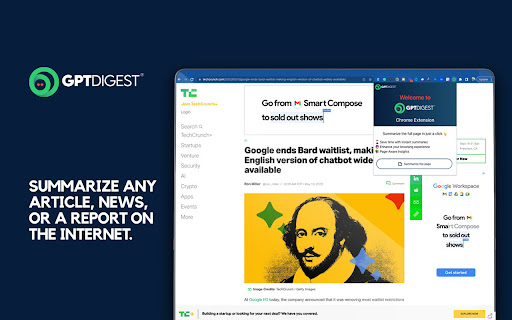
A Chrome extension that displays the Summery of the page using chat GPT GPT Digest is here to help you understand the web content you come across every day. With ChatGPT 4 integration, you can get summaries of pages no matter where you are - and it's absolutely free! No ChatGPT API required either. Plus, if you're willing to pay for extra features, you'll get the full author's background and credibility & authority score. Gain a full understanding of any topic with interactive Q&A with ChatGPT. Get up to speed quickly and never miss out on a detail again. Don't spend your time blindly browsing the internet - GPT Digest has all the tools you need to make sense of any page quickly and efficiently for an unbeatable reading experience. Features: - Use the power of ChatGPT 4 to get summaries of pages you browse. - Free to use anywhere! No geo-restrictions. - ChatGPT API is not required. - (Paid) Understand the core concepts in the article explained by ChatGPT. - (Paid) Get full author's background and credibility & authority score. - (Paid) Fully understand the topic you are reading about with interactive Q&A with ChatGPT. Q: How many free pages can I summarize before subscribing to the Pro version? A: As a new user, you can summarize a limited number of web pages for free. After reaching this limit, you must upgrade to our Pro version to continue enjoying the summarization service. Q: What are the benefits of upgrading to the Pro version? A: With the Pro version, you'll enjoy unlimited web page summarization, regular summary reports, and the ability to summarize private pages, making your browsing experience even more efficient and personalized. Q: How do I upgrade to the Pro version? A: To upgrade to the Pro version, install the Chrome addon, navigate to settings, and follow the instructions to complete the upgrade process. Q: How does the summarization process work? A: Our service uses advanced ChatGPT technology to analyze web content and generate concise, accurate summaries of the main points, allowing you to understand the core information on a page quickly. Q: Can I customize the length of the summaries? A: Yes, you can adjust the summary length according to your preference by accessing the plugin settings and selecting your desired summary length. Q: How do I summarize a private web page? A: With the Pro version, you'll have the ability to summarize private pages. Simply navigate to the private page and click on the plugin icon. The summary will be generated without compromising your privacy. Q: Will my data be secure when using this service? A: We take data security very seriously. Our service ensures that your personal information and browsing history remain private and secure. We do not store the original content. Q: What if I need help or have questions about the service? A: Our customer support team is always available to help you with any questions or concerns. You can reach us through the contact form on our website or by emailing contact@gptdigest.ai .

ChatGPT Bulk Delete
A Chrome extension to bulk delete ChatGPT conversations This Chrome extension is designed to help users quickly and efficiently delete conversations in the ChatGPT’s left sidebar. With the extension installed, users can add checkboxes to each conversation in the sidebar, select multiple conversations to delete or archive, and accomplish this with just a few clicks. Hold Shift and click to select multiple conversations for efficient bulk actions. This extension is particularly useful for users who frequently use ChatGPT and need to manage their conversations efficiently. Instead of deleting conversations one by one, users can remove multiple conversations at once, saving both time and effort. Additionally, this extension now offers a “bulk archive” feature for a one-time fee of $0.99 USD. This paid feature allows users to archive multiple conversations simultaneously, further enhancing the tool’s utility and convenience. The extension popup includes a small advertisement labeled “Ad” in the footer, linking to TubeVocab (https://www.tubevocab.com/), a third-party language-learning product. This ad helps support the continued development and free distribution of ChatGPT Bulk Delete. Clicking it is entirely optional and does not affect any of the extension’s core functionality.

GPT Navigator – Bulk Delete, Archive & Timestamps
A Chrome extension to bulk delete ChatGPT conversations and Navigation GPT Navigator & Bulk Delete is a productivity-focused Chrome extension built to improve how you manage and navigate ChatGPT conversations. If you regularly engage in lengthy conversations or manage multiple conversations, this extension helps you save time, reduce clutter, and stay focused. Managing individual ChatGPT conversations can be slow and frustrating. This extension solves that problem by providing bulk actions and smart navigation tools directly inside the ChatGPT interface. Easily select and delete multiple conversations at once. Instead of manually removing chats one by one, you can clean up your conversation history in seconds. This is especially useful for users who frequently experiment with prompts, run tests, or maintain many chats. Jump to the previous message Jump to the next message Instantly scroll to the top of the conversation These tools make it easy to review older responses, compare messages, and navigate lengthy discussions without endless scrolling. The extension integrates cleanly with the ChatGPT interface and feels like a natural part of the experience. The UI is minimal, lightweight, and designed to avoid distractions. No heavy background scripts or unnecessary processes. The extension runs efficiently and activates only when you are using ChatGPT. Your privacy is a top priority. This extension does not collect any personal data All actions happen locally in your browser The extension only interacts with the ChatGPT page to provide navigation and conversation management features. 🧩 Who Is This Extension For? Developers working with long technical chats Students researching or studying with ChatGPT Anyone who wants faster navigation and cleaner chat history 3. Use the navigation controls to move between messages 4. Select multiple conversations and bulk delete them when needed This extension is an independent productivity tool and is not affiliated with, endorsed by, or sponsored by OpenAI. ChatGPT is a trademark of OpenAI.

ChatGPT to Markdown
A Chrome extension that exports ChatGPT chat history as Markdown text 📢Notice It is recommended to use the newer and more complete export plug-in ExportGPT, for details: https://chatopenai.pro/exportgpt/ ⚒️ Tips for use 1. Open the ChatGPT chat page and chat with ChatGPT https://chat.openai.com/chat/ 2. Click the Markdown icon in the upper right corner of the page to open the `ChatGPT to Markdown` operation panel 3. Click the button at the bottom of the panel to copy the text or download the Markdown text 4. You can edit the Markdown text as needed, and then copy or download 5. The popup window supports setting whether to automatically close the sidebar after export, and whether to insert metadata

ChatGPT Explain
A ChatGPT Chrome Extension that explains concepts in a simple way Looking for a way to understand complex concepts with ease? Look no further than ChatGPT Explain, the Chrome extension that simplifies even the most challenging topics. 📚 Select any text on your screen and get concise, brief, or detailed explanations of the concepts it contains. 💡 Customize the amount of detail you receive, from a quick overview to an in-depth analysis. ⏰ Save time and effort by getting instant access to the information you need. 👩🎓 Perfect for students, professionals, or anyone who loves to learn new things. 🆓 Completely free to use and easy to install with just a few clicks. With ChatGPT Explain, understanding new information has never been easier. Say goodbye to confusion and frustration and start learning with ease today!
