
dhjabboeafgfmofgjiegaenmiikcdcpd
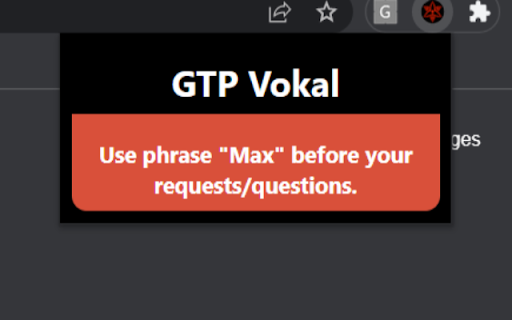
This extension allows you to send voice prompts to ChatGPT instead of typing your requests. Install it, refresh the page, you should be able to see a mic icon next to the textarea of ChatGPT. If that doesn't work, open another tab and then back to the original ChatGPT tab and it should work fine.

ChatGPT Timestamp
Displays timestamps for ChatGPT messages ⭐ Love it? Star the GitHub repo! → https://github.com/Hangzhi/chatgpt-timestamp-extension Follow long chats with ease ✨ A tiny fix for a big blind spot — once you try it, you’ll never go back. ➡️ Install now and make every message count.

GPT Sales Assistant
Streamline Your Sales With ChatGPT. Introducing GPT Sales Assistant, a privacy-friendly Chrome extension that uses AI to generate entire emails and messages. It works on all websites and has enhanced support for Gmail. ✔️ Outcompetes all other tools in the market with the highest quality responses ✔️ Works on all websites, and even better on Gmail ✔️ Supports all languages Visit our website at https://gptsalesassistant.com and check out our product demo HOW TO USE ON ALL SITES: 1) Click on the GPT Sales Assistant extension icon 2) A popup window will appear 3) Briefly enter what you want to write about and hit the "Generate Response" button. HOW TO USE ON GMAIL: To generate an email reply in Gmail: 1) Go to Gmail, open an email, and reply to it. 2) Click the GPT Sales Assistant extension button in the Gmail reply box. 3) Briefly enter what you want to reply to and hit the "Generate Reply" button. To generate a new email in Gmail: 1) Go to Gmail, compose a new email. 2) Click the GPT Sales Assistant extension button in the Gmail textbox. 3) Briefly enter what you want to write an email about and hit the "Generate Email" button.

GPT Folders
Organize your ChatGPT and Claude conversations into folders 📂 GPT Folders - Organize Your ChatGPT & Claude Conversations! Tired of endless scrolling through your AI chat history? Get organized with GPT Folders! ✨ MAIN FEATURES: • Create custom folders to organize your conversations • Drag and drop chats into folders • Save frequently used prompts for quick access • Clean, modern interface that matches both ChatGPT and Claude's design 🎯 KEY BENEFITS: • Find important conversations instantly • Group related chats together • Access your favorite prompts with one click • Seamless integration with ChatGPT and Claude 💡 PERFECT FOR: • Professionals managing multiple projects • Students organizing research conversations • Writers keeping track of different topics • Anyone who wants a more organized AI chat experience 🔒 PRIVACY FIRST: • All data stored locally on your device • No external servers or data collection • Works entirely within your browser • No account required 🚀 GET STARTED: 1. Install the extension 2. Create your first folder 3. Drag chats into folders 4. Save your favorite prompts Make your AI chats work better for you with GPT Folders - your personal chat organizer! 💪 Actively maintained and regularly updated

Chat GPS: chat outline for navigating Chat GPT
Adds a minimap and chat ouline to Chatgpt. Helps users navigate through long chats. Bookmark your favourite chats. I made this extension because I kept getting lost in my ChatGPT chats, and I thought others might find it useful too! It gives you a chat outline so you can stay organized and move through long conversations easily. Features: 💬 Chat Outline: Jump straight to any chat on the page. 🧑💻 Copy Code Blocks: Quickly find and copy code from your conversations. 🔎 Code Filter: See only the code blocks if that’s what you need. Perfect For: Developers handling long code discussions Researchers diving into AI outputs Writers, students, and daily ChatGPT users This extension is free and open source, and I’d love your feedback on the GitHub repo 🙂. Install it and never lose track of your chats again! The extension is useful for chat gpt navigation, it includes a scroll minimap aswell as a chat outline for chat gpt.
