
dgkoadahdbnlbghldfplokbmbaaiehhf
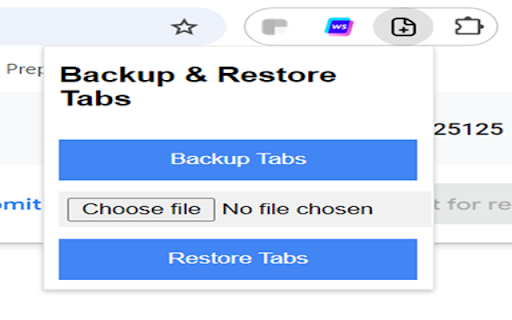
Tab Backup & Restore is a simple Chrome extension that lets you back up and restore all your open tabs. With a single click, you can download a list of your current tabs as a .txt file and later restore those tabs by uploading the file. It's perfect for saving your browser session or transferring tabs between devices! Lightweight and user-friendly interface. Never lose your browsing session again!

Save All Resources
Save all resources files with retaining folder structure. Chrome Extension for one click downloading all resources files and keeping folder structures. *** ResourceSaver tab wont be available in devtool panel while your current tab is on url https://chrome.google.com/* *** *** Please note, this ext is a resources collector, not a website downloader, so it won't do the job that you can run the website locally *** 2.0.2: Bug fixes for content blob promise 0.1.8: fixed zip file uncompressing with missing path issue in Windows 0.1.2: File extension detector bug fixes. 0.1.1: Added beautify code option (js-beautify) for JS,HTML,CSS fetching. 0.0.9: Add a compressing option that fetch all resources from browser-cache, compress(zip.js) & download at once. Thanks to @shanligang for contribution. 0.0.4: Including download for assests by XHR requests. 0.0.2: Extension now re-fetchs resource contents from browser-cache in order to improve speed & stability.

Bookmark All Tabs
𝗪𝗵𝗮𝘁 𝗶𝘀 𝗕𝗼𝗼𝗸𝗺𝗮𝗿𝗸 𝗔𝗹𝗹 𝗧𝗮𝗯𝘀? Save all tabs to any bookmarks folder anywhere at the press of a button. No annoying menus, popups or questions asking you to name things when bookmarking. Save bookmarks to an auto generated folder using values like the active page title you were on when saving, the current date, day, time etc. nested under any folder you want. Auto generate a “Recent” folder to quickly access your most frequently used bookmarks. Plus tons more features to tweak for whatever your workflow… • Save using date, day, time, current tab and more as nested sub folders. • Option to bookmark the active tab only.

Resources Saver
Chromium Extension for one click downloading of all webpage resources files while keeping folder structures.

Tab Copy
Quickly copy tabs to the clipboard in a variety of formats ● Copy the current tab, tabs in the current window, or all tabs. Optionally group tabs by window. ● Select from a wide variety of formats like Link, URL, Title & URL, Markdown, CSV, JSON, HTML, and more ● Create your own formats with powerful format templates ● Choose between using a popup or copying tabs with one click ● Define keyboard shortcuts for your most commonly used ranges and formats ● Add copy actions to web page context menus ● Set up filtering for tabs you want to omit ● Fine-tune your experience with a robust set of options See the docs for more: https://tabcopy.com/docs
