
dgkkmcknielgdhebimdnfahpipajcpjn


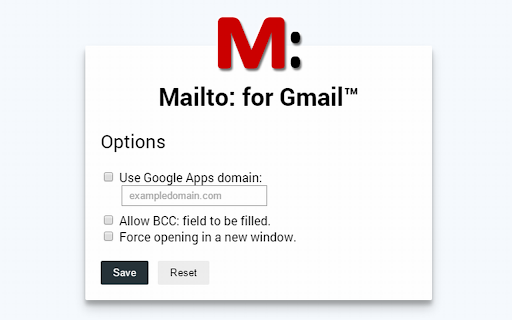
This extension will make mailto: links open in a Gmail compose window. Nothing more, nothing less. It supports to, cc, subject, and body (and optionally bcc) fields, and is made to be compatible with RFC2368, the mailto: scheme standard. It doesn't modify the mailto:address itself, so you can still see the link in the status bar when you hover over it, which allows you to easily read the target at a glance. Please note, this extension doesn't need or provide any access to your mail account. It just makes links open in a Gmail account that you are already signed into. This extension can't help with mailto links outside of chrome. More info: RFC2368 - The mailto URL scheme: http://www.faqs.org/rfcs/rfc2368.html mailto links test page: https://www.ilikesleeping.co.uk/mailto-test-links/ Recent changes: * No longer need to refresh tabs on install, or after updating settings. * Updated code to avoid deprecation warnings, and warnings in console. Privacy policy: In short, this extension does not store or transmit any personal information. Read the privacy policy here: https://www.ilikesleeping.co.uk/mailto-privacy-policy/

Todoist for Gmail: Planner & Calendar
Stay on top of emails with Todoist for Gmail Trusted by over 47 million people, Todoist simplifies tasks for individuals and teams. Instantly declutter your mind, build habits, and boost your productivity. Use Todoist for Gmail to: • Add emails as tasks: Finally, achieve inbox zero by adding emails to Todoist so that you can take action on them later. • Remember to follow up: Include dates, reminders, deadlines, and priorities to the emails that you've added as tasks so that they'll never slip under your radar. • Plan your day: Quickly organize your tasks for the day right from the extension as a list, as boards or as a calendar planner. • Complete tasks from your inbox: Once your tasks are done, check them off from within Gmail without switching context.

Affixa - Gmail (TM) Draft Display
This extension is designed to work with Affixa Desktop or Enterprise editions and Gmail ™ or Google Workspace™ Mail accounts. This extension is designed to work with Affixa Desktop or Enterprise editions and Gmail ™ or Google Workspace™ Mail accounts. By installing this extension and enabling the "show in web browser" option for your account in Affixa, you will be shown your draft message in your existing Gmail browser tab. It even works if you're logged into multiple Google accounts at the same time.

Notifier for Gmail™
Multiple label and account notifier for Google Mail (Gmail™) Gmail™ Notifier is an open-source project that notifies you about incoming emails from all your Google Mail accounts and labels. Features: 1. No requirement to enter your credentials. 2. Multiple account support 3. Multiple label support 4. Low bandwidth usage by using RSS technology 5. Mark as read, report spam, trash or archive messages right from browser's toolbar 6. Dark theme support Source Code: Source code of the extension is available on Github: https://github.com/inbasic/ignotifier To report bugs and track them submit them: https://github.com/inbasic/ignotifier/issues?state=open FAQs: Addon's homepage has a FAQ section. Some of the QAs are listed here: Check this page for more instructions: https://webextension.org/listing/gmail-notifier.html ----------------------------------------------------------------------------- Please don't use reviews as a support forum. If you are experiencing problems with the add-on, send a support request: https://github.com/inbasic/ignotifier/issues?state=open -----------------------------------------------------------------------------

Send Page
Allows you to easily send the url of a page, link, image or video per mail. This extension adds a new context menu entry called "Send this page.." when right clicking a image, video, link or page. By clicking on "Send this page.." your default (local or web) mail client will create a new mail with the page title as subject and the link as message body. It provides a fast way to quickly send a link to the current website per e-mail to somebody. It works with local Mail clients and WebMail accounts like GMail, Hotmail, etc. Note that if you use a local mail client a default Mail client must be registered on the computer. For sources, latest changes and troubleshoot infos go to: https://github.com/stadler/SendPage
