
dgemgghfpehbgjofnpdeidajmobbkhfg

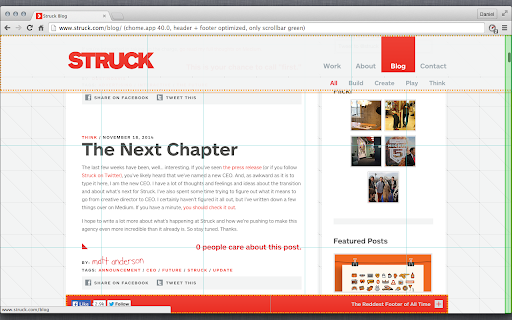

Fix position:fixed by adding transform:translateZ(0) to element. For smooth scrolling with 60fps. This extension optimizes scrolling performance by adding transform:translateZ(0) to layers with position:fixed. this triggers hardware-acceleration and makes scrolling more fluid. in the options page you can turn features on and off and decide if you prefer speed or effects. Please rate the extension and give feedback und bug-reports, this helps me to improve the extension.

Cursor Motion Blur
Add motion blur to your cursor An open-source project that adds cursor motion blur effect to your Google Chrome browser. After you toggle the extension to "ON", the effect will be present in any website, as long as they start with "http://" or "https://" The effect is customizable. You can change the cursor image to match your OS cursor, increase the length of the motion blur, etc. For more information on the activation or customization process, please visit the GitHub page of this project: https://github.com/covector/cursor-motion-blur#readme

Easy Scroll
This brings you a comfortable reading experience with smooth scroll of necessary amount of webpage by pressing an assigned key. 'Easy Scroll' brings you a comfortable articles reading experience with smooth scroll of necessary amount of webpage by pressing an assigned key. Wherever you read an article, just hit the key to scroll. Then it will scroll down properly eliminating any interruption of your reading pace and article's context. Motivation : Basically, every time I read an article on website, there were some methods to scroll down. Spacebar or PageDown key scrolled too much amount at one use. And on the other hand, DownArrow key or Mouse Wheel took me too many pressing or wheeling. Both of these methods made me frustrated. Function : By pressing the RightArrow key, you can scroll down a half of your web screen smoothly. The assigned key, amount of scrolling, and scrolling velocity can be adjusted at preference menu.

Simple Auto HD (Open Source)
Simple Auto HD quality selector for YouTube. Up to 8k/4k (60fps/50fps/48fps/30fps) supported. Theater mode. ✔ Lightweight and efficient ✔ Supports up to 8k quality and (60fps/50fps/48fps/30fps) modes

Scroll Speed
Change the scroll speed Change the scrolling speed of the mouse wheel
