
mfmhdfkinffhnfhaalnabffcfjgcmdhl
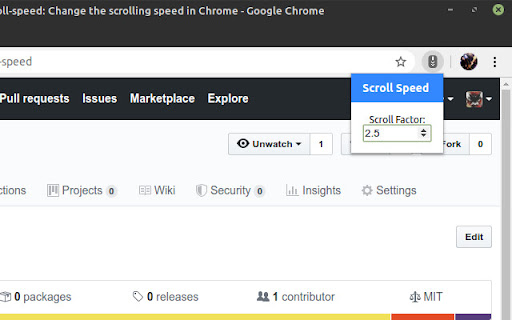
Change the scroll speed Change the scrolling speed of the mouse wheel

Plasma Integration
Provides better integration with the KDE Plasma desktop. Multitask efficiently by controlling browser functions from the desktop, even while Chrome is in the background. Manage audio and video playback, check downloads in the notification area, send files to your phone using KDE Connect and more inside the KDE Plasma Desktop! The plasma-browser-integration package must be installed for this extension to work. It should be available from your distribution's package manager when running Plasma 5.13 or later.

WHEELY: Wheel scroll for Linux
Add ability for Linux to scroll pages by pressing mouse wheel. Scroll pages by clicking the mouse wheel and moving your mouse. ✨ New features: – Click the extension icon to open settings – Adjust scroll sensitivity – Left-click to stop scrolling Thanks to our core users for the feedback!

GNOME Shell integration
This extension provides integration with GNOME Shell and the corresponding extensions repository https://extensions.gnome.org You MUST install native connector for this extension to work. For Arch Linux, Debian, Fedora, Gentoo and Ubuntu you can install package named "chrome-gnome-shell". You also can install connector manually. See https://gnome.pages.gitlab.gnome.org/gnome-browser-integration/pages/installation-guide.html for install instructions.

Smooth Key Scroll
Smooth scroll with the keyboard Smooth Key Scroll enables smooth and responsive scrolling with the keyboard on every page. - Arrow keys to move arround with adjustable speed - Control (ctrl) and Option (alt) to modify speed - Power scrolling keys (vim, gamer, ergonomic) - Option to disable mouse hover effects v2.8.2 - Fix issue cause slow scrolling in some websites like for example imdb.com - Upgrade to manifest v3 - Make extension icon open the options page when pressed v2.8.0 - Option to disable the extension on certain websites (blacklist) v2.7.1 - Prevent welcome page from opening again when extension is installed multiple times in different browsers using the same user profile v2.6.0 - Automatically find scroll element on pages with unconventional scroll (google photos, microsoft team services, etc) v2.5.1 - Fix document.body scrolling detection on edge cases v2.5.0 - Switch to less obtrusive scrolling detection algorithm - Fix problem with Team Foundation Server v2.4.1 - Add support for iframes v2.4 - Don't scroll on google search results page when blue arrow is enabled - Add option to disable blue arrow on google instant search v2.1 - Fix scroll locking when usind find/search in page. Currently the only solution is to scroll normally when searching When google fixes this issue we may be able to re-enable smooth scroll: https://code.google.com/p/chromium/issues/detail?id=529050&thanks=529050&ts=1441646441 - Fix rare ocasion when smooth scroll would not activate after pressing the shift key in a shortcut v1.0.6 - Fix Ctrl and Alt keys on Linux v1.0.5 - Fix page not scrolling in Chrome 40 v1.0.4 - Selecting text with Shift is now possible anywhere on the page - Fix alt and ctrl speed sliders regression (options page) v1.0.3 - Fix alt-left/right functionality on windows (and other default shortcuts) - Allow alt key to be pressed and released while scrolling without changing focus to the menu (Windows) v1.0 - Options page with adjustable speeds - Fix issue with Flash - New icon v0.2 - Fix speed getting stuck should page loose focus - Fix collision between meta key and browser native functionality
