
dfdfhiljhhamcikbllphacpchjffaimk
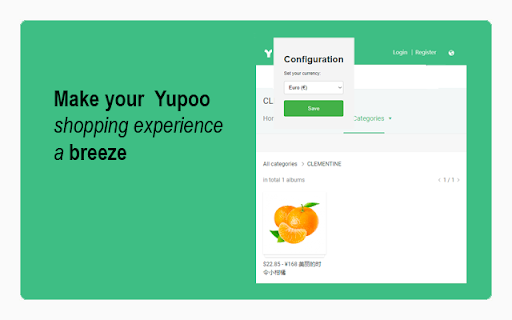
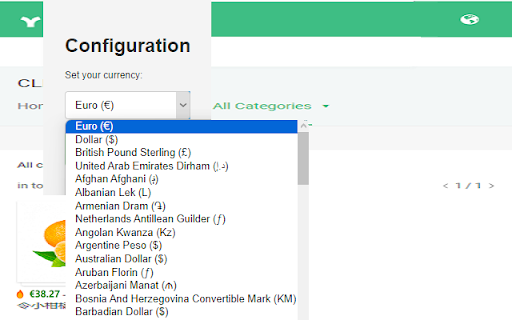
💻 Online shoppers know the drill: browsing on Yupoo, seeing prices in yuan, and then whipping out the calculator. Some just guess,… 💻 Online shoppers know the drill: browsing on Yupoo, seeing prices in yuan, and then whipping out the calculator. Some just guess, but smart shoppers use our Yupoo Currency Converter to make life easier. 🌐 Yupoo Currency Converter is the ultimate tool for seamless currency conversion right on Yupoo. Leveraging precise conversion algorithms, this extension is a must-have for international shoppers who want real-time price clarity in their own currency. Discover the features that make your Yupoo browsing a breeze: ➡️ Auto-Conversion: Just set your preferred currency once, and let the magic happen! Every time you're on Yupoo, prices in yuan will be automatically converted. ➡️ Settings Page: Customize your currency in a user-friendly settings page. From USD to EUR to GBP, we've got you covered. ➡️ Instant Clarity: No more math gymnastics. See prices in your chosen currency instantly, ensuring you know exactly how much you're about to spend. ➡️ Accuracy Assured: Our extension uses up-to-date exchange rates, ensuring you get the most accurate conversion possible. ➡️ Seamless Integration: Designed to blend perfectly with Yupoo's interface. No clunky pop-ups, just smooth, automatic conversion. Use Yupoo Currency Converter wherever you shop on Yupoo: be it on desktop or mobile, we've got your back.

Yupoo tool BETA
Un plugin que reemplaza ciertos elementos en yupoo.com. made with love by Sadballs

Price decoder for STOS/BMLin
Decoder for STOS/BMLin price codes and others. ===---- (NEW) VARIOUS CURRENCIES (NEW) ----=== You can now change currency to convert the price code to. Available currencies are: USD, EUR, GBP, CAD ===---- MANUAL CONVERSION ----=== If not, you can open the popup by clicking on the extension ("black PD in white box") icon and enter the code manually.

Pandabuy QC Viewer
View the quality control images of products on pandabuy.com. Made by Yusufcan Yilmaz Introducing the ultimate solution for your quality control needs on Pandabuy.com! Our Chrome extension provides quick and easy access to high-quality product photos, so you can ensure that your purchases meet your standards. With our user-friendly interface, you can easily navigate through product images and open in new tab for a closer look. Say goodbye to tiring copy-paste effort and hello to effortless quality control with our extension. Download now and streamline your Pandabuy.com shopping experience! How to use: - First, go to a product page on Pandabuy. - Then you'll see a green-outlined button in the bottom left corner of your screen. - Click that button and start to explore QC images. v0.1.7 - The extension wasn't working; I fixed that. (i was busy) - Added intro page. (When you add extension for the first time)

Yupoo Helper
A versatile Chrome extension enhancing the Yupoo shopping experience. Offers language selection, promotion code integration, and… A versatile Chrome extension enhancing the Yupoo shopping experience. Offers language selection, promotion code integration, and seamless CSSBuy purchasing links. Optimizes user interaction with Yupoo galleries and pages
