
demheclfdlemkkpadenmajhjbdhbjjml


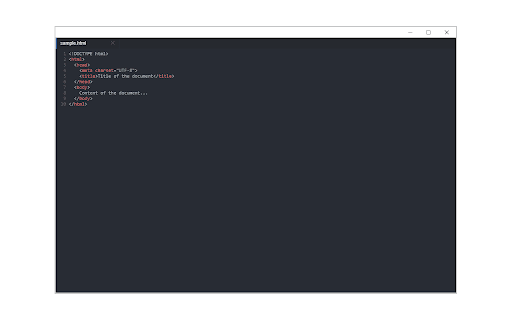
A free, highly customizable text and code editor extension for your browser. Text Editor is a full-featured text & code editor add-on for your browser. This add-on has plenty of options to adjust and is built on top of the famous CodeMirror open-source JavaScript library (https://codemirror.net/). Once you open the add-on for the first time, you will see a sidebar at the left and an empty text editor at the right. The left sidebar includes file I/O buttons. For example, a button to open file(s) or settings. There is also a right sidebar that includes all the options for this app. Note 1: This extension uses the new file system access API (https://web.dev/file-system-access/) to open and save files to disk. But, if your browser does not support this new API, it uses the - downloads - API instead to save files to disk in the default download folder (asks for downloads permission when opening the interface). Note 2: Currently, Text Editor supports three key-maps for famous text editors (i.e. sublime). Moreover, it supports more than 100 coding languages (i.e. JavaScript, CSS, HTML, etc.) If you have a feature request or found a bug to report, please fill the bug report form in the add-on's homepage (https://mybrowseraddon.com/text-editor.html).

Page Editor
Page editor is back! I lost the files for the original extension (they were probably in my old high school laptop), so I decided to recreate it with the help of LLMs! EDITS ANY PAGE! Good for pranking and trolling your friends! A very funny extension. To you 5K users, thank you all for supporting this extension! Like I said in a previous update, I can't believe this extension has grown so much. 200 Users! Thank you everybody!

Page Text Editor
An editor to edit any webpage inline and live. Reload page to remove changes. This extension allows to modify the text present on a webpage, these changes aren't saved and can be removed by reloading the webpage.

Design Mode - Page's Rich Text Editor
Edit any page's content by switching to design mode, where you can modify the content and drag images around like a Word Editor This extension modifies the current page's attributes to act like a content edible document (Similar to MS Word, or Open Office). This allows the user to: 1. Edit the page content 2. Drag and drop assets 3. Remove elements that cause chaos on the page 4. Insert , , , and heading elements. 5. Convert font styling to bold or italic. 6. Add a link to the selected text. 7. Insert bulleted and numbered lists. 8. Increase and decrease indentation. 9. Insert an image. 10. Convert selected text to a blockquote. 11. Turn spellcheck on and off. 12. Remove formatting. With this extension, you can edit the entire document and when it is ready, toggle back to the read-only mode (normal operation mode). The modified document can be printed or saved like any page. Usage Instruction: 1. To enable the extension, press the toolbar button once. When the document is editable, the toolbar button is blue, and you will get a desktop notification 2. To switch back to the normal mode, press the toolbar button one more time. In the normal mode, the toolbar color is gray. Notes: 1. You can save the modified document in HTML or MHTML or print it. To save in MHTML you will need to install an extension. 2. To change the formatting of a text into bold, select the desired section, and press Ctrl + B or Command + B. For italics, press Ctrl + I or Command + I. Alternatively, the extension inserts a helper toolbar so that you can access the rich text editing tools from a floating panel.

Text Editor
Plain Text Editor: a simple online notepad to quickly edit the text, jot bloc note and make txt file effortlessly. Looking for a good text editor that combines simplicity with convenient functionality? This extension provides a wide range of features – whether you need a simple text editor for writing ideas or online notepad for quick notes. With instant access and ability to save, it’s the perfect tool for writers, developers, students and professionals. 🚀 How to Get Started with this online text editor? 1️⃣ Add the extension to Chrome in seconds 2️⃣ Click the notepa icon to launch your workspace 3️⃣ Begin typing or paste existing content into the field 4️⃣ Use formatting tools for headings, lists and emphasis 5️⃣ Export in multiple formats 🌟 How is this software useful? Not all text editors are simple. This good text editor is useful because: ▸ Zero Installation Required – Works instantly in your browser as an online note pad ▸ Minimal & Lightweight – A basic text editor focused on simplicity and efficiency ▸ Multi-Format Export – Save as txt, word ▸ Instant Auto-Save – Never lose work with this reliable text online editor ▸ Word Count + Stats – Track progress in the panel ▸ Offline Mode – Keep working in edit pad without internet 🔥 Powerful Features of This Tool ⚡ Symbol Count – Real-time tracking for writers and content creators into edit pad ⚡ Saving Files State – Access your files anywhere ⚡ Quick Search – Find and replace words instantly ⚡ Minimal Lag Typing – Enjoy smooth, responsive editing for a seamless writing experience ⚡ Quick Formatting Tools – Bold, italicize, underline with and strikethrough one click ⚡ Session Recovery – Automatically restores unsaved work in your note pad online ⚡ Multi-Tab Editing – Efficiently manage several files in one session ⚡ Column/Block Editing – Advanced features for writers 🧑💻 Who Should Use Tool? ✅ Content Creators – A notes pad for drafting blogs, scripts, and articles ✅ Academic Users – A notepad - for research notes and paper writing ✅ Business Professionals – A solution for contracts and reports ✅ Everyday Users – A notepa replacement for shopping lists and reminders ✅ System Administrators – A software for editing config files and logs with precision ✅ Technical Writers – A lightweight plain text editor for creating documentation ✅ Personal Organizers – Ultimate tool for shopping lists, journals and recipe collections 📁 Effortless File Management System 📄 Make txt file with a single click 📄 Generate professional word documents via online text editor 🛠️ Create & Modify TXT Files in Seconds Skip bloated word processors – this .txt file maker enables you to: ⚙️ Create txt file online instantly ⚙️ Edit the text without limitations ⚙️ Save locally your notes 🔝 Superior to notepad online & Alternatives If you currently use notepad, software editpad, you'll appreciate: ➖ No notepad installation required ➖ File format support (TXT, WORD) in notepad ➖ Real-time features for textedit ➖ Zero Latency Typing – Experience blazing-fast response 📝 Perfect for Your Needs ✏️ A bloc note for quick thoughts ✏️ A textedit alternative for Mac users ✏️ A notepadd replacement for Windows ✏️ This online editor text adapts to your requirements ✏️ A writing studio for authors drafting novels, short stories 📌 Frequently Asked Questions: ❓ What is this text editor? 💡 This is a simple text editor - a lightweight tool that works right in your browser. It gives you all the essential otepad functions for writing and organizing notes without any installations on your computer. A text edit enables instant in-place editing. ❓ Can I create a plain .txt file? 💡 Yes! You can quickly make txt file with one click. Notepad supports saving a file in the following formats: txt, word. ❓ How do I save my notes? 💡 You can download notes in different formats at the touch of a button. ❓ Can I use it offline? 💡 Yes, after loading the page the editor works without internet. ❓ Can I recover accidentally deleted symbols? 💡 Notepad allows you to undo the last action, as well as repeat the canceled action. ❓ What languages does it support? 💡 The software supports more than 50 languages. 🛫 Get Started with this tool today! Experience the plain text editor online solution that combines the simplicity of textedit with powerful modern features. Perfect for anyone who needs to make txt file quickly or work with formatted documents. Why compromise with outdated software? This basic text editor combines security and sophistication in one package. The editpad: the ultimate tool for fast and secure text editingInstall now and transform software!
