
dcfdbpbcfhlgnbcbidkbnbbjnpbnaojm
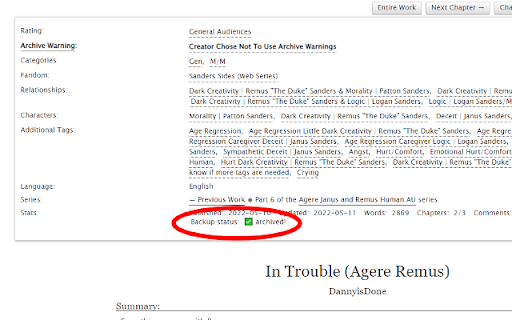
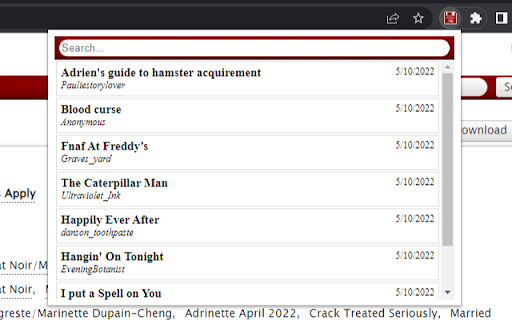
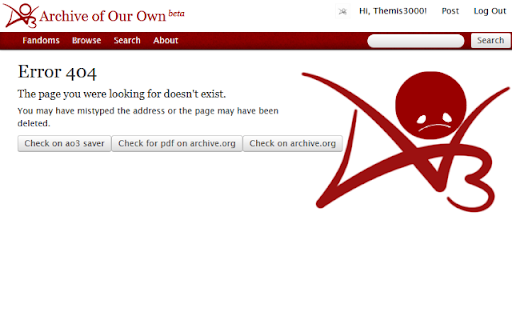
automatically backup ao3 works so you never lose what you're reading again Automatically backup ao3 works so you never lose what you're reading again. When you start reading an ao3 work, ao3 saver servers will automatically back up the work you're reading. If the story ever goes down, the 404 page you're met with will have a button to take you right to the backup stored on the ao3 saver server. The ao3 menu assists in finding lost works by keeping a history of each work you've visited. You can search and find a deleted work your previously viewed with this extension with ease. No data on what you view is kept on anything but your local device. Nothing the server stores is attached to you. Please let me know if you have any issues or suggestions for this extension. You can contact me at mail@ao3saver.com I'm planning on keeping the servers up for this extension and continue support for it for years into the future.

AO3 Random Fanfic
Open a random fanfic from the search results on AO3 This is a browser extension that allows you to randomly select and open a fanfiction from the website Archive of Our Own (AO3) in a new tab. It works on any search or bookmark page on AO3, and it considers all pages of the website with any filters. Essentially, it allows you to discover new fanfictions that you may not have come across otherwise, adding an element of surprise and randomness to your reading experience on AO3.

AO3 Progress Bookmark
Bookmarks Archive of Our Own (AO3)'s works precisely at the page scroll position. Features: - bookmark at the page scroll position. (allowing users to bookmark up to 1000 AO3 works) - backup page content in case of AO3 service down - optional UI enhancements This extension is not meant to replace the AO3 bookmark feature. Instead, it serves as a temporary place for readers to keep track of their reading progress. (Think of it as a way to manage the numerous AO3 tabs you had opened, which you would want return to where you left off at a later time). For permanent saving of an AO3 work for future reference, I recommend using AO3's built-in bookmark feature.

AO3 arrow navigation
Navigate between ao3 chapters using your arrow keys. Left arrow key for previous chapter Right arrow key for next chapter Navigate between ao3 chapters using your arrow keys. Left arrow key for previous chapter Right arrow key for next chapter

AO3 Fic Hider
Adds a hide button to AO3 works and a 'Show Hidden Fics' option to restore them. Extension Creates a Hide button near the fic name so you can hide fic from the search. On the top page there also will be Show Hidden Fics button to unhide the hidden. Or just delete extension to see all the fics. Works across laptops but you must be logged in to you Chrome acc
