
bhoneiohifjbclebcmibnlgmdhdpahki
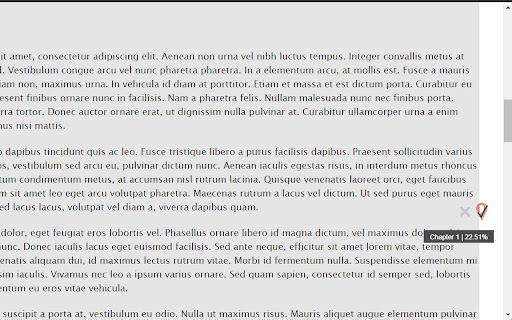


Bookmarks Archive of Our Own (AO3)'s works precisely at the page scroll position. Features: - bookmark at the page scroll position. (allowing users to bookmark up to 1000 AO3 works) - backup page content in case of AO3 service down - optional UI enhancements This extension is not meant to replace the AO3 bookmark feature. Instead, it serves as a temporary place for readers to keep track of their reading progress. (Think of it as a way to manage the numerous AO3 tabs you had opened, which you would want return to where you left off at a later time). For permanent saving of an AO3 work for future reference, I recommend using AO3's built-in bookmark feature.

AO3 Inline Comment Companion
Highlight and save your favorite lines, make commenting easy on AO3. Wattpad style inline commenting as you read. AO3 Inline Comment Companion Highlight what moves you. Comment as you read. This extension helps you stay connected to the stories you love on AO3. When a line stands out, something funny, emotional, or beautifully written, you just highlight the text. A small 💬 icon will appear next to it. Click it to leave a quick comment or personal note. Your highlights and comments are saved directly in your browser. When you come back to the same fic or chapter, your notes will still be there. You’ll also see subtle markers showing which lines you’ve already commented on, so you can easily revisit your thoughts. When you're ready to share, the extension gathers all your notes into one clean comment. You can copy and paste it into the AO3 comment box to let the author know what resonated with you. ✅ What you can use it for: React to specific lines while reading Save personal notes and emotional reactions Keep track of what you want to say before commenting Format your thoughts into a clear, organized message Revisit your notes anytime you return to the same fic 🚫 What you can’t use it for: Comments are not visible to the author unless you paste them into AO3 yourself You can’t see comments from other users, and they can’t see yours It doesn’t connect to your AO3 account 🔒 How it works: All highlights and comments are saved locally in your browser's storage. Nothing is uploaded or shared. Only you can see your notes. You don’t need to create an account, and there’s no sign-in required.

POV: Y/N Replacer for Wattpad and AO3
Automatically replace y/n and other abbreviations in Wattpad and AO3. POV improves the Wattpad and AO3 reading experience by automatically replacing abbreviations like "y/n" with your real name. Immerse yourself in "reader x anything" stories by embedding your real name and attributes in the story! POV is a prettier, faster, and more advanced InteractiveFics replacement for Wattpad and AO3. Unlike InteractiveFics, POV supports y/n and any other abbreviation, such as e/c, h/c, and c/n. You can also replace arbitrary words like "Charlie" with "Harry". This extension is not affiliated with the Wattpad company or Archive of Our Own in any way.

AO3 Quoted Comment Tool
Easily quote snippets of your favorite work in a comment on archiveofourown.org A simple tool to help you write a quoted comment on AO3 (archiveofourown.org) 📢 Note: this extension works best when you set your preference to "Chapter by Chapter" Features: 🔹Add a comment directly under paragraph of your favorite work. No longer need to scroll up and down multiple times. 🔹When you finish reading, click "Insert and clear saved comments" under the comment box to generate your quoted comments with a proper formatting. 🔹Your saved comments won't disappear when refresh. 🔹100% private. Everything is stored locally in the browser.

AO3 Prompt Scanner
This extension will help you browse prompts in an AO3 (ArchiveOfOurOwn) fest more easily. It will create one simple overview of all prompts in the fest that you can search though, after which you can save prompts to look over them later. No more clicking and scrolling though many pages! You will be able to narrow your prompt search down to seconds with the provided filters for: - Claimed/unclaimed status - Relationship - Rating - Text search for title, tags, prompter name (if provided) and summary Instructions 1. Go to the "Prompts" page of the fest you want to browse prompts of. 2. Open this extension again on that page and click "Scan prompts" above. 3. Wait for it to finish reading prompts on all the pages. 4. The extension can't open again automatically once it's done, so please open it again yourself to see the result (tip: enable "Pin to toolbar" in the settings of the extension for easy access). 5. Now you should see all the prompts of the fest! You can use the filters for finding that one prompt that tickles your fancy without having to click through a ton of pages!
