
dbkfimhhpafnhedemgpfpohglkjapgfi


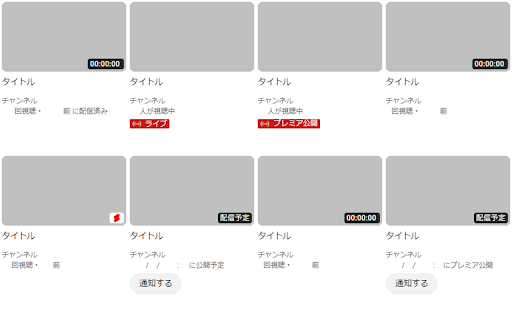


Sort by type(video or broadcast) ----- ・スクリーンショット 全体(新UI):1枚目(適用前)→2枚目(適用後) 拡大(旧UI):3枚目(適用前)→4枚目(適用後) ポップアップメニュー:5枚目(+6枚目) ----- ・説明 YouTubeの登録チャンネルタブページ(feed/subscriptions)で読み込み済みの動画(枠)に対して、手動で「種類ソート、条件ソート、種類フィルター(◯◯のみ表示)、枠纏め、枠数変更、タイトル検索」が行えます ----- ・注意 現在「グリッド(タイプ)、言語:日本語 / English」表示のみ対応しています。 (他言語は要望次第で可能な範囲の追加となります。) ----- ・その他 補足説明や更新履歴は拡張機能インストール後のオプションページに記載しています。 YouTube新UI対応版に移行し、旧UI非対応版となりました(2023/06/09) -----

x-zombie-killer
X(旧Twitter)のインプレゾンビを一気に非表示にします。 Androidスマホをご利用の方はKiwi Browserをインストールし設定の「拡張機能」から本拡張機能をインストールいただくことでご利用いただけます!… X(旧Twitter)のインプレゾンビを一気に非表示にします。 Androidスマホをご利用の方はKiwi Browserをインストールし設定の「拡張機能」から本拡張機能をインストールいただくことでご利用いただけます! 詳しい使い方:https://itokoba.com/x-zombie-killer-support 更新履歴:https://itokoba.com/x-zombie-killer-support/updates インストール時点で以下の文字、単語を自動で非表示にします。 非表示対象 - アラビア文字 - サンスクリット文字 - デーヴァナーガリ文字 - (古)マラーティー語 - 絵文字のみの投稿 - その他日本語のスパム表現 「api.itokoba.com上にある自分のデータ読み取りと変更」という権限はライセンスキーの認証を行うために利用しています。 各種設定などについてはサポートページをご覧ください。 https://itokoba.com/x-zombie-killer-support また、各種規約も必ずご確認ください。インストール時点で同意したものとみなします。 利用規約:https://itokoba.com/x-zombie-killer-support/terms-of-service プライバシーポリシー:https://itokoba.com/x-zombie-killer-support/privacy-policy 特定商取引法に基づく表記:https://itokoba.com/x-zombie-killer-support/tokushoho

Flow Chat for YouTube Live
Chrome Extension for Flow Chat Messages on YouTube Live. - Flow messages over the video. - Change color, size and speed for messages. - Show author and avatar on messages. - Show super chats and super stickers. - Filter banned words. - Add helper menu buttons on the chat list.

YouTube Sort Subscriptions
Do you have tons of YouTube subscriptions and sometimes miss video releases from channels you usually watch? This lightweight extension will sort your YouTube subscription videos by interest. It will reorder items in the "Today" section in your YouTube subscriptions page (https://www.youtube.com/feed/subscriptions). The extension does not add, remove or change any content except from re-ordering the videos. Videos with equal interest will be left ordered by release date. Interest is defined as number of videos viewed from a channel, so videos from channel you've watched the most will appear first in the subscriptions page. However, the extension does not use the watch history so it will only start counting from the moment it is installed. As such, it will not have a lot of impact and should be left in the background for some time before seeing its effects. Clicking on the extension icon will display the number of videos viewed from each channel, giving you an overview of which channels you watch the most (including channels you may not be subscribed to). Each channel count can be reset to 0 by clicking on the cross on its left. The extension does not collect, transmit or share any information, personal or otherwise, nor uses any third-party analytics or advertising frameworks.

SepaList
YouTubeの新着動画一覧をフィルタリングするやつ ◆どんな機能? YouTubeの「登録チャンネル」にある動画一覧を「動画のみ」「ライブのみ」などの条件でフィルタリングできるようになります。 大量にチャンネル登録していて動画を見つけるのが困難な人向け。 ◆使い方 登録チャンネルページ上部に表示されるボタンをクリックしてフィルタリングします。 ボタンが表示されない時は画面を更新してみてください。 ◆注意事項 ※日本語、英語(US)でのみ動作します。 ◆他の機能 YouTube用の自作拡張まとめ https://null.style/app ◆不具合を見つけたら 作者Twitter(@nulltypo)までご連絡お願いします。レビューには回答できません。 ◆免責事項 このChrome拡張によりいかなる損失や損害などが発生しても責任を負いかねます。ご了承ください。
