
dbchgeokljmcmdjbpfiaagmjdkohknec
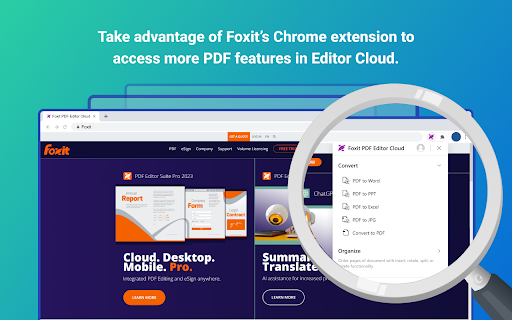
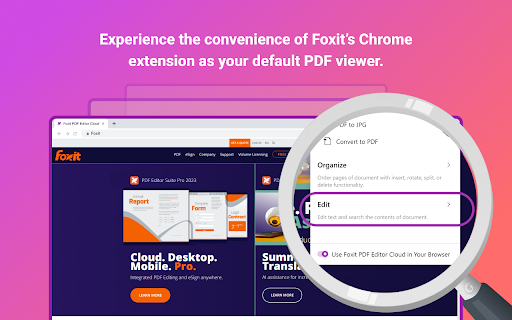
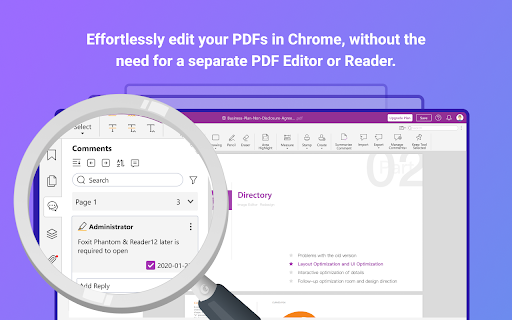
Improve your productivity and simplify online PDF processing with Foxit's Chrome extension. Introducing the New Foxit PDF Editor Cloud Chrome Extension Experience effortless in-browser PDF reader and PDF editor capabilities FREE with the Foxit PDF Editor Cloud Chrome extension - so you can create, edit, convert, and annotate PDFs without having to switch applications. This extension is built with speed in mind, so it won’t cause browser lag or cross-team delays. Foxit PDF Editor Cloud for Chrome: It’s the better, faster, more intelligent PDF viewing experience. How to Utilize Foxit's PDF Extension: 1. Install the Foxit extension for Chrome 2. Pin the extension for quick access 3. Open any PDF in your browser Foxit delivers premium PDF capabilities with our unique toolkit featuring: • Foxit’s award-winning easy-to-use interface • Simple in-browser PDF editing • Quick highlighting and annotation • Insert, rotate, split, and delete PDF pages • Search the contents of a PDF document • Click to Convert PDF files • Streamlined PDF document workflows And it’s all free to use. Combine this free Chrome extension with your Foxit PDF Editor Cloud subscription for even more functionality. • Save PDFs directly to your cloud for easy access on any device • Collaborate and share files on the cloud • Open files directly in your PDF editor as your default viewer • Access powerful AI tools • Gain access to advanced security features and much more Terms & Conditions: Your usage of this application is subject to Foxit's General Terms of Use and Privacy Policy, available at Foxit Legal Page https://www.foxit.com/product/terms-of-service.html

Web to PDF
Use Web to PDF converter to save a web page as a pdf and download it instantly. Perfect for offline reading and sharing. 📃 Looking for a quick and reliable way to save a web page as pdf? This chrome extension is a web to pdf converter, perfect for anyone who needs to download content for offline access, sharing, or archiving. With just a single click, convert a web page to pdf without hassle: ✅ Preserve Styles and Links: Keeps original styles and clickable links. ✅ Flexible Layouts: Choose page breaks or a single-page format. ✅ High Quality: Uses Chrome’s PDF tool for fast, clear results. ✅ Secure: Saves directly to your device, protecting privacy. If you’re looking to save a web document to pdf, this tool makes it easy with smooth, intuitive functionality. All images, links, and formatting remain intact, giving you a faithful reproduction of the web content in one file. 💡 How to Use Web Page to PDF Converter 1️⃣ Open the web page you want to save. 2️⃣ Click on the Web to PDF extension icon. 3️⃣ Select Format to set the view size. 4️⃣ Choose Layout for page breaks or a single page. 5️⃣ Download your PDF — your file is ready in seconds! 📄 Tips for Best Conversions 1. Ensure the page loads fully before converting. 2. Adjust format and layout settings for optimal page fit. 3. Avoid pop-ups or overlays, as they may appear in the PDF. 4. Refresh the page if the first conversion doesn’t capture everything accurately. 💡 Why Save Internet Page to PDF? ◆ Access files offline anytime ◆ Share content without needing internet access ◆ Archive page for future reference ◆ Print web content easily in a structured format Web to pdf extension is the easiest way to convert web page to pdf quickly, ensuring you don’t lose valuable content or formatting. Almost anyone! This tool is ideal for: 1) Students who need to reference articles and papers 2) Professionals who want to save web data for reports 3) Researchers who need offline access to resources 4) Bloggers and writers who save content inspiration Imagine the convenience of accessing all your important web content as pdf files. You no longer need to bookmark endless links or worry about pages disappearing. Just convert the webpage to pdf and keep everything organized and secure. ❓ How to save a page as a PDF? 👉 Open the page, click the extension icon, choose settings, and save webpage as pdf. ❓ Will the file look like the original webpage? 👉 Yes, we ensure that your document retain the look and feel of the original. ❓ Does this extension work offline? 👉 Once a web document is saved, you can access it offline If you see a notice about the developer console, don’t worry — it’s simply due to Web to PDF using Chrome’s own PDF-printing system. Chrome provides an optimized, high-quality conversion method that outperforms other PDF tools in quality and speed. This message is a standard notification for Chrome extensions that use advanced browser functions. While screenshots capture images, PDFs provide a more functional and versatile way to save web pages. Here’s why this extension is the superior choice: ➤ Selectable Text: Easily select, copy, and highlight text. ➤ Clickable Links: Keep all links active for quick access. ➤ Accurate Layouts: Preserve the page’s original look and feel. ➤ Custom Page Options: Choose page breaks or single-page view. ➤ High Quality: PDFs retain clarity and detail better than screenshots. ✳️ News Articles: Save important news articles before they get archived or moved behind a paywall. ✳️ Legal Documents: Keep copies of terms and conditions, privacy policies, or legal agreements. ✳️ Receipts and Confirmations: Save confirmation pages after online transactions for your records. ✳️ Recipes: Save cooking recipes with all the links and notes intact for your culinary adventures. ✳️ Event Information: Capture details of events, schedules, or tickets for easy access. Whether you need a web page to pdf converter for work, school, or personal use, this extension is here to help. Get started today and discover the easiest way to download a web page as a PDF whenever you need it.

Qwer PDF
Qwer PDF extension is Online Convert PDF To Word & Excel, PPT & PDF Editor - 100% Free. Power Up Your Productivity. Qwer PDF extension is Online Convert PDF To Word & Excel, PPT & PDF Editor - 100% Free. Power Up Your Productivity. QwerPDF extension is a 100% free all-in-one PDF tool We’ll power up your productivity with our useful PDF converter toolkit and online office suite. Free PDF Converter: Convert PDF to Word - Online Convert PDF to Word for Docx online editing your word it’s free Convert PDF to Excel: Convert PDF to XLS online, view and edit the document after converted. Convert PDF to PPT: Convert PDF to PowerPoint PPT online, directly edit it after converted Convert JPG to PDF: Convert images online and adjust the size. Convert HTML to PDF: Convert webpages in HTML to PDF and vice versa. Free Online PDF Editor: Merge, Split and Edit PDF Pages Free Online Office Suit: Docx & Word online Editor, You can still use PDF To word for online Editor tools editing your Docx Files Xlsx & Excel online Editor. Excel files online View, You can still use PDF To excel for online excel editor tools Create PPT online. View Word and Excel files online. - Protect your personal information: Protect, unlock and add watermarks on PDF files. By installing this extension you agree to the data protection regulations (https://qwerpdf.com/privacy-policy.html).

WEBxPDF: Webpage to PDF Converter
One-click webpage to PDF converter for Chrome. Fast, high quality, preserves original layout and formatting. WEBxPDF converts web pages to PDF instantly with a single click. It preserves the page’s original layout, formatting, styles, fonts, images, and hyperlinks for high‑quality, print‑ready output. Perfect for saving articles, research, documentation, invoices, and long reads. Designed for Chrome, optimized for knowledge tools and workflows; keep content consistent across devices and shareable as standard PDFs. Save webpage to PDF in 1 seconds, smart naming, tiny file size. Make web saving simple and efficient with one click. # One-click smart save No more tedious steps—click once to convert web → PDF → save, with no prompts or options. # Smart page title extraction Automatically extracts the page title to generate meaningful filenames—unlike other tools that produce meaningless names. # Auto record page URL Records the source URL inside the PDF, so saved documents can trace back to the original webpage. # Complete content capture Smart pre-scroll image loading and auto content expansion ensure nothing is missed for a complete save. Save papers, course materials, references—anything you find online Collect materials, save inspiration, build asset libraries to prepare for the next viral post # you can know more by user agreement https://tianfei.chat/app/WEBxPDF/

Online PDF Editor (pdf2go.com)
Edit and convert PDF files. Compress and convert your PDF files and pages. The official extension from pdf2go.com. An extension to work easily with PDF files. Integrates in Gmail. Speed up your productivity by adding pdf2go.com to Chrome! ★ The tool adds an icon in your extension toolbar and lets you compress and convert PDF files there without the need to visit our webpage. ★ The PDF converter extension contains the following tools: - Compress PDF - Convert PDF to Word - Convert PDF to Excel - Convert PDF to JPG - Edit PDF - Merge PDF ★ The integration with Gmail is called when you compose a message and click on the small colored icon within the compose window. By installing the extension, you agree to the pdf2go.com Privacy and Terms (www.pdf2go.com/terms)
