
damnfbopapnphldhfjcnegjnacdbdlko
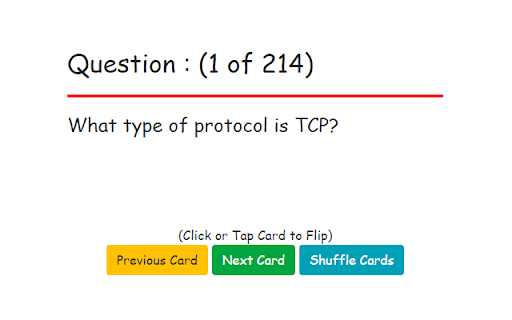
Study Information Security Concepts to pass your CISSP certification exam! CISSP Study Cards is designed for the student preparing to take the CISSP Certification exam. Over 200 questions and answers are presented in an electronic version of the traditional notecard study method. Read the question, respond with your answer and then flip the card to see if you were correct. Once you've completed a pass of all of the cards you can reset the deck to start again.

Codeanywhere
Cloud IDE · Online Code Editor · Codeanywhere - this extension enables opening Codeanywhere workspaces from Git provider sites. Codeanywhere is a AI Cloud IDE. Our AI Cloud IDE saves you time by deploying a development environment in seconds, enabling you to code, learn, build, and collaborate on your projects. With this extension, you can easily launch a development environment directly from your GitHub, GitLab, or Bitbucket projects with a single click. ## How it works: 1. **Install the browser extension.** 2. **Navigate to your project** on GitHub, GitLab, or Bitbucket. 3. **Click the Open in Codeanywhere button** to instantly launch a fully configured development environment for your project. Codeanywhere makes developers forget what device they are working on and let them concentrate on getting work done - all you need is a web browser. Key Features: • Syntax highlighting of more than 100 languages • Autocomplete for HTML, XML, CSS, JavaScript, Python and PHP • Cloud based FTP and SFTP Client • Web based Terminal, connect to remote servers via SSH • Git Client • Tools - Pre-installed language runtimes and tools for all popular programming languages. • Share your projects with other developers in real-time • Live Collaboration - Team up with your fellow developers and collaborate on your projects • Linter analyses your code constantly during the coding process.using pair programming or live terminal sessions. • Debug -With integrated debugger add break points, inspect call stacks, and see output using interactive console The extension requires scripting, contextMenus, and activeTab permissions to add quick repository opening functionality (a button to open in Codeanywhere next to the clone button) from git provider pages to CodeAnywhere IDE, streamlining the development workflow by providing one-click access from repository pages. Remote Code Use: The extension contains all code locally and does not execute remote code. Storage Use: No user data or preferences are stored locally or remotely. Data & Privacy: No personal information is collected. The extension only reads repository URLs when activated and only connects to CodeAnywhere when explicitly opening a repository. No analytics or tracking is implemented.

PMP Certification Flashcards
Study Project Management Concepts to pass your PMP certification exam! PMP Certification Flash Cards are the perfect tool to help you pass your certification exam. Over two hundred free flash cards cover the essential information you need to know. Start studying for your certification exam today!

Flash Cards : Periodic Table of Elements
Flash Cards for the student of the Periodic Table of the Elements Periodic Table of Elements Study Cards is designed for the student learning the Atomic numbers and Chemical Symbols of the elements. Questions and answers are presented in an electronic version of the traditional notecard study method. Read the question, respond with your answer and then flip the card to see if you were correct. Once you've completed a pass of all of the cards you can reset the deck to start again.

Outline: quick notes
An extension that let you save you quick notes while browsing Outline help you to save quick notes while browsing on the internet. The process for taking notes with outline is simple. You simply need to install the extension. And start adding whatever you like on the internet. This project I created for my personal use but later I realise it can be used by anyone. So here it is available for everyone. Why Outline? 1. Privacy focused. The data can only read by you only. Its between you and your browser. Code is open sourced. So you can always look whats going. No one can recover your info. If it's gone, it's gone 2. Rich text formatting allowed. You can highlight according to your convenience. 3. Less clutter info: Not everything you read should be in your notes. Sometimes you just need some pointer which you can review later. You can think outline as quick draft which you can save all your info anywhere you want 4. Easy to find whatever you type Note: This extension rely chrome storage api. So it has its own limitation. If you do not need any specific notes, delete it. So that it does not give your storage warning. More you can read here: https://developer.chrome.com/docs/extensions/reference/storage/#property-local And much more feature will come soon... If you want new feature request or found any bug. Feel free to open ticket here: https://github.com/shubhamV123/outline
