
dadggmdmhmfkpglkfpkjdmlendbkehoh
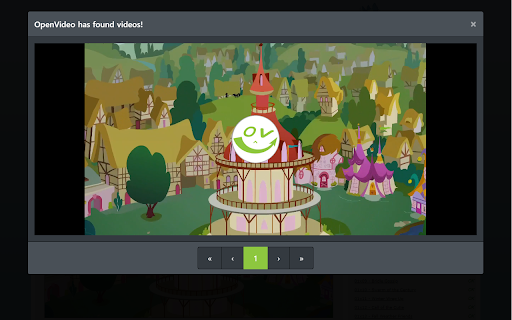

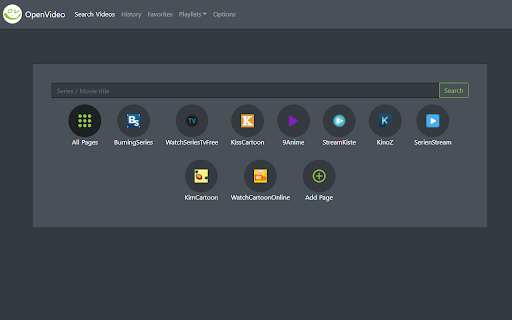
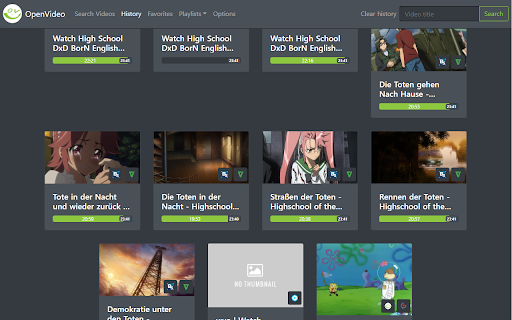
Watch all of the videos – but none of the ads! (...even on sites which block adblockers) OpenVideo creates a safe space on every video playing webpage - ideal for streaming sites bloated with ads and malware! OpenVideo comes with its own video player, which has some pretty cool features: ► adds player hotkeys (eg. 'f' for fullscreen) ► download button for every video ► add subtitles easily from hard drive or url ► starts video where you left ► theatre mode and picture-in-picture mode And on the most common streaming sites the OpenVideo player will be embedded automatically. Also there is a built in video search engine (doesn't overwrite your default search engine) and a library where you can manage your video history and your playlists. This addon uses Google Analytics so I can see which streaming hosts are most commonly used. This data is anonymous and can't be connected to individual users. This data important to keep up the high functionality rate of this addon, however you can turn it off in the extension's options.

Play in VLC™
Detect streamable video and audio sources and offer to play them in VLC multimedia player "Play in VLC" is a browser extension to send all detectable video and audio sources to the well-known VLC multimedia player. The extension detects all the media for the current page and displays the total number of the detected media sources in the badge area. You can left-click on the toolbar button to send these media sources to the VLC player. Also, the extension has right-click context menu item for video and audio elements to send them directly to the VLC player. You can use the right-click context menu item over the toolbar button to copy the detected media sources to the clipboard. Note: This extension needs a native-client to be able to communicate with the VLC player. This native-client is available for Windows, Linux, and Mac OS. There is no support for other operating systems. --- Legal VLC is a trademark of VideoLAN non-profit organization, registered in the U.S. and other countries. This extension is an independent project and has no relationship to VLC team or VideoLAN organization.

MediaPlayer - Video and Audio Player
A powerful media player built on top of the video.js project with HTTP Live Streaming (HSL), speed control, and playlist support The "Media Player" is a browser extension to play music and video files either locally or from online sources. This project aims to bring a VLC-liked media playing experience using native HTML5 technology. The add-on is built on top of the well-known "video.js" project by applying a few custom plug-ins to enhance the user experience. This player supports media boosting, speed control, playlist media selection, fullwidth-progress bar, HTTP-streaming (M3U8), cast to a remote device, and wave surfer visual for audio files. How to Use (local resources): Open the interface and drop the media link to it How to Use (remote resources): Open a video page like https://www.w3schools.com/html/html5_video.asp Right-click on the player and select "Open in Media Player" You can start watching an offline video file by dragging and dropping the video file into the player or pressing the big play button. To have the player load subtitle make sure to drop both video and subtitle files together (The dropped subtitle should have the same name as the file and needs to be in SRT or VTT format). Also, you can add a subtitle file later using the "+CC" button. This button appears when there is no subtitle found for the current track. Extra Features: 1. Video casting: right-click on the player. If your browser supports this feature, you can transfer the media to a remote device. 2. Take a screenshot: Press the "screenshot" button on the player 3. 2x volume-boosting: Like VLC, you can boost the audio by 200%. Use the boosting feature when the volume is not loud enough. 4. Media Capturing: The player can optionally detect media files in the current tab and transfer them to the media player 5. Play in a separate window or inside a browser tab 6. Supports media keys even if the player is not focused 7. Supports native context menu on Chrome OS. You can right-click on the finder window (explorer) and use this player to open media files. You can use your keyboard to control the following playback options: 1. "F" key: This will toggle the fullscreen mode on and off 2. "Space" key: This will toggle the playing state of the player 3. "Key Up" and "key Down": Increase or decrease volume. 4. "Key Left" and "Key Right": Seek backward and forward for 10 seconds. 5. "U" key: Shuffle playlist 6. "R" key: Toggle repeat, repeat one, and no-repeat 7. "S" key: Take s screenshot 8. "B" key: Boost volume (2x or 200%) 9. "O" key: Open network URLs Change Log: 0.1.2: 1. Media Player now supports history (it will save the current track position and retrieves it after a restart) 2. Media player now supports global keyboard shortcuts for toggle pause and play state, moving to the previous track and moving to the next track 0.1.3: 1. Better playlist! 0.1.4: 1. For audio tracks, a seek-able wave-surfer is replaced with the old poster image 2. playback rate is now adjustable. 0.1.7: 1. Supports live stream (m3u8) 2. Supports folder drop and recursive media file search 0.2.3 1. Partial support for MKV video container 0.2.5 1. Better support for video/mkv format

PopUpOFF - Popup and overlay blocker
Removes and prevents popups, overlays and cookie notifications, other tools do not. Enjoy the original look of the internet. Hey! Have you seen the terrific rating above? You must be wondering: “Is it finally a good popup blocker? Should I try it?” Do read the text below to find out if that's something you'd like to give a try. So, answering your questions: “No and Yes” - it isn’t some “good” popup blocker. PopUpOFF is brilliant: https://github.com/RomanistHere/PopUpOFF/issues/16 - and you should definitely try it if you are as annoyed with popups, cookie notifications, overlays and other sticky things that overlay content as I do. - PopUpOFF doesn’t just block some popups that other developers paid for, but YOU are in control of it. You decide not to have any single overlay on the screen or casually remove only the most annoying things (hi cookie notifications and subscription popups). - You can unlock and read PAID content FOR FREE on some websites (see the video above). - Size of this extension is 100 times less than any other average popup blocker in the store. Size doesn’t matter? Well… I wouldn't be so sure about that. - PopUpOFF is a non-commercial and open-source project. It means no ads, no tracking, everything it has is available for you for free and forever. I am RomanistHere and I’m giving you this piece of better web. - It still is in development, so there could be bugs or imperfect solutions, I’m working on it solo and there are other things in the world to do. So be gentle, I created it for myself back then, but now I’m doing it for you. - PopUpOFF is as addictive as it gets. After you start using it, there would be no way back. You were warned :) Sounds interesting? Go get it. Write “hello” to me, share the feedback. Check what else I’m doing. There are probably other pieces of better web. Be cool, be gentle, help me make the world better. Not saying goodbye. Have a better life now :)

Speed Tweaks
Speed up your browser with few tweaks via toolbar popup! Speed Tweaks is an addon that helps you speed up your browser by using a few different tweaks. Simply open the toolbar popup and mark the desired item(s). Please note that none of the tweaks are selected by default. Currently, there are 7 tweaks available for this addon: 1. Blocking most common ads. 2. DNS pre-fetching. 3. Blocking images from loading. 4. Speed-up rendering on page-scroll. 5. Loading mobile version of sites. 6. Discarding all inactive tabs from memory. 7. Clearing the browser's cache. Note 1: depending on your browser version and platform, this addon might behave differently. Note 2: to report bugs, please fill out the bug report form on the addon's homepage (https://mybrowseraddon.com/speed-tweaks.html).
