
cpiagapooikhbopmlcjnpphhmjiegcpi

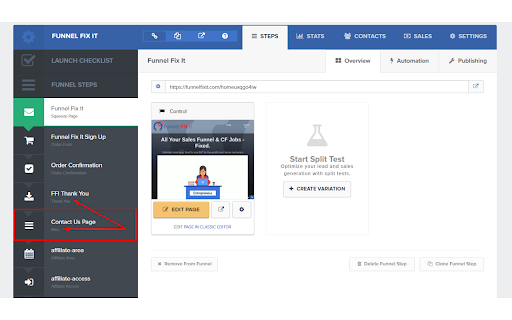
Easiest and fastest way to copy CF pages or turn any page into a Clickfunnels page CF Editor page cloner. 4.5! Clone any page sneak preview... FREE (FOREVER) Version: Use this for pages YOU OWN that you need to copy from one funnel to another or from one page type to another. IE: You have used an OPTIN form for an ORDER by mistake, just use this to move ALL your content in seconds. PRO Version: If you want a version that can copy LIVE pages from the internet for you to Funnel Hack, you can upgrade within the extension at https://funnelhacking.app/package **NOTE: All images will be blurred and text replaced to lorem ipsum to protect users IP. Find a great looking funnel or web page on the net and it's not in Clickfunnels yet? No sweat, hit the extension and submit it as a MANUAL HACK and within 1 week we will create the page in Clickfunnels for you...no way!! Yes way. (This is also a paid feature...obviously) **COMING SOON** - Auto Hacks for other major platforms (Highlevel, Wordpress pages, etc) - Powered by AI! - Convert CF 1.0 > CF 2.0 in 1 click! What's new in 4.0? ** REGISTER WITHOUT CF ACCOUNT ** - Improved GHL Import integration - One of the most requested new features this year!! - No need for CF 1.0 Classic account anymore! - No need for a CF account at all (CF > GHL direct) - Credits on initial sign up Recent Changes GHL Integration!! Directly clone from a live/editor CF page to GHL even if the link isn't working (a well known bug in the internal integration) - Clone your MANUAL HACKS or anything from the hack library to your Highlevel account. - No more need for a CF account to run the extension! - Chrome Fix!! Manual hacks working again properly. -AI Content Creator - YES! We have a connection with OpenAI (ChatGPT) and you can create unlimited content on our premium plan. Amazing!! - Headlines - Page Copy - Reviews/Testimonials ..and more! - LIVE Hack Browser now live!! You can browse our extensive library of over 5000 popular hacks. Just use one of your live hack credits to add to the extension from the dashboard. - Clone Database Explorer (visually explore and instantly grab any of the 1000's of previously cloned pages into your account) NOW LIVE!! - Manual Hacks Database Marketplace (search, and purchase instantly high converting funnel pages hacked from other sites - 1-time fee for members!) - Cloudflare and Bitbucket o-auth login issue resolved (finally! you can leave the extension on all the time now) - Speed enhancements - Fix for some anti-hack pages - Fixes for some "Add to extension" pages not working 100% - Dashboard re-adding NOW FREE FOR ALL! Add hacks from your history Bug Fixes (2.85) - CF subdomain update fix - Wordpress Plugin CF Pages Now Clone correctly! - Dashboard hack listing speed improvements - Manual hack speed improvements (dashboard) - Minor UI and UX updates - Minimized Branding - Custom CSS bug fixed - Custom CSS cloning re-added to extension - Paypal API keys rolled - Internal refactoring - Minor UI bugs - Internal manual hack error - Minor speed enhancements - Minor bug fix for Manual Hacks - Updates to Manual Hack process including better messaging and alerts when ready - Updates to Package visibility on extension - Increased speed of extension - Add visibility of your CF Account ID on Clone button - Addition of Multi-Account Add Feature from within the Extension, now you can purchase additional Clickfunnels accounts to add pages to - 3 Free Hacks for New Accounts - Minor Fixes to functionality and blurring feature - Minor Updates to the Manual Hacks feature - Minor Fixes to AUTOSAVE function - Minor Fixes to Obfuscation to remove text update on Input Fields and Order Form elements - Minor Updates to clone function, some pages weren't saving due to invalid source pages. These pages are now working ok. - Manual hacks! Submit ANY landing page on the web to our team and within 48hrs or less, we will recreate it as a Clickfunnels page for you - Autosave: 1 less click for you :D - Improvements to dashboard functions and history - Purchase membership or one-time hack packages is now live! - Updated Chrome permissions for faster access - Bug fix for recent Google permission update FREE VERSION USAGE: 1) Open the Clickfunnels editor to the page you want to copy 2) Click the extension icon 3) Select COPY button 4) Open the Clickfunnels editor to a new page you want to clone to 5) Click the extension icon again and now click the CLONE button 6) Wait for the SAVE button to appear in the extension, then click it 7) Wait for EXIT EDITOR / CONTINUE buttons to appear and select one 8) Page will reload or close *Register for Paid Version* 1) Open the Clickfunnels editor 2) Click the extension icon 3) Click REGISTER button 4) Fill out your details and create your account 5) Close dashboard PAID VERSION USAGE: 1) Open ANY live Clickfunnels page 2) Click the extension icon 3) Select COPY button 4) Open the Clickfunnels editor to a new page you want to clone to 5) Click the extension icon again and now click the CLONE button 6) Wait for the SAVE button to appear in the extension, then click it 7) Wait for EXIT EDITOR / CONTINUE buttons to appear and select one 8) Page will reload or close For any issues, please contact Nathan@funnelfixit.com

Tab Copy
Quickly copy tabs to the clipboard in a variety of formats ● Copy the current tab, tabs in the current window, or all tabs. Optionally group tabs by window. ● Select from a wide variety of formats like Link, URL, Title & URL, Markdown, CSV, JSON, HTML, and more ● Create your own formats with powerful format templates ● Choose between using a popup or copying tabs with one click ● Define keyboard shortcuts for your most commonly used ranges and formats ● Add copy actions to web page context menus ● Set up filtering for tabs you want to omit ● Fine-tune your experience with a robust set of options See the docs for more: https://tabcopy.com/docs

Website to PDF Converter
One-click Website to PDF Converter easily convert website page to pdf online and save web page to desktop. ✨ Website to PDF Converter: Your Ultimate PDF Conversion Tool Tired of struggling to preserve online content? Meet the ultimate solution: Website to PDF Converter. This powerful Chrome extension is your one-stop tool for effortlessly saving any webpage as a pristine, high-quality PDF document. It is the most reliable and efficient html to pdf converter on the web. Whether you are a student, researcher, professional, or casual web user, this tool simplifies your digital life. Instantly convert html to pdf format with a single click, capturing articles, receipts, confirmations, and vital information exactly as they appear on your screen for offline access, archiving, or sharing. Our extension is packed with features designed for a seamless user experience. It is more than just a simple pdf converter; it is a comprehensive document preservation system. • One-Click Conversion: Transform any online content into a PDF instantly. No more complex menus or tedious steps. Just click the icon and your pdf is ready. • Perfect Formatting: Faithfully captures the original layout, images, and styling of any webpage. Your converted html in pdf format will look identical to the live site. • High-Quality Output: Generate professional, print-ready PDF files every single time. This html to pdf file converter ensures clarity and precision. • Lightning Fast: Experience incredible speed. Convert html file to pdf in mere seconds, saving you valuable time and boosting your productivity. • 100% Free to Use: Enjoy all these powerful features completely free of charge. There are no hidden fees or premium paywalls. Using our tool is incredibly simple. You do not need any technical expertise to convert html to pdf. 1. Install the Website to PDF Converter extension from the Chrome Web Store. 2. Navigate to any webpage you wish to save. 3. Click the extension icon in your browser’s toolbar. 4. Watch as the extension instantly processes and converts the page. 5. Download your new PDF file directly to your computer. It is that easy to convert webpage to pdf. In just five simple steps, you can preserve any information you find online. 👥 Who Is This Tool For? This extension is an indispensable tool for a wide range of users. Its versatility makes it a must-have utility. - Students & Researchers: Save online journals, articles, and research papers for offline study and citation. Perfect for building a personal library of resources. - Professionals & Businesses: Archive important web content, such as contracts, reports, and competitor webpages. Create permanent records of online transactions and receipts. - Designers & Developers: Capture inspiration, save code snippets, or document website layouts and designs for future reference. - Everyday Users: Keep recipes, travel itineraries, or news articles safe from link rot or content changes. Never lose access to important information again. The internet is filled with tools that claim to save webpage as pdf, but few deliver consistent, high-quality results. Our extension stands out from the crowd. ➤ Privacy First: We value your security. All conversion processes happen locally within your browser. We do not send your data to any external servers. ➤ Unlimited Conversions: There are no limits on how many times you can use our tool. Convert to your heart’s content without any restrictions. ➤ Regular Updates: We continuously improve our pdf converter to ensure compatibility with all modern websites and the latest Chrome updates. ➤ User-Friendly Design: The interface is clean, intuitive, and designed for everyone. No confusing options, just a straightforward way to save page as pdf. ❓ How does this pdf converter work? Our extension works by processing the HTML and CSS of the webpage you are on directly within your browser. It then packages it into a clean and accurate PDF file for you to download. It is the easiest way to convert html file to pdf. ❓Do the converted PDFs contain advertisements? Absolutely not. The PDFs you generate are clean and ad-free. We do not inject any watermarks, advertisements, or promotional content into your documents. ❓ Can I use this to save protected or login-required pages? The extension can only save the content that is currently visible in your browser. If you are logged into a service and can see the content, you can likely save page as pdf. However, it cannot bypass paywalls or login screens on its own. Stop relying on unreliable print dialog boxes or complicated software. Take control of your web content with the efficient and trusted html to pdf converter available. ⬇️ Download Website to PDF Converter now and start saving your web content in perfect PDF format today!

HTML to PDF
Convert webpage to pdf file online easily. Save and transform any links and sites with just one click using our HTML to PDF app. ✨ Transform your HTML to PDF with ease without any help or unnecessary steps. 🔄 Need to html convert to pdf quickly and efficiently? Our Chrome extension is perfect for you! Whether you’re - saving a webpage for offline reading, - sharing a document, - or archiving important content, this tool makes it easy to convert html to pdf with just a few clicks. 🌐 You can easily internet page to pdf and save important documents in a professional, easy-to-share format. ⏱️ In today's digital world, having the ability to quickly and efficiently convert html documents into pdfs is essential. Our extension is not only user-friendly but also packed with features that enhance your productivity. 🏆 Why choose our html to pdf converter? 1️⃣ Versatile: works with files, webpages, even entire websites. 2️⃣ Fast and Reliable: You can convert a link to pdf in seconds without compromising quality. 3️⃣ Easy to Use: No technical skills required—just install and start converting. 4️⃣ High-Quality Output: Preserve the layout, formatting, and images of your documents. 5️⃣ Browser-Based: Convert directly in your Chrome browser—no additional software needed. 💻 With just a few clicks, you can transform site to pdf professional-looking that are perfect for - sharing, - printing, - or archiving. 🛠️ How to convert html using pdf generator online effortlessly? It’s simpler than you think. ➤ Install our extension for transform chrome html document to pdf. ➤ Open the webpage you want to convert. ➤ Click the convert button and let the tool work its magic. ➤ Download your newly created file instantly. 🔑 Key features of our html to pdf file converter ▸ Batch Conversion: Convert multiple html file to pdf or webpages at once. ▸ Customizable Settings: Adjust margins, orientation, and page size. ▸ Secure Processing: Your files are processed locally, ensuring complete privacy. ▸ Lightweight Design: Doesn’t slow down your browser or device. ▸ User-Friendly Interface: Designed for both beginners and professionals. 🌟 Benefits of converting html documents • Save webpages for offline reading or archiving. • Share documents in a universally accepted format. • Preserve the original layout and formatting of your HTML files. • Print web content easily without losing quality. • Simplify your workflow with a single-click conversion tool. 🤔 Who can benefit from this html en pdf converter? 1. Students. 2. Professionals. 3. Web developers. 4. Bloggers and content creators. 5. Anyone. 🛠️ How to change html to pdf? The process is straightforward. 📌 Upload your html file or enter the URL of the webpage you want to convert. 📌 The tool html in pdf format automatically processes and converts the content. 📌 Download your newly created file to your device. 📌 Enjoy your hassle-free, high-quality document! 🤷♂️ Why convert html file to pdf? They are great for web content, but they’re not always ideal for sharing or printing. By using our app, you can: ✔ Ensure your documents are accessible on all devices. ✔ Avoid compatibility issues with different browsers or software. ✔ Create professional-looking PDFs for presentations or reports. ✔ Save time by simplifying the conversion process. 💬 Frequently Asked Questions (FAQ) ❓ How to transformar html a pdf? 💡 Simply install our Chrome extension, upload your file or enter a URL, and let the tool do the rest. ❓ Can I convert multiple files or webpages at once? 💡 Yes, our extension supports batch conversion for your convenience. ❓ Is the conversion process secure? 💡 Absolutely! Your files are processed locally, and no data is stored on our servers. Don’t miss out on the opportunity to simplify your conversion process. You can convert a webpage to pdf and another. With our generator online, you can easily convert and save page as pdf, and more. 🎉 Conclusion Say goodbye to the hassle of sharing or archiving html files and hello to seamless document conversion with our Chrome extension. Whether for personal, academic, or professional use, html to pdf delivers high-quality results every time. 📝 Whether you need a quick way to save an article or want to compile multiple pages into a single PDF document, this is your excellent solution. 🚀 Our powerful pages to pdf converter is specifically designed for users who need a straightforward solution for converting web content. Install it today and experience the convenience of translate html to pdf in just a few clicks! This extension contains ads for our other products. They do not interfere with your experience or limit any features — you can continue using all the functionality in full.

JPG to PDF Converter
JPG to PDF Converter — format JPG to PDF instantly on any webpage. Simple, fast convert JPG to PDF without leaving your tab. JPG to PDF Converter – Fast, Secure, and Effortless Image to PDF Tool 📸 Turn any image into a beautiful, print-ready PDF right inside your browser. The JPG to PDF Converter makes it easy to convert jpg to pdf, convert png to pdf, or even combine jpg to pdf in seconds. You don’t have to switch tabs, visit another site, or upload files anywhere. Everything happens instantly, locally, and securely. ⚡ 💡 A Smarter Way to Work Whether you’re a student organizing notes, a designer sharing layouts, or a business professional preparing reports — this jpg to pdf converter is built to make your work smoother. You can convert jpg format to pdf or convert png to pdf without sacrificing image quality. With just one click, any picture becomes a clean, professional-looking document. 🌟 ⚙️ Main Features 1️⃣ Instant conversion from JPG, JPEG, or PNG to PDF. 2️⃣ Choose between portrait or landscape orientation. 3️⃣ Smart fitting options: Contain, Cover, or Fill. 4️⃣ Rename your files before saving. 5️⃣ 100% privacy — everything runs offline. This jpg to pdf converter free extension delivers both speed and control. It’s more than just an online jpg to pdf converter — it’s a tool designed to fit right into your everyday workflow. 🔧 🖼️ High-Quality Results Every Time When you convert jpg to pdf free or convert png to pdf, your file keeps every detail of the original. The jpg to pdf convert engine ensures crisp text and vivid colors while adjusting orientation automatically. You can format jpg to pdf perfectly, ready for printing, sharing, or archiving. 💎 💻 Simple Workflow 1️⃣ Click the extension icon on your Chrome toolbar. 2️⃣ Choose an image or right-click one from any website. 3️⃣ Select the layout and fit mode. 4️⃣ Save your new document instantly. That’s how easy it is to convert from jpg to pdf, convert .jpg to .pdf, or even convert png to pdf directly from your browser tab. 🚀 🌍 Convert Directly from Any Website You don’t need to download or upload anything. Just right-click any picture you see online and select “Save as PDF.” The converter jpg to pdf instantly turns it into a professional document. It’s the fastest way to convert jpg in to pdf or convert a jpg to pdf without extra steps. 🌐 🧠 Full Control Over Each Conversion The jpg format to pdf converter gives you total freedom: • Choose between portrait or landscape. • Adjust fit mode (Contain, Cover, or Fill). • Combine several images into one file. • Rename before saving. • Work fully offline. Whether you need to convert in jpg to pdf or convert png to pdf, the extension adapts to your preferences automatically. 🧩 💼 Built for Everyone Professionals, students, and creatives all rely on this jpg to pdf converter online. Use it for invoices, homework, marketing visuals, or product images. You can easily change jpg to pdf, convert png to pdf, or convert jpg format to pdf for any purpose — personal or professional. 💼 🔐 100% Private and Secure Every converting jpg to pdf action happens locally. No servers, no uploads, no risks. Your files never leave your computer. This free jpg to pdf converter keeps your data completely private, whether you convert png to pdf or convert jpg to pdf online. 🛡️ 🧾 Create Perfect PDFs Anywhere You can use the .jpg to pdf converter anytime, even without internet. It’s ideal for travelers, students, or anyone working in low-connectivity areas. With one click, you convert jpg format to pdf, convert png to pdf, or convert from jpg to pdf instantly. ✈️ 🕒 Save Time, Every Time No ads, no waiting, no limits. The jpg to pdf converter free extension delivers results in seconds. Whether you’re trying to convert jpg to pdf online or convert .jpg to .pdf for printing, this extension handles it all quickly and accurately. ⏱️ 🪄 Why Users Love It ➤ Simple one-click conversion ➤ Works offline, completely private ➤ No ads or watermarks ➤ Clean, user-friendly design ➤ Free and unlimited to use The converter jpg to pdf provides professional-quality output every time you convert jpg to pdf or convert png to pdf. 🌈 🖌️ Perfect for Projects and Presentations Need to create a visual report, send artwork, or share scanned materials? The jpg to pdf a converter turns your images into organized PDF files that are easy to print or email. You can even combine jpg to pdf to keep related images together. It’s a complete tool for professionals and casual users alike. 🎨 🧰 Everything You Need in One Place Use the jpg to pdf convert tool for: 1️⃣ Converting single images or multiple pictures. 2️⃣ Adjusting fit and orientation for precise layout. 3️⃣ Saving any image from the web as a polished PDF. 4️⃣ Keeping all conversions offline and secure. 5️⃣ Enjoying the easiest free convert jpg to pdf solution available. No matter what your goal is — to convert jpg format to pdf, convert png to pdf, or convert .jpg to .pdf — this extension is built for speed and simplicity. 🧭 ✅ In Summary JPG to PDF Converter is the ultimate online jpg to pdf converter for Chrome users who want speed, privacy, and professional results. Use it to convert jpg to pdf, convert png to pdf, or convert jpg format to pdf instantly. You can convert from jpg to pdf, convert a jpg to pdf, or even combine jpg to pdf into one clean document — all with one click. No registration, no limits, no uploads. Just a fast, private, and reliable .jpg to pdf converter that works exactly how you need it to. Try it today and see how easy it is to convert jpg to pdf free, convert png to pdf, and format jpg to pdf anytime, anywhere. ⚡
