
cpfaonnjbclplimogcpmchejcbhgooke
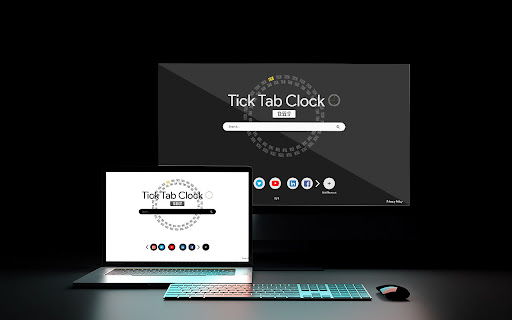
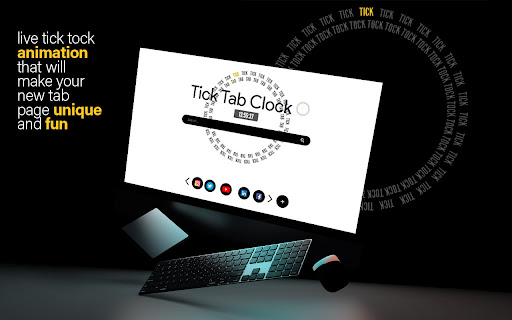



Tick Tab Clock extension will help you keep track of the time while enjoying a soothing new tab design. By selecting “Add to Chrome”, You accept and agree to install the Tick Tab Clock Extension and set Chrome New Tab to the service’s default, as well as the Terms of Service and Privacy Policy. Microsoft Bing will fuel the New Tab search. Tick Tab Clock is the perfect extension for anyone who wants to improve their productivity and focus. With a beautiful design on every new tab, as well as a clock in the middle, you can keep track of time and stay focused on your work. The main goal of this extension is to help its users to regain calmness and focus with carefully designed wallpaper and animation. A beautifully designed clock will not also help you with concentration but will also help you to keep track of time. Tick Tab Clock is an extension that is perfect for anyone who wants to improve their productivity and focus. 🕛 By installing this extension you can design your new tab on your own by changing the theme by selecting dark or bright one. However you like, it is up to you! You can also use the Search Bar we implemented in the middle of the screen. It is easy to use and there is no change you can miss it! By using all of these simple but useful features you can really gain more focus and concentration throughout a day and that is why we think this is a must-have extension. In case you are not happy with this extension, you can easily uninstall it by right clicking the extension icon on the menu bar and clicking "remove from Chrome". Contact us for more information: Contact: https://ticktabclock.net/contact.html

Minimal New Tab Clock
A simple, ultra-lightweight clock to replace your tab menu. V1.8.1 - Added rudimentary ability to change the clock's font V1.7.0 - Updating colour picker to include HEX and HSL input - Added ability to close menus with 'Escape' key - Fixing issue with analogue clock hands not being styled correctly on custom theme - Updating style scripts to reduce the amount of 'flash-of-unstyled-content' V1.6.1 - Adding additional icon sizes for hdpi screens V1.6.0 - Fixed an issue with the second hand glitching - Clock face size is a bit more responsive - Improved performance & memory leaks - Improved keyboard controls - Menu now stays open after making selections - Trimmed unneeded code and other files - Use locale-specific dates instead of hardcoded English V1.5.0 - Add scaling to clock, fade out menu, and performance improvements V1.4 - Added a theme picker - Custom colour can be picked from the theme picker - Current day now updates when your system clock changes to the next day - Minor performance improvements V1.3.1: - Fixed an issue with 12hr format clock and AM/PM display - Performance improvements - Fixed keyboard interaction issues - Added a link to colour change functionality questionnaire V1.3: - Removed leading zero on 12hr format - Moved second hand to the top of the stack V1.2: - Dark theme (click the lightbulb to use) - Analogue clock - 12 hour digital clock

Calm Waves
Customize your new tab page with this beautliful design. By clicking "Add to Chrome", You accept and agree to installing the Calm Waves Chrome Extension and setting Chrome New Tab to that provided by the service and the Terms of Use and Privacy Policy. New Tab Search will be powered by Microsoft Bing. Calm waves is designed specially to provide comfort and a calming environment while you work. The background default consists of two pale, pastel, and relaxing colors that stimulate a small dose of dopamine and serotonin - which reduce stress and anxiety. But, of course, yozu can change those colors, adjust them according to what you like. You can customize both - background color and waves color. Let's not forget to mention that the waves are in slight motion that animate your new background. We also added your bookmarks under the search bar and completed the whole look of your new tab with discrete details that get along so that your customized browser looks perfect. P.S. It's important to state that when you install Calm Waves, you accept and agree to install this extension and set Chrome New Tab to the service’s default, as well as the Terms of Service and Privacy Policy. Visit our website if you need more information on Calm waves and our work: ♒︎ https://calmwaves.net/index.html ♒︎ PP: https://calmwaves.net/privacy-policy.html ♒︎ EULA: https://calmwaves.net/EULA.html ♒︎ Contact us: https://calmwaves.net/contact.html

Search Everything
Search Everything on the web from modern start page. Customize your browsing experience, create offline notes, get current weather, etc. Our goal is to satisfy the most demanding users. We have developed the best modern gaming-style design for your new tab page. You will get aesthetic pleasure every day when you open your favorite browser. This futuristic new tab page extension is a great choice if you love dark mode. It has 2 modes: dark and darker. However, you can upload your own background image with any brightness. Please read carefully: By installing the "Search Everything" extension you agree to install this app, and you agree to the Terms of use https://searchse.com/eula.html and the Privacy Policy https://searchse.com/privacy.html Note: this extension takes over your new tab search engine. We may change your search engine on new tab page if we decide it would be better for you. If you are not happy with this change, you can stop using the search on this page. Permissions: You must provide access to your approximate geographic location so we can provide you with weather data based on your location. We will not use this data for any other purpose.

Space Spiders
Space Spiders extension will help you keep track of the time while enjoying a soothing new tab design. Space Spiders will provide a whole new level of excitement to your freshly opened tab. By clicking “Add to Chrome” I accept and agree to installing Chrome Extension Space Spiders and setting New tab and Search to Bing that provided by the service, Terms of Use and Privacy Policy. This plugin has been thoughtfully developed to make users' time spent on the web more productive. Space Spiders will serve you well regardless of whether you are in the mood to work or simply have some fun. Especially for those who are fascinated by space! The animation is undoubtedly the standout feature of this plugin. In addition to having an incredible background, you will also have the opportunity to interact with a couple of spiders. Have fun moving them about with the mouse in different directions. The bookmark function is also a useful tool. This will make it so that you can easily go to the websites that you want to visit most. After you have visited a certain page a certain number of times, we will make a tiny icon for it on your new tab so that you may access it whenever you like. Make your online browsing quick and simple with the help of the Search Box as you take in the stunning animation. Please do not hesitate to contact us for more information: Contact page: https://spacespiders.net/contact.html Learn more about us and our products: https://spacespiders.net/index.html https://spacespiders.net/about.html It is easy to uninstall the extension by following these steps: 1. Find the extension in the toolbar 2. Click on the three dots on the right. 3. Click the option “Remove from Chrome”
