
cnojnbdhbhnkbcieeekonklommdnndci
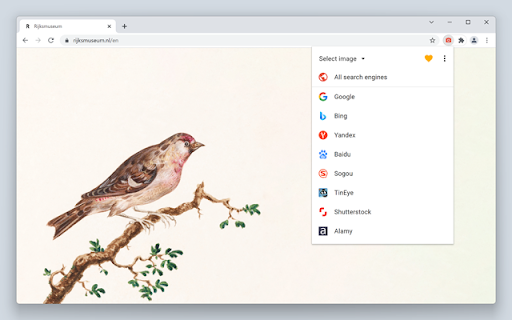
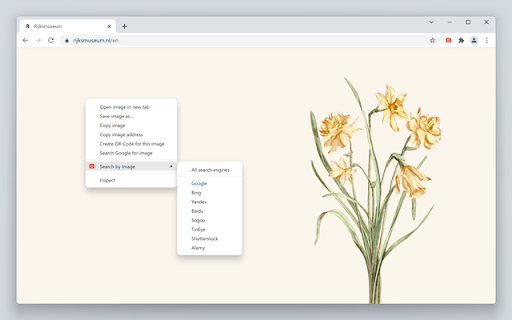
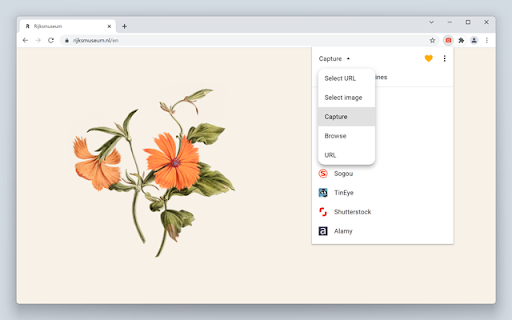
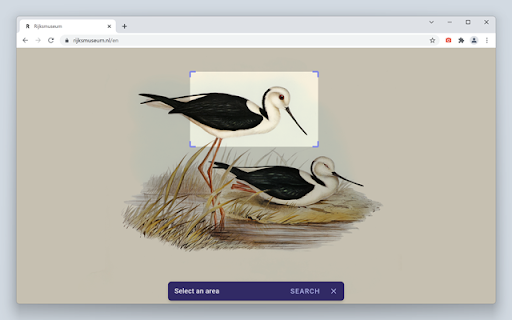
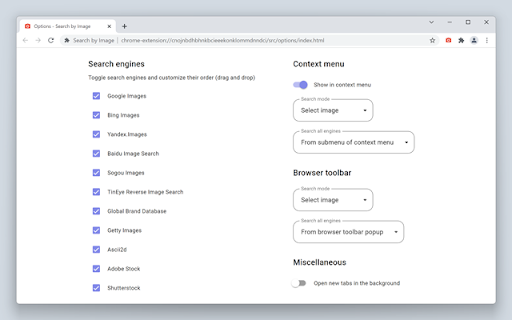
A powerful reverse image search tool, with support for various search engines, such as Google, Bing, Yandex, Baidu and TinEye. Search by Image is a browser extension that makes effortless reverse image searches possible, and comes with support for more than 30 search engines. Search by Image is an open source project made possible thanks to a community of awesome supporters. If you'd like to support the continued development of the extension, please check out https://armin.dev/go/patreon. The extension helps journalists and researchers verify the authenticity of images, and assists in the identification of false information on social media. Search by Image is also popular among photographers, helping artists explore how their work is shared on the web, while shoppers find it valuable for discovering similar products at discounted prices. The extension enables you to search for images from the context menu and the browser toolbar with the help of a diverse set of reverse image search engines, which can be toggled and reordered from the extension's options. Visit the wiki for the full list of supported search engines. Images positioned at the selected area are detected regardless of how they were embedded in the page. The extension also supports searching with images from your device, images from private sites, and captured areas of the page. A handful of search modes are offered that serve different use cases. The search mode can be set independently for the context menu and the browser toolbar from the extension's options. Search modes: • Select URL: select an image on the page and search with the image URL. This is the default search mode. • Select image: select an image on the page and search with the image file. This search mode is preferred for sites which do not allow the direct linking of images, such as private sites. • Capture: search with a captured area of the page. • Browse: search with an image from your device. Pasting images from the clipboard is also supported. • URL: search with an image URL. The "Allow access to file URLs" option must be enabled to search with local images opened in a tab. Visit the chrome://extensions page and open the extension's details to find the option. The extension is also available for Edge and Safari: https://github.com/dessant/search-by-image#readme The image you select during a search is sent to the requested service, visit the extension's privacy policy for more information. Reviews are not monitored for bug reports, please use GitHub for issues and feature requests.

Reverse Image Search
"Reverse Image Search" extension helps you to find similar images or the original image source and its name. This is a useful tool to find for instance the actual image name or detect whether this image is unique or is just a copy or a modified copy of an already existed image on the web. In most cases, images are embedded in the background page and hence it is not straightforward to find the actual source of them to be passed to a reverse image search engine. Also, the image you are looking for maybe just part of a video stream. This extension solves these problems by providing a capturing tool in the right-click context menu. Simply select the item and capture a portion of the screen. The captured image is automatically sent to either "TinEye" or "Google Images" search engine, and after a successful upload, a new page with the matching results is displayed. This extension adds three items to the context menu of your browser: 1. Google Images (Image URL) 2. Tineye (Image URL) 3. Google Images (Capture) The first two items are added to the image context menu, and the third one is added to the page context to activate the capturing tool. Instead of the third option, you can alternatively press the browser action button. Links: FAQs Page: https://add0n.com/reverse-image-search.html GitHub Page: https://github.com/schomery/reverse-image-search/

Reverse Image Search
Search images on your browser just one click. Supports Google, Bing, Yandex and Baidu search engines. Initiate a search using any image on the web in just one click. To use this extension, right click on an image on the web and select “Search with this image” then choose the search engine you want to use. Found an image on the web that you’re curious about? With this extension, you can initiate a search on Google, Bing, Yandex and Baidu to find out which website this image came from. You can discover photos of places, learn more about art pieces, identify landmarks, and more. Google Search is a trademark of Google Inc. The use of the trademark is subject to Google’s permission. This extension is neither endorsed by or affiliated with Google.

Search image with Yandex
Search for similar images in Yandex with open source code, without advertising and analytics. A very lightweight extension for image search via Yandex. This extension is open-source and distributed "as is", without any warranties or guarantees. The author of this extension has no affiliation with Yandex and does not endorse or promote the company in any way. GitHub page: https://github.com/tenRabbits/extension-search-image-with-yandex/tree/master Version 2.0.1 - The search tab opens to the right of the active one

Disable Google Lens
Redirects Google Lens to the normal image results This extension bypasses "Google Lens" results and takes you to the normal image results like how it used to be. It also adds a "Search Google for image" context menu item that will open the image results in a new tab. Post-installation instructions for manually removing the old "Search image with Google Lens" context menu item (the one that opens results in the Side Bar) can be found at https://github.com/fanfare/disablegooglelens/blob/master/CHROME.md
