
cngoemokfjekjkmajenlaokhnmmiinca
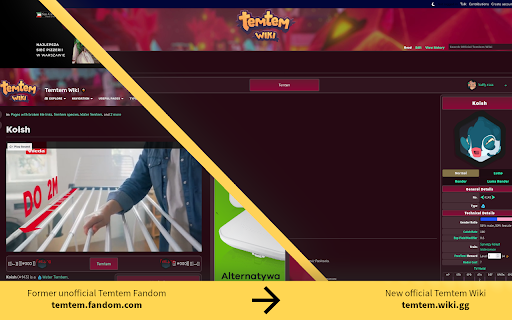
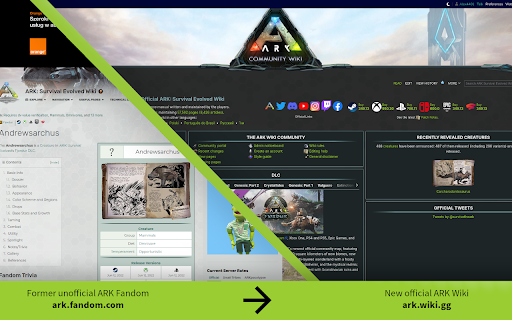
Install wiki.gg redirector to find the best resources curated by the community, available on our game-developer-centric wiki platform. This redirector can also optionally rewrite search results in Google and DuckDuckGo to help with switching during the early days of wiki migrations. Source code is publicly available under https://github.com/freedomgamesdev/wikigg-redirect-extension.

Annotations Restored for YouTube™
On January 15 2019, YouTube decided to discontinue annotations. While the feature was frequently abused, it did have many legitimate use cases, such as games, corrections, and a form of commentary that could be toggled on and off. The removal left many older videos obsolete. Annotations Restored fixes this by searching for any archived annotation files and displaying them if found. Join the Discord!: https://discord.gg/v7xMm2r8wH LATEST CHANGES (1.2.1) - Added Discord link to popup - Support for Portuguese by Gersonzao - Support for Polish by Kamil K USAGE The extension will automatically look for a copy of a video's annotations online and display them if found. Annotation files (.xml) that you have saved locally can also be loaded into the current video using the popup. PERMISSIONS Access your data for www.youtube.com - Required to load the annotations into the video player Feel free to email me with any translation fixes or create a pull request on GitHub :)

DeArrow - Better Titles and Thumbnails
Crowdsourcing titles and thumbnails to be descriptive and not sensational DeArrow is a browser extension for crowdsourcing better titles and thumbnails on YouTube. The goal of DeArrow is to make titles accurate and reduce sensationalism. DeArrow is a paid (if you want) browser extension. You can purchase an unlimited-use license key for 1$. However, if you cannot, or do not want to pay, you can use the extension by clicking the "I can't/don't want to pay" button. Titles can be any arbitrary text. Thumbnails are screenshots from specific timestamps in the video. These are user submitted and voted on. By default, if there are no submissions, it will format the original title to the user-specified format, and set a screenshot from a random timestamp as the thumbnail. This can be configured in the options to disable formatting, or show the original thumbnail by default. If the original thumbnail is actually good, you can still vote for it in the submission menu, and then it will act like a submission. No more dealing with clickbait, arrows, or annoying faces. Users can submit better titles and thumbnails for each video and vote on them. How does DeArrow differ from Clickbait Remover for YouTube - Unlike Clickbait Remover, DeArrow's main purpose is for crowdsourcing better titles and thumbnails - When a crowdsourced title is not available, DeArrow will auto-format it according to your setting, but does it in a more sophisticated way than Clickbait Remover. Instead of only setting all words to lower case, or capitalizing every word, DeArrow supports casing systems such as "Title Case" and "Sentence case". These will still allow acronyms and proper names to remain capitalized. - When a crowdsourced thumbnail is not available, DeArrow by default shows a screenshot at a random timestamp in the video. Clickbait Remover's thumbnails use YouTube auto-generated thumbnails, and while they are seemingly random, they are chosen by a machine learning algorithm to favor faces with expressions, and other overstimulating features. DeArrow uses truly random timestamps generated by its own server. DeArrow will also check the SponsorBlock database to ensure the randomized thumbnail is not inside of a sponsor segment. Access your data for youtube.com, www.youtube-nocookie.com: - Used to modify the YouTube webpage

Sky Follower Bridge
Easily transfer your following users and list members from X to Bluesky. 🚀 How to use 1. Open your target page. - Twitter Following (https://x.com/following) - Twitter Followers (https://x.com/followers) - Block (https://twitter.com/settings/blocked/all) - List members page - Threads follower tab (https://www.threads.net/) - Instagram follower dialog (https://www.instagram.com/your_account/following) 2. Press "Alt + B" shortcut or click on the toolbar icon to launch the Sky Follower Bridge. 3. Sign in with Bluesky (click the button to open Bluesky and authorize the extension). 4. Press the "Finding Bluesky Users" btn. 5. The modal will open and detect Bluesky users. 6. The "View Detected users" will be displayed once the scan is complete. 7. Press the button to check the results, and then click the Follow button. - Please feel free to mention @sky-follower-bridge.dev on Bluesky. They will provide support to ensure the tool is functioning properly. ( https://bsky.app/profile/sky-follower-bridge.dev ) - The main solutions for errors are posted on this site. https://www.sky-follower-bridge.dev/troubleshooting.html 🚨 Limitations User search may fail due to late limit in Bluesky's API. In this case, please wait for 2 to 3 minutes and execute the search again.

No Bloat Fandom
Remove the intrusive parts of fandom.com wikis A lightweight extension to remove the unnecessary garbage from fandom.com wikis.
