
cndobhdcpmpilkebeebeecgminfhkpcj
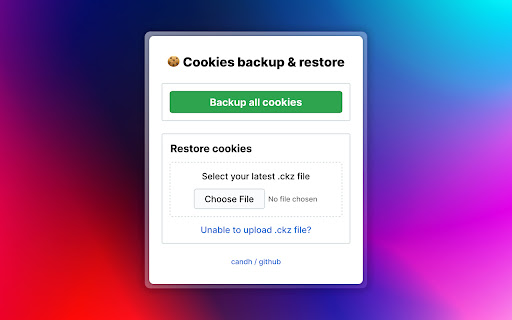
Backups and Encrypts all the cookies and Decrypts and Restores them when you need it. Got a new machine or want to do a fresh OS install? But don't want to re-sign in into all of your accounts? Use this extension to backup all of your precious cookies and restore them later. Don't worry – it encrypts 🔐 the cookies with the password that you provide, so you'll never have to worry about your cookies falling in the wrong hands! Perfect for distro-hoppers.

CookieManager - Cookie Editor
Edit cookies related to the current page and all its CORS frames right from the popup interface This open-source extension presents a toolbar interface allowing users to observe and modify all cookies associated with the current page. Additionally, it conveniently displays cookies accessed by cross-origin (CORS) subframes on the same page, categorizing them based on their origins. Users can directly edit various cookie properties from the interface and delete selected cookies. Features: 1. Import and export cookies to and from JSON and TXT file 2. View all cookies related to the current tab, including sub-frames 3. Access the cookie editor in a separate tab for enhanced visibility 4. Use the "Search Cookies by Domain" context menu option via the action button 5. Use the "Open Cookie Editor in new Tab" context menu option via the action button 6. Export cookies in TXT format, compatible with Wget and Curl command-line tools For bug reports, please visit: https://github.com/joue-quroi/cookie-editor/

CapMonster Cloud — automated captcha solver
Online service for automated captcha solving CapMonster Cloud is the ultimate AI-powered, fast, and reliable CAPTCHA solver. CapMonster Cloud Extension automatically solves reCAPTCHA, Cloudflare, GeeTest and other types of captchas in Chrome's background mode. How Does It Work? - CapMonster Cloud's Chrome extension uses advanced AI algorithms to solve any CAPTCHA in the background, providing the highest quality CAPTCHA-solving experiences available. - This extension can also assist users needing additional accessibility support, automatically recognizing and solving CAPTCHA challenges. - The extension is currently available for Chrome and Firefox. How to Use CapMonster Cloud Chrome Extension 1. Install the extension from the Chrome Web Store. 2. Sign up and top up your balance. 3. Enter your API key in the extension settings. How to Use CapMonster Cloud in Selenium 1. Download and install the Node.js file. 2. Install the required packages using npm. 3. Change the extension parameters following the instructions in the documentation. The extension solves: ✅ reCAPTCHA v2 ✅ reCAPTCHA v3 ✅ reCAPTCHA Enterprise ✅ GeeTest ✅ Cloudflare ✅ Text Captcha Support: For assistance, contact support at: support@zennolab.com

Duplicate Tab Shortcut
Press Alt+Shift+D to duplicate the current tab (Option+Shift+D on Mac). Shortcut is configurable. There are additional shortcuts as well. You can configure and use all of them at the same time. - There is a shortcut to open the new tab in a new window. - There is a shortcut to pop the current tab (or multiple highlighted tabs) out to a new window. - There is a shortcut to open a blank new tab to the immediate right of the current tab (i.e. instead of all the way to the right). Tip: Even without this extension, it is possible to middle click the refresh button to duplicate the current tab.

Captcha Solver: Auto Recognition and Bypass
MultiBot solver plugin allows you to automatically solve CAPTCHAs found on any webpage MultiBot Solver is a powerful automation extension that detects captchas on web pages, sends them to your MultiBot account for solving, and applies the results automatically. It also lets you customize behavior with site rules and user scripts. Key features: Automatic captcha detection and solving Supports token and click captchas (reCAPTCHA, hCaptcha, Turnstile, Geetest, Yandex SmartCaptcha, etc.) Global attempts limit and smart retry logic Site rules to enable only required methods per URL User script rules (inject your own JS on specific pages) Optional proxy settings for solving Detailed settings, documentation, and script editor Important: User scripts run only on URLs you specify and are stored locally. To enable custom scripts, you must allow “User scripts” in chrome://extensions.
