
cmfhjegfdnmhkadmeglilofafacfliec
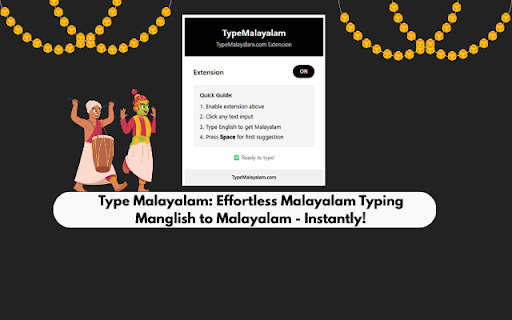

Type in English and get Malayalam suggestions with virtual keyboard support Transform your Malayalam typing experience with this powerful Chrome extension — Type മലയാളം effortlessly using English letters through intelligent transliteration, a virtual keyboard, and dual input modes designed for speed and accuracy. Experience seamless typing with Smart Transliteration that instantly converts words like malayalam into മലയാളം, powered by Google’s intelligent suggestion engine. Use the Virtual Malayalam Keyboard for a full on-screen typing experience with clickable Malayalam characters, or switch to Physical Keyboard Mapping for direct English-to-Malayalam key input (for example, K → ക, A → ആ). Enjoy Dual Input Modes that let you switch easily between click-to-type and physical keyboard usage. The extension is universally compatible, working smoothly on Gmail, Facebook, WhatsApp Web, Google Docs, and virtually all websites. With Intelligent Suggestions, you get multiple Malayalam word options with quick numbered shortcuts, and Auto-Save ensures your content is never lost. Install the extension and enable Malayalam typing. Click on any input field across the web and start typing in English — instant Malayalam suggestions appear as you type. Press Space to select the first suggestion or use 1–5 keys to pick an alternative. Toggle the Virtual Keyboard for on-screen typing, or switch to Physical Mode to type directly (for example, typing “K” will give you “ക”). Perfect For Ideal for writing Malayalam emails, social media posts, and online documents. Perfect for students learning Malayalam script, content creators, and professionals working with Malayalam text. A simple solution for anyone who wants to type Malayalam without complex keyboard layouts. Get started instantly — download the extension from the Chrome Web Store, click “Add to Chrome,” pin the extension icon, and begin typing in മലയാളം right away. Visit TypeMalayalam.com for more tools, including Malayalam converters, font utilities, and document processing solutions. Unlock advanced features like batch processing and document conversion for all your Malayalam content needs.

Inscript keyboards
This extension provides extra InScript keyboards on ChromeOS for text entry in the following languages: 1. Hindi (Devanagari) 2. Marathi (Devanagari) 3. Kannada 4. Odia 5. Telugu 6. Malayalam 7. Bengali To use these keyboards, please install the extension, and then add the desrired keyboard layout from Settings -> Keyboard -> Change input settings -> Add. For more information, see https://support.google.com/chromebook/answer/1059492.

Malayalam Instant Dictionary
Quickly look up Malayalam meanings of English words while browsing. Double-click any word to see its Malayalam definition in a pop-up. An essential tool for Malayalam language learners and anyone seeking instant English to Malayalam word meaning lookup

Aksharakuppy - അക്ഷരക്കുപ്പി
Aksharakuppy Malayalam Typing Extension for Chrome Introducing Aksharakuppy - the most intuitive and user-friendly platform to type in Malayalam effortlessly. This extension has been specifically designed to cater to the needs of those who love the Malayalam language and wish to communicate seamlessly in it online. Instant Malayalam Typing: Forget the struggles of switching keyboards or remembering complex Malayalam layouts. With Aksharakuppy, type Malayalam instantly without any hassle. Text File Support: Whether you want to pen down your thoughts or need to draft official documents, Aksharakuppy allows you to open and save text files directly, making the process smooth and efficient. Malayalam Dictionary: Enhance your vocabulary with the integrated Malayalam Dictionary. Not sure about a word? Quickly look it up without leaving your current window. Text Checker: Ensure your text is free from errors. Our built-in text checker scrutinizes your content, ensuring accuracy and precision in your Malayalam writings. Multilingual Support: Recognizing the beauty of languages, Aksharakuppy now supports multiple languages. No matter where you come from, we've got you covered. Why Aksharakuppy for Chrome? Lightweight: Designed to be lean, ensuring it doesn't bog down your browser's performance. User-Friendly Interface: Clean, simple, and intuitive - so you can focus on what you do best: typing in Malayalam. Constant Updates: We continually improve and update Aksharakuppy to ensure you have the best typing experience. Expand your digital horizons in Malayalam with Aksharakuppy. The ultimate Malayalam typing platform is now just a click away. Install the extension and transform your Malayalam typing experience today!

ILGMS Drafting Helper Plugin
A tool for creating drafting templates in ILGMS
