
mabllpielaggghapfnfgfonpdahldojj
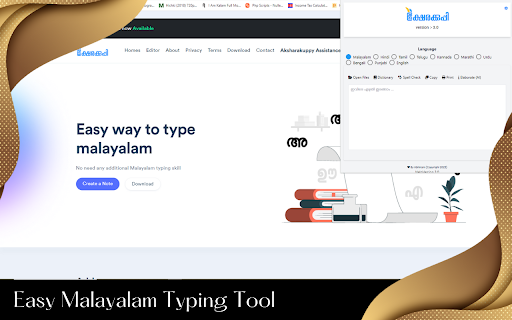
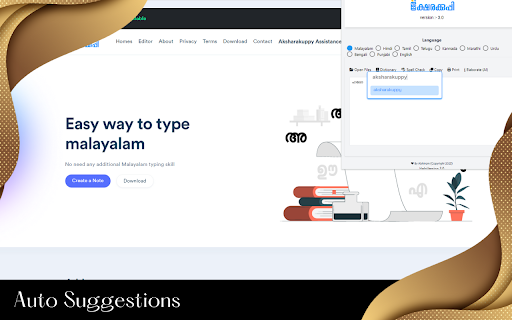

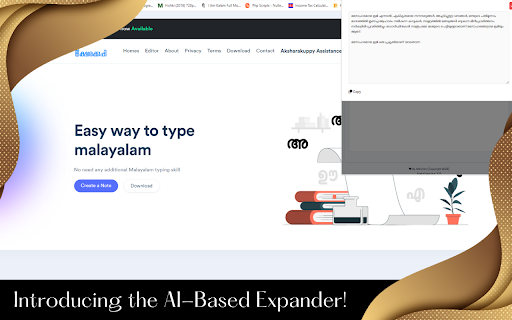
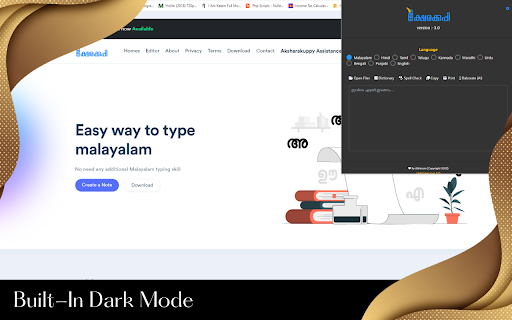
Aksharakuppy Malayalam Typing Extension for Chrome Introducing Aksharakuppy - the most intuitive and user-friendly platform to type in Malayalam effortlessly. This extension has been specifically designed to cater to the needs of those who love the Malayalam language and wish to communicate seamlessly in it online. Instant Malayalam Typing: Forget the struggles of switching keyboards or remembering complex Malayalam layouts. With Aksharakuppy, type Malayalam instantly without any hassle. Text File Support: Whether you want to pen down your thoughts or need to draft official documents, Aksharakuppy allows you to open and save text files directly, making the process smooth and efficient. Malayalam Dictionary: Enhance your vocabulary with the integrated Malayalam Dictionary. Not sure about a word? Quickly look it up without leaving your current window. Text Checker: Ensure your text is free from errors. Our built-in text checker scrutinizes your content, ensuring accuracy and precision in your Malayalam writings. Multilingual Support: Recognizing the beauty of languages, Aksharakuppy now supports multiple languages. No matter where you come from, we've got you covered. Why Aksharakuppy for Chrome? Lightweight: Designed to be lean, ensuring it doesn't bog down your browser's performance. User-Friendly Interface: Clean, simple, and intuitive - so you can focus on what you do best: typing in Malayalam. Constant Updates: We continually improve and update Aksharakuppy to ensure you have the best typing experience. Expand your digital horizons in Malayalam with Aksharakuppy. The ultimate Malayalam typing platform is now just a click away. Install the extension and transform your Malayalam typing experience today!

Inscript keyboards
This extension provides extra InScript keyboards on ChromeOS for text entry in the following languages: 1. Hindi (Devanagari) 2. Marathi (Devanagari) 3. Kannada 4. Odia 5. Telugu 6. Malayalam 7. Bengali To use these keyboards, please install the extension, and then add the desrired keyboard layout from Settings -> Keyboard -> Change input settings -> Add. For more information, see https://support.google.com/chromebook/answer/1059492.

Better Malayalam Font
Replace fonts for Malayalam text on specified domains. In windows, the default malayalam font is not rendered correctly. To resolve that we can use better malayalam font where a user can change default malayalam font to noto serif malayalam or anek malayalam.

Varta Keyboard
Fast, multilingual phonemic typing for Indian languages; now supports Voice typing. Varta Keyboard allows you to type in multiple Indian languages directly within your browser using a standard QWERTY keyboard. By combining intuitive phonetic typing with powerful Voice-to-Text capabilities, Varta makes digital communication in your native language seamless and fast. Smart Phonetic Typing: Forget memorizing complex layouts. Varta uses an intelligent phonetic engine that automatically generates the correct modifiers and vowel signs based on your keystrokes. How it works: Simply type the consonant and vowel sounds in sequence. Key Features • Voice Typing: Speak naturally and let Varta transcribe your words into your chosen language. • Intuitive Layout: No separate keys for vowel signs; the extension handles the grammar of the script for you. • On-Screen Reference: Toggle the virtual keyboard display to see the key layout at any time. • Advanced Characters: Access conjuncts, symbols, and Malayalam chillaksharams easily using the Alt + Shift (or Opt + Shift on Mac) modifier. Setup & Requirements To ensure the best experience, please set your system’s physical keyboard language to English. Supported Languages • Varta currently supports: Bengali, Hindi, Kannada, Malayalam, Marathi, Sanskrit, Tamil, Telugu, and English. • More Indian languages are coming soon your way! Let us know the next language you would like to see in Varta.

Olam English Malayalam Dictionary
Olam.in - The fast English Malayalam dictionary The fast English Malayalam dictionary. Search for hundreds of thousands of words right from within your Chrome browser. * Fixed popup bug on June 28, 2013 * Updated for the new website on 05 Dec 2023
