
cmepghbdejbphecnknahlhmkfjfcllki
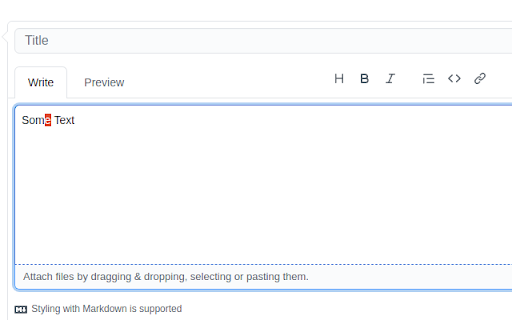
This extension allows use vim keys for text editing. Other vim plugins allows you to navigate in browser or webpage. This extension allows you to use vim keys while typing in input fields. Currently only `textarea` HTML elements are supported. Enable vim keys Plugins functionality can be toggled with special key combination adjustable via `chrome://extensions/shortcuts`: - `alt` + `v` on windows / linux - `Command` + `Control` + `v` on macOS It is because, sometimes you may don't want to `VIM typer` interfere with other vim like plugins. Please look at the indicator (small red square in top left corner). When it becomes green: the plugin functions are available.

Surfingkeys
Rich shortcuts to click links/switch tabs/scroll, capture pages, use your browser like vim for productivity. A Chrome extension for Vim users, but EMACS users would also love it, as it is much extendable with javascript. E Go one tab left R Go one tab right x Close current tab X Restore closed tab W New window with current tab J Move current tab to left K Move current tab to right yt Duplicate current tab > Move current tab to right g0 Go to the first tab g$ Go to the last tab gx0 Close all tabs on left gxt Close tab on left gxT Close tab on right gx$ Close all tabs on right 0 Scroll all the way to the left e Scroll a page up d Scroll a page down gg Scroll to the top of the page G Scroll to the bottom of the page j Scroll down k Scroll up h Scroll left l Scroll right $ Scroll all the way to the right % Scroll to percentage of current page cS Reset scroll target cs Change scroll target yG Capture current full page yS Capture scrolling element # to search seleted with kinds of search engines sg Search selected with google sw Search selected with bing sy Search selected with youtube sb Search selected with baidu # to edit input with vim editor Ctrl-i Go to edit box with vim editor # to edit URL with vim editor su Edit current URL with vim editor

Vim Compose
Compose mail and other text on the web as markdown in vim. Vim Compose allows you to use the vim text editor within your browser to compose and edit text in input fields. To open the vim, simply focus on an input field and either press Ctrl-Shift-E or click the Vim Compose extension button in the toolbar. Any text you save in vim will be automatically copied back to the input field in your browser. If the input field supports formatted text, you can also use markdown for formatting. Please note that Vim Compose is currently only compatible with Linux systems and requires the installation of a native app. You can find installation instructions for the native app at the following link: https://github.com/mbid/vim-compose

vim-scroll
The plugin allows scroll navigation with the keyboard: Press the j key… The plugin allows scroll navigation with the keyboard: Press the j key to scroll down Press the k key to scroll up Press the h key to scroll left Press the l key to scroll right Press the g key twice to scroll to the top Press the G (shift + g) key to scroll to the bottom CHANGELOG: v4 fixed issue with scrolling when typing in input fields and similar. v5 fixed issue with slow scrolling on some pages v5.0.1 remove console.log statement DESCRIPTION: vim-scroll deliberately registers it's keybindings early, so that websites that use the same bindings (like twitter) will overwrite them. This might be made optional in later updates

Vim-For-Docs
An implementation of Vim motions for Google Docs Vim-For-Docs: Bring Vim Motions to Google Docs Tired of using a mouse or clunky arrow keys in Google Docs? Vim-For-Docs brings the power of Vim motions to Google Docs, letting you navigate and edit text efficiently with familiar keybinds. 🚀 Features ✅ Vim-style Navigation – Use h, j, k, and l to move through text like in Vim. ✅ Word & Paragraph Movements – Quickly jump with w, b, {, and }. ✅ Editing Commands – Delete (d), change (c), and copy (y) with motion support. ✅ Insert & Visual Modes – Seamlessly switch between i, a, v, and V modes. ✅ Intuitive Key Mapping – No complex setup, just install and start using Vim motions instantly! 🔧 How It Works Vim-For-Docs intercepts keystrokes in Google Docs and remaps them to Vim-like motions. This allows for fast, keyboard-driven editing while preserving Google Docs' native behavior. 🎯 Why Use Vim-For-Docs? 🚫 No more mouse navigation ⚡ Faster document editing 🎯 Minimal setup, easy to use 🛠 Installation Click "Add to Chrome" and enable the extension. Open Google Docs and start using Vim motions instantly! 👉 Download now and supercharge Google Docs with Vim! 🚀 Support & Feedback: For any questions or suggestions, contact us at: info@vimfordocs.org
