
cmbndhnoonmghfofefkcccljbkdpamhi


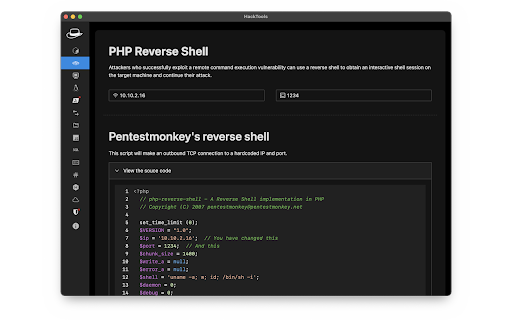
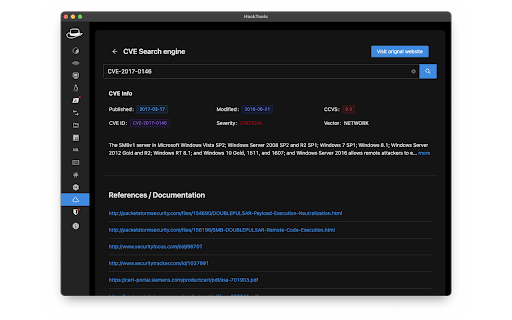
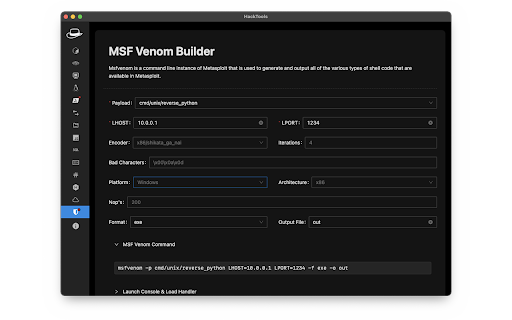
The all in one Red team extension for web pentester HackTools, is a web extension facilitating your web application penetration tests, it includes cheat sheets as well as all the tools used during a test such as XSS payloads, Reverse shells and much more. With the extension you no longer need to search for payloads in different websites or in your local storage space, most of the tools are accessible in one click. HackTools is accessible either in pop up mode or in a whole tab in the Devtools part of the browser with F12. - Dynamic Reverse Shell generator (PHP, Bash, Ruby, Python, Perl, Netcat) - Shell Spawning (TTY Shell Spawning) - MSF Venom Builder - XSS Payloads - Basic SQLi payloads - Local file inclusion payloads (LFI) - Data Encoding - Obfuscated Files or Information - Hash Generator (MD5, SHA1, SHA256, SHA512, SM3) - Useful Linux commands (Port Forwarding, SUID) - RSS Feed (Exploit DB, Cisco Security Advisories, CXSECURITY) - CVE Search Engine - Various method of data exfiltration and download from a remote machine

EndPointer
An endpoint parser and extractor with many flexible features EndPointer: Advanced Endpoint Parser and Extractor EndPointer is a powerful tool designed for developers, security researchers, and web application testers. It parses and extracts endpoints from web applications, providing a comprehensive view of an application's API structure. Core Features: - Automatic Endpoint Parsing: Automatically detects and extracts endpoints from the active tab. - Custom Scope Settings: Define specific domains or URL patterns to focus your analysis. - Concurrent Request Management: Configure the number of simultaneous requests for efficient parsing. - User-Friendly Interface: Easy-to-use popup for quick access to main functions. - Detailed Endpoint View: Examine parsed endpoints, including their source location. - Export Functionality: Save your findings for further analysis or reporting. - URL Classification: Categorize the types of URLs they are. Experimental Features: - Request Editor: Modify and resend captured requests for thorough testing. - Proxy Capture: Intercept and analyze HTTP/HTTPS responses. EndPointer streamlines the process of mapping out web application structures, making it an invaluable asset for API discovery, security assessments, and web application development. Whether you're conducting penetration testing, API integration, or just exploring web application architectures, EndPointer provides the insights you need. Note: This extension requires permission to access website content. It only analyzes the active tab and does not collect or transmit personal data. Enhance your web application analysis with EndPointer - your go-to tool for comprehensive endpoint discovery and testing.

Pulsedive Threat Intelligence
Highlight IPs, domains, and URLs on any website to enrich them using Pulsedive's threat intelligence. Streamline real-time threat research and analysis on any website you visit with Pulsedive’s threat intelligence browser add-on. Highlight IPs, domains, URLs, or threat names in any website text to enrich them using Pulsedive's free Community dataset. Get immediate, up-to-date context when reading cybersecurity news and threat advisories, or exploring threat intelligence collections and research. Create a free account at pulsedive.com for increased limits and additional capabilities. – FEATURES: • Indicator Lookup - highlight text around an IP, URL, or domain to enrich with contextual data from Pulsedive, including associated threats, screenshots, ports, protocols, web technologies, HTTP headers, meta tags, WHOIS data, and much more • On-Demand Scans - perform real-time passive or active scans on IPs, domains, and URLs to fetch live data • Bulk Processing - highlight text containing hundreds or thousands of indicators to parse and refang in bulk, download them as a CSV, and submit to Pulsedive Analyze for bulk enrichment • Threat Research - look up threat names and aliases to retrieve threat summaries, associated indicators, TTPs, latest news, and additional context • Website Enrichment - click the add-on button without highlighting text to retrieve domain information for the website you're visiting • Mute Options - reduce noise by easily muting the auto-popup temporarily or on specific sites • Flexible Controls - adjust the add-on settings to control when, where, and how Pulsedive parses threat intelligence information • Quick Pivoting - convenient one-click pivot to the Pulsedive Community platform at pulsedive.com for further analysis – WHAT'S NEW - VERSION 3: The latest update introduces bulk indicator processing, advanced settings & controls, and an improved user experience and interface. • Dark mode • Free-text parsing for IPs, URLs, and domains • Bulk indicator processing • Muting/unmuting and website exclusions • Usage guide in Settings page • Fixed punycode domain support • Fixed various CSS conflicts with injected popup – Pulsedive offers frictionless threat intelligence solutions for growing teams. The Pulsedive Community platform at pulsedive.com aggregates, enriches, and correlates community threat data to support analyst workflows and time to action. With 50M+ searchable indicators and threats collected from user submissions and feeds, the Pulsedive add-on delivers invaluable context wherever you work.

Hack This Page
Hack This Page makes webpages editable! This extension makes any webpage editable!

DotGit
An extension for checking if .git is exposed in visited websites An extension for checking if .git is exposed in visited websites - Check if a .git/.svn/.hg folder exists for each site you visit - Check if a .env file exists for each site you visit - Check if a .DS_Store file exists for each site you visit - Check if the site is open source (github/gitlab) - Check if the site has security.txt - You will be notified when a folder is found - List of exposed sites found - Download the entire .git folder in zip format, even if the files are not listed on the site - View .git/config with one click - Options for: colors, notifications and downloads Some checks are turned off by default, open the settings to turn them on Source code: https://github.com/davtur19/DotGit
