
ckpmlindgbobjfnabmmminhdgciljhko


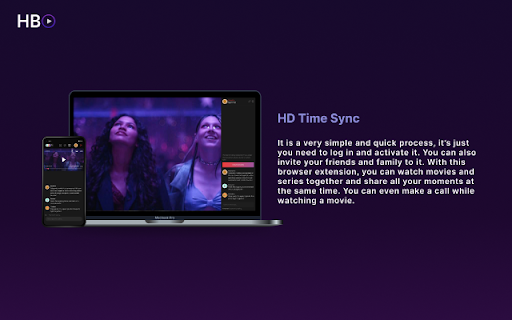
Watch HBO Max Watch Party videos in sync with friends and family Transform your HBO max viewing into a shared experience with our Chrome extension. Watch HBO max content simultaneously with friends and family, chat in real-time, and even video chat while you enjoy your favorite shows and movies. Our user-friendly extension is free to use and ensures a secure, synchronized, and immersive watching experience, making it easier than ever to connect with loved ones over your favorite content.

Page Cage
Loads a page inside a frame so it can't be seen by other extensions ⚠️ NOTICE: THIS EXTENSION HAS EVOLVED INTO PRIVACY BAR ⚠️ This legacy standalone tool is no longer actively maintained. The exact same functionality has been integrated, upgraded, and fully secured inside our flagship extension: Privacy Bar. Looking for pure Symmetric Encryption? Privacy Bar handles it entirely offline. Looking for Read-Once payloads? Privacy Bar generates self-destructing messages out of the box. Looking for Page Isolation/Sandboxing? Privacy Bar features an enhanced, isolated "Safe Space" tab like Page Cage, and has an additional mode for when you want to protect the browser from a potentially malicious page. 👉 Search the Chrome Web Store for "Privacy Bar" or visit privacybar.net to upgrade to the complete, modern suite. Hasn't it ever bothered you to see a password manager box popping unexpectedly and offer to save your login? Password managers can do this because they can see everything on that page, including all your precious private information. In fact, most extensions and add-ons installed on your browser can do it. Feeling better now? Now, you can open the page in incognito mode, which by default blocks all extensions from loading, but if you have allowed some extensions to load in this mode, it's rather tedious to go one by one making sure they are safe. Page Cage protects your private pages from intrusion by loading them inside a frame to which the other extensions do not have access. It's as simple as clicking the Page Cage icon and typing the URL. Since this is quite a neat to prevent from intrusion my encryption and security web apps, starting with version 1.0 there is a nifty list that allow you to load them without having to remember their URL. Not all pages will load, however, because many websites refuse to be placed inside a frame in order to prevent Clickjacking. This comes from the server so there's nothing that we can do about it. Please bear this in mind as you use Page Cage.

HBO Max Party: watch HBO together and chat [QVI]
Watch HBO Max together with others! Extension to watch HBOMax remotely. Do you miss group movie marathons? Now you can do them online! Watch your HBOMax favorites together with the squad while staying on your comfy sofa. Thanks to live chat you can comment on whatever's happening on your screen and share your thoughts. No more fighting over the remote - all of you have the power to pause or rewind anytime you want. Although you may need to compromise on the movie title, you're free to choose your snacks of choice (bonus: you don't have to share them with anyone!) How does it work? 1. Add HBO Max Party to Chrome. 2. Go to HBO Max and log in to your account. 3. Click on the small puzzle piece icon next to the Chrome browser address bar. 4. Pin HBO Max Party to have it always in the extensions toolbar. 5. Click on the extension icon to see the settings pop-up. 6. Here you can copy the party link to share with others or start a new party room. 7. Send the invitation link to anyone you’d like to invite (please note that all the party members have to have their own HBO accounts). 8. Set your username in the chat panel on the right. 9. Make sure everyone is in sync before the party starts. 10. Pick a movie or TV series to watch together. 11. Enjoy group streaming! Disclaimer: HBO is a trademark of Home Box Office, Inc.. This website & extension hold no association or affiliation with HBO Max or any third-party companies. This extension is part of the Quality Viewership Initiative, a collaborative effort to enhance the understanding of audience engagement. It collects anonymous, aggregated viewing insights to support creators and studios in improving the quality of their content. You can stop sharing your information at any time by switching the toggle on the options page.

Teleparty
Stream & sync any OTT platform with chat and video chat for free with your friends and family from anywhere Introducing "Teleparty”: Movie & TV Series Companion" - a powerful Chrome extension that revolutionises the way you watch movies and TV series with your loved ones. SyncWatch allows synchronised viewing experiences, where you can enjoy content simultaneously with family and friends, no matter where they are. Stay connected through real-time chat and video chat , engaging in lively discussions while watching your favourite content. The extension seamlessly integrates with popular streaming OTT platforms, ensuring compatibility with a wide range of movies and TV series. The user-friendly interface enables easy navigation and control, allowing you to pause, play, rewind, or fast-forward together. Privacy and security are prioritised, with all communication encrypted for a safe environment. Install Teleparty now and create unforgettable shared moments, whether it's a movie night with friends or a binge-watching session with family members. Embark on a synchronised viewing journey like never before with SyncWatch, designed for Manifest V3 and compatible with the latest version of Google Chrome.

Teleparty-pro
Sync up your favorite Netflix, Disney Plus, Hulu, HBO, and worldwide OTT platform shows with friends using our Teleparty Syn up with your preferred streaming platform like Netflix, YouTube, HBO Max, Disney Plus, and many more. Have the Blast by Downloading the Teleparty extension on your browser. So, Live Video Chat and share all the fun with your loved ones on one platform. Explore Teleparty: Anywhere and anytime Teleparty Extension Teleparty extension is a wonderful tool where you can watch all your favorite shows and movies on one platform. Here you can plan your virtual date night with your special one and send emojis while streaming. How to Install the Teleparty Extension 1) Visit the Chrome Web Store and search for the extension or you can directly go to the Teleparty extension website. 2) Now click on Add to Chrome to install Teleparty. 3) Pin the Teleparty icon to your browser toolbar for easy access. How to Use the Extension 1) Go to your most preferred streaming platform like Netflix, YouTube, HBO Max, and many more. Remember you must have a valid subscription. 2) Now open the video that you want to stream and start a party by clicking on the Teleparty icon and selecting Start the party. 3) You can invite your friends and share the URL link with them. 4) Now you can watch synchronized shows and movies and the best part is you can chat and video call your friends while streaming. Features of the Teleparty Extension You can invite as many as people. It is compatible with various supported platforms like Netflix, YouTube, HBO Max, Disney Hotstar, and many more. You can discuss your favourite scene, via chat and video call features. Here you can have HD-quality video. With our customization option, you can choose your user icon and nickname. You can share the URL with your friends to watch a party. You will also have the party control watch, you can also host and control the party at the same time. It is downloadable from anywhere in the world. Benefits of Installing Teleparty Extension You can connect with your friends and watch together no matter where you are. Here you can explore new series, shows, and movies on different streaming platforms. It is very flexible like it is up to you whether you want to join or leave a watch party. You will have multiple shows to plan with your friends and family. Don’t worry about the long distance it will connect you with your loved ones. You will feel like they are next to you and streaming your favorite shows. This is the best extension where you can experience the best of synchronized streaming with Teleparty. It is very easy to download and install on your browser. It is the best way to connect with your long-distance friends. Thousands of users are watching their favorite series in the Teleparty extension. So what are you waiting for? Just download the extension and start watch party now. All the product names, trademarks, and registered trademarks are the property of the owner. To use the extension you need to have a valid subscription and account. Add the extension to Chrome now and watch your favorite shows on your preferred streaming platform.
