
ckibnbnmboccfeodjalbkonfamecammd
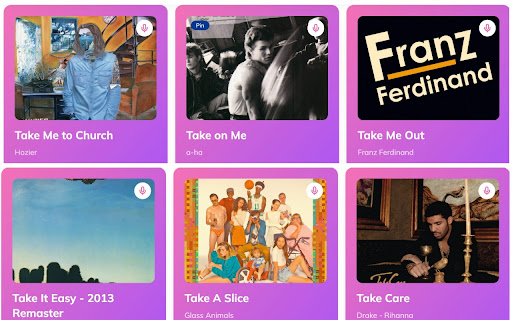


A smart Spotify Playlist Covers Maker, one click to export Spotify Playlist or Track to PDF, archive Spotify Playlist as PDF. If you want to print your Spotify Playlist to photos, you can use Spotify2PDF to quickly generate pdf files in A4 or A5. Data Privacy All data is processed in your local computer, it is never passing through our web server, no one knows what you exported.

Spotify Playback Speed
Adds a button and menu to manipulate playback speed on Spotify Web. February 2025: * Fixed a bug where menu is hidden by 'Now Playing View' and 'Queue' sidebar 2023: * Fixed preserve pitch setting not being remembered * Fixed playback rate not being set right away when changing value * Added more checks to ensure a bug causing playback speed of 0 doesn't get set. * Fixed a bug from a recent Spotify Web update that caused the extension to not show up. * Fixed a bug that was causing potential audio artifacts due to unintended playback speed changes coming from a recent Spotify Web update. - Big thanks to Kamil K. for the help!

YouTube to Spotify with Paradify
WHAT? - Transfer YouTube playlist to your Spotify. - Transfer a SINGLE song from YouTube / Youtube Music to your Spotify. How? - SINGLE song transfer: Open a song in YouTube / Youtube Music, click on Spotify icon, and add. FREE/Pro Plan. - YouTube Playlist transfer to Spotify: Visit paradify.com.

Microsoft Copilot to PDF: Export Microsoft Copilot Chats to PDF, Markdown
Export Microsoft Copilot chats to PDF or Markdown instantly. Save Microsoft Copilot conversations, download chats, and archive di. Never lose an important AI conversation again. Microsoft Copilot to PDF lets you export chats to PDF, Markdown, or JSON instantly. Save, download, and archive your AI conversations with one click — including code, images, math, and full formatting. Perfect for saving Microsoft Copilot and other AI chat conversations as clean, shareable files. Microsoft Copilot to PDF captures your conversations exactly as you see them: • Code blocks keep their syntax highlighting • Tables, math (LaTeX), and structured content stay intact • Images and attachments are included • Links, headings, and formatting are preserved • The original layout remains clean and readable • Even very long chats export without breaking Your exported files are polished, easy to read, and ready to share, store, or revisit anytime. • One-Click Export — Save the current chat instantly • Batch Export — Export multiple conversations at once • Multiple Formats — PDF, Markdown (.md), JSON, or Plain Text • High-Quality PDF Export — No cut-off pages or broken layouts • Formatting Preserved — Headers, lists, links, and styles stay intact • Works Offline — Export chats without an internet connection • Works with Long Chats — Handles large conversations smoothly • Automatic backups to Google Drive, Dropbox, Notion, or Yandex Disk • Access your exported chats from anywhere • Keep your AI conversations organized and secure Your data stays on your device. Everything is processed locally, making it safe for sensitive work, research, and personal use. 🛠️ WHO IT’S FOR Developers, students, writers, professionals, and researchers who want to save, organize, and revisit AI conversations. • Developers — Save code snippets and debugging sessions • Students — Keep study material and research organized • Writers & Creators — Store ideas, drafts, and content • Professionals — Document workflows and planning • Researchers — Preserve detailed discussions ✔ Fast and reliable, even for very long chats ✔ Cleaner and more accurate than copy-paste or print methods ✔ Designed specifically for AI chat export ✔ Lightweight, simple, and easy to use ✔ Supports multiple export formats Install Microsoft Copilot to PDF and start saving your AI chats as clean, shareable files in seconds.

Translatify - Translate Spotify Lyrics
Instantly translate Spotify lyrics into your language in real-time. Translate lyrics displayed in Spotify’s web player into your chosen language. With seamless multilingual support and an intuitive interface, enjoy real-time lyric translations while listening to your favorite songs. Install with ease and select your preferred target language directly from the extension’s popup. A new translation button will appear on the player interface allowing you to toggle the translation ! ## Version 0.0.0.15 - fixed CORS problems by fetching translation using the browser in background.js instead of using content scripts ## Version 0.0.0.8 - style fix for translateButton - added link to GitHub in the popup menu ## Version 0.0.0.6 - Better language select in popup page (now searchable) ## Version 0.0.0.4 - Smaller popup/settings page - Small bug fixes
