
cjpikjjajakahcpglopbmobcoiibcpcd

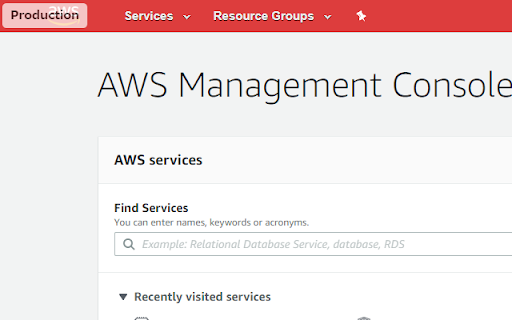
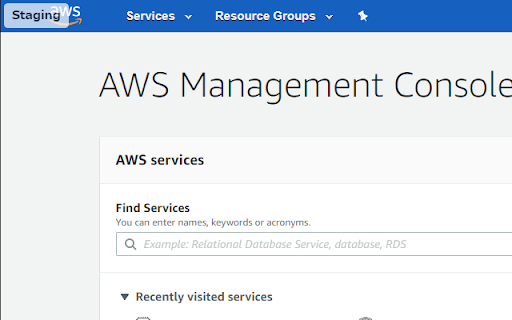

Change AWS Console Header. background color and text label. change header background color and append text label. Multiple combinations of account name and region can be set.

AWS Colorful Navbar
Identify AWS regions instantly with colorful navbar gradients and country flags. Easily identify your current AWS region at a glance with colorful navigation bar gradients and country flags. THE PROBLEM When working across multiple AWS regions, it's easy to accidentally deploy resources to the wrong location. The default AWS Console provides minimal visual distinction between regions. THE SOLUTION AWS Colorful Navbar transforms your AWS Console experience with clear visual indicators. 🎨 Dynamic Color Gradients • Each region displays a unique gradient inspired by its country's flag • Instantly recognize your current region without reading text • Customize colors with the built-in color picker (2-4 colors) 🏳️ Regional Flags • Country flags appear next to the region selector • 29 countries and 38+ AWS regions supported ⚡ Features • Real-time color updates • Per-region color customization • Dark/Light theme interface • Lightweight and privacy-focused • No data collection 🌍 Supported Regions US, Europe, Asia Pacific, South America, Middle East, Africa, Canada, and all commercial AWS regions. Open Source: https://github.com/nalbam/aws-navbar-extension

AWS Services
Access AWS services at a glance. A complete searchable services list, organized in categories and a short description to help you choose the right tool.

AWS Masking
Enhance your security by auto-hiding sensitive information on AWS Management Console. Browsing AWS Management Console just got safer and less stressful with AWS Masking! This simple extension smoothly blurs out important bits of information like: ・Account ID ・ARN (Amazon Resource Name) ・Access Key ID ・Secret Access Key Now, share your screen or snap a screenshot without fears of revealing too much. Add AWS Masking to your browser today, and enjoy a worry-free AWS experience!

AWS Account Identifier
Adds a description with a specific color to the AWS's navigation bar depending on the account you are connected to. Adds a header to the Navigation Bar of AWS with a description and color based on the account you are connected to. In a multi account environment this is a very useful tool to help you to quickly identify the current account. A new feature has been added so you can import the accounts from the AWS SSO start page. This makes maintaining the accounts in this extension a lot easier. As from version 1.1.0 we stopped using an extra row on the navbar for the description as certain console feature were designed with a fixed position what would make it impossible to access certain functionalities of the AWS Console. Instead, we moved the description to the lower bar where enough space is available to add the description. version 1.2.1: Fix Account detection and improve style.
