
cjbnladjjgobabkiioolngpoihdbncle
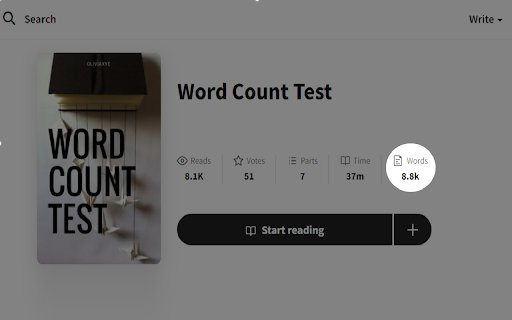


Add the word count to the story/part page With this extension, you can view the word count of any story and each of its parts. ⚠️ If the word count is not displayed after a few seconds, simply refresh the page.

Midnight
A set of themes for Wattpad. Midnight presents a collection of captivating themes for Wattpad, designed to elevate your reading experience. Each theme features stunning visuals and carefully curated color palettes, setting the perfect atmosphere for your favorite stories. Whether you're diving into an enchanting fantasy, unraveling a thrilling mystery, or savoring a passionate romance, Midnight has a theme that fits your mood. Choose from soothing shades of gray and blue, or vibrant hues of green, pink, purple, and red, each adding a distinct flair to your Wattpad journey. These themes not only enhance the story pages but also integrate seamlessly with Wattpad's interface. From the library to the reader view, Midnight ensures a cohesive and visually appealing experience across the platform. The thoughtfully selected typography and balanced design enhance readability while immersing you in captivating narratives. To enjoy these themes, simply pin the extension and switch between options such as gold, blue, green, pink, purple, red, or black. Refresh your Wattpad pages to see the changes take effect. Experience Midnight's diverse themes and let your reading adventure come alive with vibrant colors and stylish designs.

BetterFiction
Improve your FanFiction.net browsing and reading experiense with BetterFiction. Features: - Keeps bookmarks on stories so you can quickly return to the right place. - Provides an organizer with statuses (reading, completed, planned, dropped) to track reading progress. - Adds entire work button. - Makes story description easier to read by highlighting and grouping details. - Adds sorting options (favs & follows) on author profiles and quick links to favorites/follows. - Allow copying text from fics. - Chapter words counter. - Adblock.

ao3 saver
automatically backup ao3 works so you never lose what you're reading again Automatically backup ao3 works so you never lose what you're reading again. When you start reading an ao3 work, ao3 saver servers will automatically back up the work you're reading. If the story ever goes down, the 404 page you're met with will have a button to take you right to the backup stored on the ao3 saver server. The ao3 menu assists in finding lost works by keeping a history of each work you've visited. You can search and find a deleted work your previously viewed with this extension with ease. No data on what you view is kept on anything but your local device. Nothing the server stores is attached to you. Please let me know if you have any issues or suggestions for this extension. You can contact me at mail@ao3saver.com I'm planning on keeping the servers up for this extension and continue support for it for years into the future.

AO3 Enhancements
Various tweaks and enhancements for ArchiveOfOurOwn.org Adds various configurable tweaks and enhancements to the fanfiction website ArchiveOfOurOwn.org. - Improves blurb (work) stats: - Shows Reading time and Finish reading at - Shows Kudos/Hits ratio, making it easier to find the amazing works. - Adds whole new Chapter stats to each chapter - Shows Reading time and Finish reading at - Shows Published date for each chapter - Allows hiding works when searching/browsing, based on: - The language of the work, and/or - How many fandoms the work is in (is it a crossover?), and/or - The works author and pseud, and/or - The works' tags (optionally using regular expressions, or contrained to a single tag type) - Various style customizations: (only the 1 for now) - Adjust the width of a work, making reading on large displays easier - Show stats as columns to make them easier to read at a glance - Force alignment of work text Furthermore i strive to make the addon at least as accessible as AO3 itself. Please do report an issue if that is not the case. Most of these features are disabled by default. After installation go to ArchiveOfOurOwn.org and click the new menu button “AO3 Enhancements Options” to go to the options screen. No data is ever sent to any servers except AO3, everything is stored in your browser.
