
cindaifdpdaobephfolnfejegelhclgl
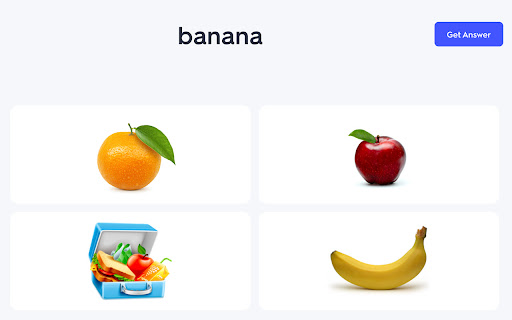


Solve Quizlet Live questions automatically with Quizlet Live Autocomplete Bot Pro, the best Quizlet Live hacker bot around! Overview: Quizlet Live Autocomplete Bot Pro is a Chrome extension designed to enhance performance during Quizlet Live games by providing automated answer suggestions. Ideal for students seeking to optimize their learning experience, this extension quickly identifies correct answers, allowing users to focus on learning more efficiently. • Automated Answer Selection: The extension analyzes questions and suggests or selects the correct answer with a simple click of the “Get Answer” button, streamlining the Quizlet Live experience. • Study Set Compatibility: Works seamlessly with both small and large study sets, even when terms have multiple definitions. Compatible with both Term → Definition and Definition → Term game modes. • User Interface: The extension features a clean, intuitive interface accessible via a browser toolbar popup, where users can configure the study set and monitor extension status. 1. Install the extension. 2. Click the extension icon and paste the link to the study set used in your Quizlet Live game. 3. When the game starts, click the “Get Answer” button to receive answer suggestions.

Test Bro - Smart Web Test Assistant, Exam Helper & Homework Quiz Solver
Smart AI based test assistant, quiz resolver, homework helper. Solve online tests, pass exams, improve skills for skill assessments. Test Bro app is a simple Chrome extension that can assist and help you to pass online tests. It can help you pass all tests containing text-based questions and text-based answer options. ⚡ Just click the ASK button and see the correct answer for apps and websites where Test BRO is fully optimized (see the optimized for section). ⚡ You can use SELECT TEXT and ask Test BRO through the context menu to resolve online tests. ⚡ If text selection is protected, you can SELECT AREA using the context menu to pass the exam. (https://youtu.be/xUwYspJpU_U) ⚡ The Context Menu is also blocked - use the capture feature in the side panel. (https://youtu.be/xUwYspJpU_U) 🚀 NOW TEST BRO OPTIMIZED FOR! 🚀 ✅ For LinkedIn skill assessments. (https://youtu.be/rjKEXb_8tbk) Check out how it works. I think you'll find it enjoyable. Let's try it, and be sure it will help you pass LinkedIn tests. It's not guaranteed to give you a 100% result, but you can watch the video (https://youtu.be/hXI_bKhOsNk). I passed the LinkedIn assignment and ranked in the top 15% of other people. It's a success! I've never read about Django. I don't even know what it is. Is it a programming language? Is it a framework? :) I don't know... 🚨(If you want your quiz site to be fully optimized for Test Bro, please write to me with the quiz site URL.)🚨 Just click the Test Bro button and get the test resolved. 😠 - How do you do the LinkedIn assessment? 🧐 - Use Test BRO, it will increase your productivity and save your time, Bro. 🙄 - Can you cheat on LinkedIn assessments? 🤫 - I ask you a small secret, use Test Bro, to pass axam - save your time... no one else, shh... 🤔 - What about the LinkedIn assessment quiz answers? 🕵 - You don't need answers. Don't waste your time. Use Test Bro. 🤷 - How can I pass the LinkedIn assessment? 🤦🏼 - Seriously? Pass the exam with Test Bro. 🗣 - How often do people fail LinkedIn assessments? 🗣 - Did you score above 70% on the LinkedIn assessment test? 👨👨👧👦 - We never fail assignments; we always score over 70% because we use Test Bro! 🤩 Let's try it out! And please add a 5-star review if it helped you!!! 🤩

TutorGPT - Free AI Homework Helper & Personal Tutor
Free AI tutor for instant homework help. Solve math, explain lessons, answer questions 24/7 with TutorGPT. TutorGPT is an AI-powered learning assistant that helps with homework, explains difficult concepts, and supports daily studying. It provides clear step-by-step explanations and instant help for common subjects including math, science, and writing. Once installed, the extension runs smoothly in your browser with no logins or complicated setup. ⭐ Key Features ✅ In‑Browser Instant Help: Get answers and explanations directly while browsing study materials, no tab switching needed. ✅ AI‑Powered Step‑by‑Step Solutions: Powered by advanced LLMs, it breaks down complex problems into clear, logical steps to build real understanding. ✅ Multi‑Subject Support: Covers math, science, writing, history, languages, and more—your one‑stop tutor for all academic needs. ✅ Image & Text Input: Type questions or upload photos of problems for instant, accurate solutions. ✅ 24/7 Availability: Access help anytime, anywhere—no waiting for tutors or office hours. ✅ No Sign‑Up Required: Use all core features immediately after installation—no accounts, no hidden fees. 🎯 Perfect For ● Students (K‑12, College): Solve homework, clarify concepts, study for exams, and build confidence in any subject. ● Lifelong Learners: Master new skills, understand complex topics, and learn at your own pace with personalized guidance. ● Language Learners: Get grammar help, vocabulary explanations, and practice conversations in multiple languages. ● Teachers & Tutors: Generate practice problems, create lesson examples, and supplement teaching materials effortlessly. 🚀 How to Use 1. Install the TutorGPT extension in your Chrome browser and enable it. 2. No registration or login—start using immediately after installation. 3. Type your study question directly in the extension panel, or upload a photo of your problem. 4. Receive instant, step‑by‑step explanations and solutions tailored to your question. 5. Copy and save the content for your notes or further study. 💡 FAQ Q1: Do I need to create an account to use TutorGPT? 💬 No! All core features are available immediately after installation—no sign‑up, no email required. Q2: What subjects does TutorGPT support? 💬 It covers math, science, English, history, languages, writing, and more—most academic and learning topics are supported. Q3: Is TutorGPT completely free? 💬 Yes! All basic features—question answering, step‑by‑step explanations, image input, copy answer—are 100% free with no hidden costs. Q4: Can I use TutorGPT on any website? 💬 Yes! It works across most web pages, letting you get help while reading articles, watching tutorials, or working on online assignments. Q5: Can TutorGPT help with exam preparation? 💬 Absolutely! It can explain key concepts, break down practice problems, clarify mistakes, and help you review efficiently for quizzes and exams. Q6: Does TutorGPT support photo uploads for handwritten problems? 💬 Yes! You can upload photos or screenshots of handwritten or printed problems for instant AI analysis and solutions.

Quizard AI - Homework Tutor
Study smarter with Quizard! Instant AI answers and explanations for your all your questions to help you learn and succeed! ✨ Homework & AI Answers Solver Are you struggling to understand your homework and study materials? Don’t worry, Quizard is here to help! Take screenshots 📸 and get instant answers, explanations, and related resources for any question. 💁♀️ 🪄 【 Instant and Accurate Solutions 】 ✅ Instant answers: in just seconds receive answers, explanations, and related resources to your question ✅ The #1 AI in accuracy: we are 20% more accurate than ChatGPT and deliver the highest quality, most accurate answers with speed ✅ 24/7 support: use Quizard anytime, anywhere, we’re always there to help you ✅ Math: Quizard can accurately recognize and solve even the most complex math problems that have symbols which can’t be copy and pasted 🔥 【 Take A Screenshot, Get An Answer 】 ✅ Screenshot feature: allows effortless question-asking by capturing a screenshot ✅ Highlight text: simply highlight and solve any question found online ✅ Type In Your Question: you can directly type your question into the text box to receive an instant answer ✅ Universal compatibility: use it on websites like Canvas, Blackboard, Moodle, Google Classroom, and more 🎓 【 Any Subject, Any Level 】 ✅ Any type of question: we can solve multiple choice, short and long answer questions, and provide step by step solutions to your word problems ✅ Help on any subject: from math, history, chemistry, biology you name it we got you covered ✅ Every grade level: whether you’re a college student, high school student, or even an adult looking to brush up on your knowledge, Quizard is the perfect tool to help you succeed. 🗣 【 Clarify Your Understanding 】 ✅ Ask follow-up questions: interact with Quizard to explore complex topics effortlessly ✅ Related resources: we generate you related resources from the web based on the question to confirm the solution we’ve provided and see how others have solved it 💻【 How To Use 】 🟪 Click the “Add to Chrome” button and pin it to the toolbar. 🟪 Log in to your account. 🟪 Press Cmd/Ctrl+Shift+K to wake up Quizard 🟪 Start working with AI! 🗣️【FAQ】 📌 Is it free to use? -Yes, we offer limited use for free. For unlimited access, you can choose the Quizard Pro Subscription. 📌 Is my Quizard Pro Subscription active on both the mobile and Quizard Chrome Extension version? -Yes! If you are a Quizard Pro subscriber link your device in-app or through the Chrome Extension 📌 How can I link my Quizard profile to the extension or from the extension to the app? -From the extension, go to your settings and click “Link Device.” You will then receive further instructions for linking with your mobile device! 📌 ChatGPT is banned in my country. Does it work in my country? -Yes. Our chrome extension works in all countries. 📌 Can I use your service on my phone? -Yes. Quizard is available on all devices (Chrome Extension, iOS, Android). Search up “Quizard AI” in the App Store/Google Play Store

ChatX - Your AI Copilot for Web
An AI copilot available for all websites. It can answer any complex questions, also capability to auto-summarize and translate. Do you want to use ChatGPT directly in your browser without needing to create an additional ChatGPT account? Do you want ChatGPT/GPT-4 to assist you while browsing web pages? Do you want to use artificial intelligence to gain a deeper understanding of browsing knowledge? All of this can be achieved with ChatX AI Copilot! Whether the content is lengthy or difficult, ChatX AI Copilot will help you quickly find satisfactory answers based on your needs. Simply select the content while browsing the web and click on the shortcut button on ChatX AI Copilot! Or engage in conversations with multiple AI models in the browser sidebar, send your questions, and receive real-time AI feedback. Hope that ChatX AI Copilot can become your on-the-go intelligent advisor! - ChatX has achieved integration with mainstream large language models (LLMs), allowing you to choose your preferred model as your default productivity tool. - Currently supported models include GPT 3.5, GPT 4, Google Gemini Pro, Claude Instant, Claude 2 and Claude 3, among others. - You can utilize the power of AI for translation, summarization, or even to ask for more information about the content you are reading. - Quickly translate or understand selected content using the context menu. - Quick ask questions about selected content and receive real-time answers. - Create and save custom prompts for reuse when needed. - How to use it? ⬇️ - Simply drag your mouse to select the content you want to understand and click on the ChatX toolbar icon to perform the desired action. - Alternatively, you can use the ChatX menu in the browser's right-click menu to perform full-text translate/summarize on the current webpage. - Engage in conversation with designated models, answer any questions or generate various creative texts based on your needs. - Upload images and ask questions utilizing the exceptional visual recognition capabilities of GPT-4V and Gemini Pro Vision. - Chat with multiple models at the same time and compare their answers in real-time. - Immersive paragraph and full-text translation, generating translated results compared to the original text. - Summarize webpage content by paragraphs to enhance reading efficiency. - Enhanced search engine results for improved search effectiveness. ChatX AI Copilot currently aggregates various mainstream LLMs. With our AI Copilot, you can translate, summarize, or gain a deeper understanding of the content you are reading. ChatX AI Copilot will help you find more accurate and higher-quality information, saving you time and effort. ChatX can be used on any webpage, and its built-in chat assistant can answer any complex questions. This allows you to have deeper insights into the content you are browsing by discussing with the AI assistant accompanying you everywhere. ➕ How to use in your browser? We currently offer extensions for Chrome and Edge. Simply download and log in to our extension to use AI and ChatGPT on any website without needing to create additional accounts. 📪 How to get support? If you have any questions or feedback, feel free to contact us at contact@chatx.im. 🔏 Privacy Policy We have updated our privacy policy to ensure it includes detailed information about user data collection, processing, storage, and sharing. You can view it at https://chatx.im/privacy.
