
chjmklhdeoajccpinnhbibfbgjplnahi
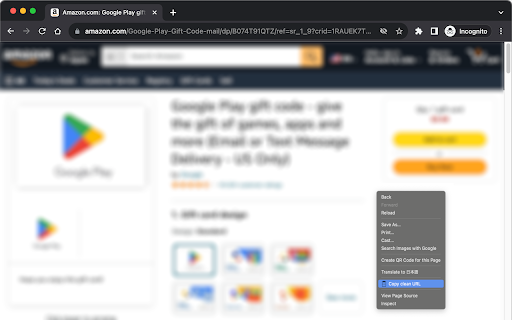
Copy the clean URL of Amazon product pages When you're showing Amazon's product page like... https://www.amazon.com/What-Every-Thinks-About-Apart/dp/1849531986/ref=sr_1_1?crid=... (very long URL) You can get following URL to your clipboard from context (right-click) menu. https://www.amazon.com/dp/1849531986/ This URL clearly does not include any tracking IDs, affiliate tags and other noisy parameters. This extension works on Amazon.com, international Amazon sites such as Amazon.co.jp, and Rakuten Ichiba.

Get Clean URL
Get a clean URL without tracking parameters with one click. v1.3: Added a new utility to remove common tracking parameters. A lightweight tool that tidies up links with one click—clean, simple, and easy to share. Key Features - Instantly cleans and copies URLs in an easy-to-share format - Provides clear feedback messages for better transparency - Strips tracking information from links to improve privacy How to Use 1️⃣ Click the extension icon in your browser toolbar. 2️⃣ The tool automatically cleans the current link and copies it. 3️⃣ Paste the cleaned link anywhere you want to share it. Compatibility Compatible with most Chromium-based browsers, including Google Chrome and Microsoft Edge.

URL Cleaner & Normalizer
Công cụ làm sạch URL và truy cập nhanh | Simplifies and normalizes URLs by removing unnecessary characters and optimizing format. URL Cleaner & Normalizer - Công cụ làm sạch, chuẩn hóa URL và hỗ trợ truy cập nhanh. 🚀 URL Cleaner & Normalizer is the perfect solution! Easily clean and standardize your URLs with just one click. Tính Năng Nổi Bật: ✅ 1-Click Extension: Tự động xử lý và dọn dẹp văn bản/URL, sau đó mở chúng trong một tab mới ngay lập tức; ✅ URL Cleaning: Xóa bỏ phần thừa như khoảng trắng, ký tự dấu câu, dấu ngoặc đơn, icons, ext-link…; ✅ Automatic Standardization: Thay dấu phẩy thành dấu chấm, loại bỏ dấu tiếng Việt,…; ✅ Remove unnecessary URL-ext: Tracking Parameters, Extra Path Variables, ...; ✅ Advanced Filtering: Loại bỏ chú thích trong cặp ngoặc vuông [notes], Text tùy biến trong cặp ngoặc nhọn {custom-text}, bypass link FB…; ✅ Regular Updates: Thường xuyên cập nhật bổ sung/mở rộng thêm nhiều tính năng khác ... How to Use: • Highlight any text -> Right-click -> Select “01Newtab Open by URL Cleaner”. • Or click the extension icon, paste the URL in the popup, and press "Enter". 🌐 Follow for updates: https://kavil.ink/urlclean 💡 Free, Convenient, and Secure! A must-have extension to clean up messy links—download and try it today!

Neat URL Cleaner
Automatically cleans tracking parameters like utm_source, fbclid, and gclid from URLs for cleaner, faster browsing. Automatically removes tracking parameters like utm_source and fbclid from URLs for a cleaner, faster, more private browsing experience. Includes dark mode and light mode.

Clean URL Copier
Copy the current URL without tracking parameters Clean URL Copier: Simplify Your Links in a Click (or with a shortcut if you setup a custom shortcut yourself because we couldn't figure out how to do it in the extension ¯\_(ツ)_/¯ ) Hey there! Ever tried to share a link, only to find it's riddled with weird characters and tracking nonsense? We've been there, and it's a right pain. That's why we created the Clean URL Copier. In a nutshell, it strips away all the faff from your URLs. Here's what you get: One-click cleaning: Just hit the extension icon or use the shortcut. Tracker-free links: Say goodbye to those pesky UTM parameters. Lightning-fast: It's quicker than you can say "clean URL". Confetti celebration: Because who doesn't love a bit of digital sparkle? Install the extension (you're halfway there already, mate!) Navigate to any webpage Click the extension icon or use the recommended keyboard shortcut (Cmd+Option+C on Mac, Ctrl+Alt+C on Windows) Watch the confetti fly as your clean URL is copied to your clipboard Ever sent a link to your gran and she couldn't open it because it was longer than War and Peace? Or maybe you're a professional who needs to share clean, professional-looking links. Whatever your reason, Clean URL Copier has got your back.
