
lijkdfgnginfednakniknnpoeeplicko

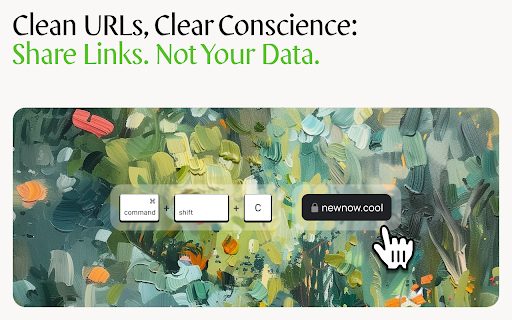
Copy the current URL without tracking parameters Clean URL Copier: Simplify Your Links in a Click (or with a shortcut if you setup a custom shortcut yourself because we couldn't figure out how to do it in the extension ¯\_(ツ)_/¯ ) Hey there! Ever tried to share a link, only to find it's riddled with weird characters and tracking nonsense? We've been there, and it's a right pain. That's why we created the Clean URL Copier. In a nutshell, it strips away all the faff from your URLs. Here's what you get: One-click cleaning: Just hit the extension icon or use the shortcut. Tracker-free links: Say goodbye to those pesky UTM parameters. Lightning-fast: It's quicker than you can say "clean URL". Confetti celebration: Because who doesn't love a bit of digital sparkle? Install the extension (you're halfway there already, mate!) Navigate to any webpage Click the extension icon or use the recommended keyboard shortcut (Cmd+Option+C on Mac, Ctrl+Alt+C on Windows) Watch the confetti fly as your clean URL is copied to your clipboard Ever sent a link to your gran and she couldn't open it because it was longer than War and Peace? Or maybe you're a professional who needs to share clean, professional-looking links. Whatever your reason, Clean URL Copier has got your back.

Copy URLs
Copy all open pages (title and/or address) to clipboard. Select what to export (all tabs or just the web-pages; all windows or current window only) and how to export it (choose between several formats -- simple url list, HTML, CSV etc.) You can define your own (custom) format to generate specific url list (for example -- JavaScript array or XLS table ready to be copy/pasted in Excel)

Clean URL Copy
Copy the current URL to clipboard without ? params except q. Quickly grab a clean URL of your current tab to share with others! This extension provides a one-click button to copy the current tab's URL to your clipboard. All query string parameters are removed except for the "q=" parameter.

Kill The Referrer
Removes HTTP referrer information when clicking on links and cleans tracking parameters from URLs Kill The Referrer - Complete Privacy Protection Stop websites from tracking your every move. Block HTTP referrers and remove tracking parameters automatically. 🛡️ Your Privacy is Sacred Every time you click a link, your browser reveals exactly where you came from. Kill The Referrer stops this invasion of privacy by automatically blocking HTTP referrer information and cleaning tracking parameters from URLs. 🔒 Intelligent Referrer Blocking - Automatically blocks HTTP referrer information when clicking links - Prevents websites from seeing your browsing history - Works silently in the background without affecting functionality 🧹 Advanced URL Cleaning - Removes 100+ tracking parameters (utm_*, fbclid, gclid, msclkid, etc.) - Cleans URLs automatically before you visit websites - Stops cross-site tracking and data collection ⚙️ Smart Whitelist Management - Create exceptions for trusted websites that need referrers - Flexible configuration for internal vs external links - Complete control over your privacy settings 📊 Real-time Statistics - See exactly how many referrers and tracking parameters were blocked - Track your protection in real-time - Monitor your privacy improvements 🚀 Zero Performance Impact - Optimized algorithms ensure no browser slowdown - Lightweight and efficient - Works instantly after installation 🌍 Why Choose Kill The Referrer? ✅ 100% Free Forever - No premium versions, no hidden costs ✅ Open Source - Transparent code you can trust ✅ 24 Languages Supported - Global privacy protection ✅ No Data Collection - Your privacy is our priority ✅ 5-Star Rated - Trusted by thousands of users worldwide ✅ Easy Setup - Works immediately after installation 🎯 Perfect For: - Privacy-conscious users who want to browse anonymously - Professionals protecting sensitive research and work - Anyone tired of invasive tracking and targeted ads - Users who want to control their digital footprint 1. Detection - Automatically identifies tracking elements 2. Cleaning - Removes referrers and tracking parameters 3. Protection - You browse completely anonymously - No personal data collected or stored - All processing happens locally on your device - Statistics stored only in your browser - Complete transparency - see exactly what's blocked Install Kill The Referrer today and take back control of your online privacy. Browse the web without being tracked, profiled, or monitored. --- Note: This extension helps protect your privacy but should be used as part of a comprehensive privacy strategy. Always review website privacy policies and use additional security measures as needed. 100% private and secure, all data is stored on your device

Get Clean URL
Get a clean URL without tracking parameters with one click. v1.3: Added a new utility to remove common tracking parameters. A lightweight tool that tidies up links with one click—clean, simple, and easy to share. Key Features - Instantly cleans and copies URLs in an easy-to-share format - Provides clear feedback messages for better transparency - Strips tracking information from links to improve privacy How to Use 1️⃣ Click the extension icon in your browser toolbar. 2️⃣ The tool automatically cleans the current link and copies it. 3️⃣ Paste the cleaned link anywhere you want to share it. Compatibility Compatible with most Chromium-based browsers, including Google Chrome and Microsoft Edge.
