
chjedhomjmkfdlgdnedjdcglbakjemlm
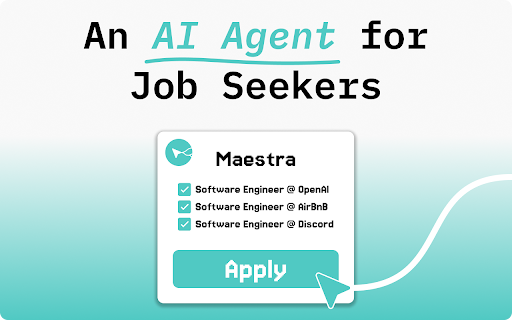


Land your next job 10x faster Pick the roles you like, hit Apply, and Maestra autofills and submits every form in seconds—no typing, no copy-pasting, no busywork. Early users landed multiple interviews in its first 30 days. 👨💻 Built by a Frustrated Job-Seeker My senior year of college, I fired off 450 applications and heard almost nothing back. I settled for a job I hated, kept grinding out more applications, and still got nowhere. So I made a tool to do the busywork for me—an early version of what’s now Maestra. I chose the jobs and it filled out every application while I went back to living my life. Result? In less than 50 days I lined up multiple interviews and landed a role I actually enjoy—with double the pay. Now I’m handing that same super-power to every job seeker who’s tired of the traditional job search. ✍️ Autofill Applications Stop re-typing details. Maestra recognizes every field on top ATS platforms—Lever, Greenhouse, AshbyHQ—then reads the job post, blends it with your resume, and crafts custom answers —even for open-ended questions. 🤖 Batch Apply Tick 5, 15, or 50 job listings, click Apply, and Maestra’s in-browser agents fire off each application at once—no waiting, no juggling tabs. 🕑 Save Hours, Get More Shots Users report reclaiming 6-10 hours a week and landing more interviews simply by sending more high-quality applications. ✅ Apply to More Jobs: Users send 10–20× more applications each month. ✅ Finish Faster: The whole search now takes under 10 minutes a day. ✅ Stress Less: Automation erases the tedious, repetitive parts of job hunting.

Hide n' Seek: Hide Promoted Jobs & Companies
View the jobs you seek. Hide the ones you don't. Easily hide promoted jobs, companies, and more on LinkedIn, Indeed, and Glassdoor. Hide n' Seek lets you easily remove promoted job postings and companies from your search results on LinkedIn, Indeed, and Glassdoor. You can also block job listings by keyword. ⭐ Usage ❗IMPORTANT: The first time you use Hide n' Seek on a job board you'll need to grant permissions in order for it to work, otherwise you won't see the block buttons on the listings. You'll know if you need to grant permissions if you see a yellow alert notification bubble next to the Hide n' Seek button on your browser's toolbar. You can grant permissions by clicking the Hide n' Seek button and then clicking the "Enable Hide n' Seek on {Job Board}" button. You can search for a job by clicking the Hide n' Seek button on the browser's toolbar or you can go directly to a supported job board's website to perform your search if you prefer. “Block” buttons are added next to every listing. If you see a listing you don’t like, simply click the button to hide it. By default, the listing will be hidden under an overlay. Alternatively, you can completely eliminate it from search results by enabling the “Do not display hidden jobs” option. To hide promoted jobs, click the “block” button on any promoted listing and then activate the “Promoted” toggle. To hide jobs by keyword, visit one of the supported job boards, click the Hide n' Seek button on your browser's toolbar, and then add keywords using the "Block by keyword" field. You can also view a list of everything you've hidden, and backup and restore your data by clicking the Hide n’ Seek button on your browser’s toolbar. 🔒 Privacy Your data remains completely private and is never shared. All data is stored locally on your device and may sync across your devices if browser synchronization is enabled. 🔑 Permissions Hide n' Seek requires browser permissions to function. When you first try to use it on a job board, you'll be asked to grant permissions. "Read and change your data on all {Job Board} sites" This permission allows the addition of "Block" buttons and other UI elements to listings. "Read your browsing history" This permission enables the detection of LinkedIn, Indeed, and Glassdoor so the extension knows when to look for listings. Permissions are granted for a specific job board, so if you use multiple job boards, such as LinkedIn and Indeed, you'll need to grant permissions for each one individually. Some job boards, such as Glassdoor, use many country-specific domains (for example glassdoor.com, glassdoor.co.uk, glassdoor.ca), and in these cases Hide n' Seek will ask for permissions for all the domains used by the job board.

LiftmyCV: AI Job Search Automation
LiftmyCV helps you optimize your time on a job search with the ChatGPT-powered auto-apply feature. Looking for your next career opportunity? LiftmyCV makes your job search effortless with its innovative AI-powered job search tool and auto-apply agent. Designed for both active and passive job seekers, our Chrome extension and web app help you save hundreds of hours and land your dream job faster! ***NEW!***NEW!***NEW!*** Non-Stop Auto-Apply now supports multiple job roles and continuous operation. The AI agent can run through the Chrome extension and continuously search for new opportunities on your behalf. LiftmyCV has been fully redesigned with a faster, cleaner interface and a smarter AI job search system. The update introduces the new Smart Job Board, improved AI Job Matches with swipe-to-apply, an Auto-Apply Queue, and a visual Job Tracker. We also improved the mobile experience and enhanced Stealth Apply for more autonomous job applications. ***NEW!***NEW!***NEW!*** Multiple Job Seeker Profiles: Multiple profiles let you auto-apply with specific resumes and profiles, and receive more personalized AI matches. Auto-Apply for SmartRecruiters: LiftmyCV now supports AI job search, Auto-Apply, Stealth Apply, and First Apply for SmartRecruiters, one of the largest ATS platforms used by top companies and recruiters. Stealth Apply: A new fully autonomous job search and auto-apply agent. Once enabled, our AI works completely in the background, automatically applying on your behalf to new openings posted within the last 24 hours. Apply First: Be first to discover new job openings. Our AI agent continuously scans ATS platforms and job boards to find new openings that match your profile. Get fresh matches straight to your email inbox so you can apply first. • ATS Resume AI Builder & Resume per Job AI Generator: Generate a professional, ATS-friendly resume for less than the cost of a cup of coffee. Pass automated screenings and stand out to recruiters on ATS platforms. LiftmyCV’s AI agent automatically creates a customized resume for every job application, perfectly matched to each role’s requirements. • AI Agent Autorun: This feature automatically launches the AI agent dialog on 10 supported job boards and ATS platforms, allowing it to autofill and auto-apply to jobs on your behalf. You can disable this feature anytime via the Chrome Extension menu. • A Fully Redesigned AI Job Search Agent: Automatically finds relevant job openings across 10+ major job boards and applicant tracking systems used by top companies worldwide. Switch between AUTOPILOT and COPILOT modes to stay in control – review, edit, or skip opportunities that don’t fit your goals. Collaborate with AI to craft and submit the perfect application, your way. • Non-Stop Auto-Apply: When one job board runs out of listings, LiftmyCV seamlessly switches to another to keep your applications running without interruption. • AI Autopilot for Job Applications: Automatically applies to thousands of jobs that match your preferences, saving hours of manual effort. • AI Cover Letter Generator per Job: Write human-like, ChatGPT-powered cover letters for each job – personalized, real-time, and ATS-ready. • Customizable Search Filters: Tailor your job search by role, location, and work type (remote, hybrid, on-site) for more relevant results. • Smart Auto-Apply Limits : Set limits to control how many applications are submitted, helping you manage both outreach volume and costs. • Auto-Apply History: Track your AI application stats, view links and submission status to stay fully informed. • Google Chrome Extension: Monitor your auto-apply performance in real time through an intuitive browser extension. • AI Matching & Search Accuracy: Experience a smarter job search with our new AI matching feature. LiftmyCV’s AI agent, powered by the latest ChatGPT models, analyzes your profile and resume to match you with the most relevant job openings — helping you apply more accurately and efficiently. FLEXIBLE PLANS FOR EVERY JOB SEEKER: Choose a monthly subscription or a pay-as-you-go model to stay in control of your spending. You can combine both to get the most out of LiftmyCV. TRY BEFORE YOU BUY! Enjoy a FREE trial plan to explore the service and see if it fits your needs — no credit card required! How it works: 1. Download and install the extension from the Chrome Web Store. 2. Navigate to app.liftmycv.com to create an account or log in to access the platform. 3. Easily upload your resume through the dashboard and complete your profile to get started. 4. Set your search filters by role, location, work type (remote, on-site, or hybrid), and more. 5. Activate the AI auto-apply feature to start applying for jobs that match your preferences instantly across leading hob search websites and boards. Whether you're exploring new opportunities or ready to transition to a new position, LiftmyCV ensures your applications reach the right companies quickly and efficiently.

Easyapply
Fully Automate Your Job Search with AI Agents Tired of manually searching and applying for jobs? Our AI-powered job search assistant does the heavy lifting for you! 🚀 Automated Job Applications – The AI scans job boards, matches roles to your profile, and submits applications on your behalf. 📊 Real-Time Job Tracking – Stay organized with an interactive dashboard that monitors application statuses and interview requests. ✅ One-Click Integration with CSCareerHacking.com – Easily sync your profile with CSCareerHacking.com to upload your resume, set your job preferences, and let AI handle the rest. Our platform continuously refines your application strategy based on recruiter feedback and response rates. 🚀 Stop wasting hours applying manually—let AI do the hard work for you. Install now and land your dream job faster!

Job Sniper: LinkedIn Job Filters - Hide Promoted & Viewed Jobs
Jobs Sniper adds 3 filters to LinkedIn job search, hide promoted jobs, hide viewed jobs, and see only “be an early applicant.” Job Sniper is a LinkedIn job search extension that helps job seekers find jobs with the fewest applicants. It hides promoted jobs, removes viewed/applied postings, and adds powerful LinkedIn job search filters so you can focus only on real jobs with fewer applicants. With Job Sniper, you’ll instantly find non-promoted jobs and “be an early applicant” jobs where you face 97% fewer competitors and can 2x your interviews (according to real users). 🔧 Key Features ➤ Hide Promoted Jobs on LinkedIn – Block sponsored and irrelevant listings that clutter your search results and get 30x the applications according to LinkedIn. ➤ See Only “Be an Early Applicant” Jobs – Apply early to jobs with under 100 applicants for the best odds. ➤ Hide Viewed/Applied Jobs – Stop wasting time looking at postings you’ve already seen or applied to ➤ Avoid Ghost & Reposted Jobs – These jobs are always promoted by hiding promoted jobs, these go away ➤ One-Click Setup – Install and instantly toggle filters on/off with no configuration needed. 📊 Proven Results ➤ Jobs with 97% fewer applicants – e.g., 20 applications instead of 600+. ➤ 2X interview rate – By applying early users saw double the responses. ⚡ How It Works 1. Install Job Sniper Chrome extension. 2. Open LinkedIn job search. 3. Make sure you're in the "Classic Job Search" (top right drop down menu) 4. Toggle filters: hide promoted jobs, hide viewed jobs, show only early applicant jobs. 5. See fresh, real listings with less competition – and get more interviews. Job Sniper is the ultimate job search tool for LinkedIn If you’re serious about your job hunt, this extension is the job hack you’ve been looking for by uncovering hidden opportunities, boosting your interview rate, and giving you early access to the best LinkedIn jobs.
