
agghbaheofcoecndkbflbnggdjcmiaml


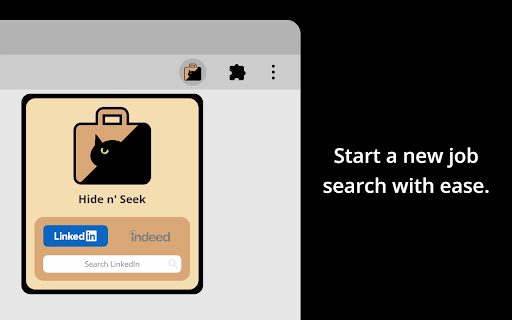
View the jobs you seek. Hide the ones you don't. Easily hide promoted jobs, companies, and more on LinkedIn, Indeed, and Glassdoor. Hide n' Seek lets you easily remove promoted job postings and companies from your search results on LinkedIn, Indeed, and Glassdoor. You can also block job listings by keyword. ⭐ Usage ❗IMPORTANT: The first time you use Hide n' Seek on a job board you'll need to grant permissions in order for it to work, otherwise you won't see the block buttons on the listings. You'll know if you need to grant permissions if you see a yellow alert notification bubble next to the Hide n' Seek button on your browser's toolbar. You can grant permissions by clicking the Hide n' Seek button and then clicking the "Enable Hide n' Seek on {Job Board}" button. You can search for a job by clicking the Hide n' Seek button on the browser's toolbar or you can go directly to a supported job board's website to perform your search if you prefer. “Block” buttons are added next to every listing. If you see a listing you don’t like, simply click the button to hide it. By default, the listing will be hidden under an overlay. Alternatively, you can completely eliminate it from search results by enabling the “Do not display hidden jobs” option. To hide promoted jobs, click the “block” button on any promoted listing and then activate the “Promoted” toggle. To hide jobs by keyword, visit one of the supported job boards, click the Hide n' Seek button on your browser's toolbar, and then add keywords using the "Block by keyword" field. You can also view a list of everything you've hidden, and backup and restore your data by clicking the Hide n’ Seek button on your browser’s toolbar. 🔒 Privacy Your data remains completely private and is never shared. All data is stored locally on your device and may sync across your devices if browser synchronization is enabled. 🔑 Permissions Hide n' Seek requires browser permissions to function. When you first try to use it on a job board, you'll be asked to grant permissions. "Read and change your data on all {Job Board} sites" This permission allows the addition of "Block" buttons and other UI elements to listings. "Read your browsing history" This permission enables the detection of LinkedIn, Indeed, and Glassdoor so the extension knows when to look for listings. Permissions are granted for a specific job board, so if you use multiple job boards, such as LinkedIn and Indeed, you'll need to grant permissions for each one individually. Some job boards, such as Glassdoor, use many country-specific domains (for example glassdoor.com, glassdoor.co.uk, glassdoor.ca), and in these cases Hide n' Seek will ask for permissions for all the domains used by the job board.

Hide LinkedIn Ads
This Chrome browser extension hides ads on LinkedIn. Tired of seeing promoted post after promoted post while scrolling on LinkedIn? Download this browser extension to hide ads on LinkedIn. This can improve productivity and decrease distractions, making it easier to focus on networking. You can view the source code here: https://github.com/garnetred/hide-linkedin-ads.

The Big Gift List
Easily add items to your 'The Big Gift List' lists Help friends and family take the guesswork out of buying you gifts with The Big Gift List. When it comes to a birthday, Christmas, wedding or any other special occasion, with your gift list you can show your friends and family what you really want, so they don't need to guess. Use the official browser extension to add items to your gift lists directly from any website.

Job Search Filter — Hide Applied, Reposted Jobs, Companies, and Keywords
Save time and focus on better opportunities — organize your job search on popular platforms, build resumes, and track applications. YOUR ULTIMATE JOB SEARCH COMPANION HideJobs is a browser extension that helps you customize major job platforms by filtering out unwanted job listings—including applied positions, "We Won't Show You This Job Again" dismissed positions, promoted content, and viewed jobs—across LinkedIn, Indeed, Glassdoor, Monster, and ZipRecruiter. Create a streamlined browsing experience focused on finding relevant opportunities that match your career goals. SMART CONTENT FILTERING: Hide repetitive job listings such as applied positions, "We Won't Show You This Job Again" dismissed positions, promoted content, and viewed jobs to create a cleaner, more focused search experience. EXCLUSIVE DETECTION: HideJobs is the only extension that lets you detect and hide Reposted jobs, jobs with over 100 applicants, and specific keywords in job descriptions, giving you control no other tool provides. COMPANIES & KEYWORDS HIDING: Block out jobs from specific companies or filter out roles containing unwanted keywords—tailor your search results to only what’s relevant to you. JOB TRACKER: Keep track of jobs you want to apply to and positions you've already applied for in one centralized dashboard. Stay organized and never lose sight of opportunities that interest you. AI RESUME BUILDER: Build tailored resumes for specific positions using AI assistance. Customize content, receive intelligent suggestions, and export polished documents optimized for each job opportunity. - Basic (Free): Hide dismissed, promoted, applied, and viewed jobs. Includes job tracking and a resume builder. - Pro Filter ($4.99/month): All Basic features plus keyword filtering, company blocking, and advanced filtering of reposted jobs and jobs with 100+ applicants. - AI Power ($12.99/month): All Pro Filter features plus unlimited AI-powered resume optimization, job analysis, and professional content generation. Designed for job seekers who value efficiency, HideJobs eliminates visual clutter and irrelevant content that can derail your search focus. By customizing how you interact with major job platforms, you can spend more time on quality opportunities and less time navigating through noise. Your data privacy is our priority. All job tracking and resume information is securely stored in your personal account. Browsing preferences are saved locally on your device. We never sell, share, or monetize your personal information.

GoldDust
Ask a question about a company or a person. If the answer is on the internet - our AI agent will locate, synthesize, and display it. Welcome to GoldDust, the Chrome extension that automates the tedious and repetitive research you need to effectively qualify leads, prioritize opportunities, and customize outbound messaging. ⭐ Seamless Integration: Whether you're scrolling through LinkedIn, checking out a company’s website, checking latest news or deep in your CRM, GoldDust is there to enrich your experience without the hassle of switching tabs or tools. ⭐ Rich Info, On Demand: You've got a treasure trove of information, when and where you need it. It’s like magic, but for work. ⭐ Custom Insights: You’re getting the good stuff – customized insights that matter to you. Say goodbye to info overload and hello to insights that make a difference
