
chcbloiikmmeocihooagfegcoikgkjdn
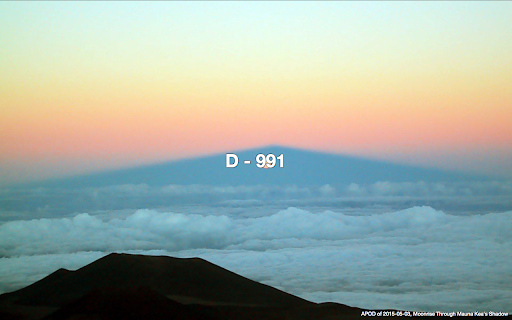
This extension displays d-day with a background image fetched from NASA whenever a new tab is opened. Whenever you open a new tab, you'll see your d-day with nice background images from NASA's APOD(https://apod.nasa.gov/apod/astropix.html).

NASA Picture of the Day - New Tab
Replace new tab with a random NASA Astronomy Picture of the Day Open a new tab and see a random NASA picture of the day! When you open a new tab, you will be greeted with a picture from NASA's Picture of the day archive on a randomly chosen date. The title of the image along with the date it was chosen as the Picture of the Day will appear in the top left and a description provided by NASA will be in the bottom right. You can also choose to view the HD version of the image by clicking the "Open HD Image" in the top left. Versions: 0.2: - Added icons 0.2.1: - Added copyright to image if image isn't public domain - Fixed Small tile image and added Large tile image - Added more screenshots 0.2.2 - Updated Screenshots - WIP: adding download button for the HD image

Day-Count Timer Extension
Counts the amount of days since or until a specified date (or multiple dates). A simple extension which counts the amount of days since or until a specified date. The extension icon will always display the amount of days between today and a specified date.

NDIC - 누렁이 영어사전 (Noorung Dictionary)
영어 단어의 뜻과 예문을 쉽게 찾을 수 있습니다. [4.5.5 업데이트: 2026.04.13] - 아이콘을 눌렀을때 팝업으로 열기 기능이 추가되었습니다. - 팝업으로 열기 혹은 사이드패널로 열기는 설정에서 선택 가능합니다. - 설정 페이지 스크롤 버그가 수정되었습니다. [4.5.4 업데이트: 2025.08.13] - Ctrl+Shift+E 로 사이드패널을 열 수 있음 (Mac : CMD+Shift+E) - 추후 지원 사항 - 사이드패널이 열릴때 인풋에 포커스 주는 기능은 아직 브라우저에서 지원되지 않습니다. - 브라우저 레벨에서 API가 추가되면 바로 업데이트 할 예정입니다. [4.5 업데이트: 2025.07.26] - 검색된 단어를 사이드패널에서 볼 수 있도록 변경 - 로고 및 익스텐션 이름 수정 - 피드백 남기러 가기 수정 - 버그 제보나 개선 의견은 아래 링크에서 해주세요! https://slashpage.com/ndic [4.4 업데이트: 2022.07.24] - 주요 버그 수정 - 변형된 단어 제안 기능 추가 [4.2 업데이트: 2022.05.08] - 사전 보조키 및 위치 설정 추가 - 다크 테마 지원 [이렇게 사용하세요] - 검색할 단어를 더블클릭하거나 드래그하면 단어 위에 사전이 나타납니다! - 주소창 옆의 익스텐션 버튼을 눌러서 검색하실 수도 있어요. - 사이드패널이 열려 있으면 더블클릭/드래그 시 사이드패널에 결과가 나타나요. - 설정 메뉴에서 가장 쓰기 편한 방법을 찾아보세요. 고맙습니다.

Climb
Look up the definition for any word on the page. Save it to your library to memorize it later. 💻 Define in Climb 💻 While reading in your browser, select any word or phrase unfamiliar to you and choose “Define in Climb” from the context menu. 📚A Modern Dictionary 📚 Each word comes with a funny GIF animation, Urban Dictionary link, Google Translate integration, Climb Word Analyzer™, and Oxford dictionary with idioms, extra examples, thesaurus, and more. 📱Practice to Learn 📱 The defined words are automatically added to a “To Do” list, which you can later learn using our mobile application: https://climbtest.com/chrome Climb improves your vocabulary by helping you to discover and memorize new words.
