
cgfpgnepljlgenjclbekbjdlgcodfmjp
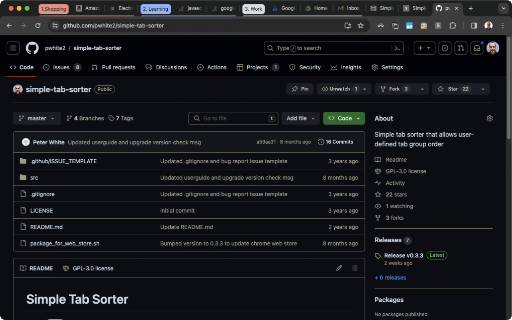

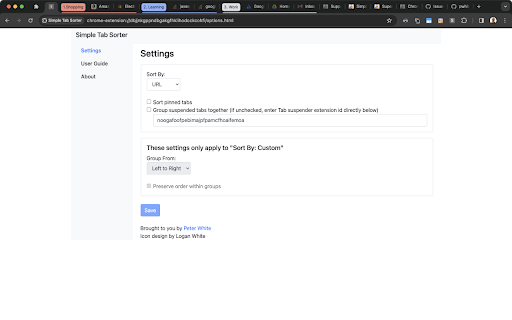
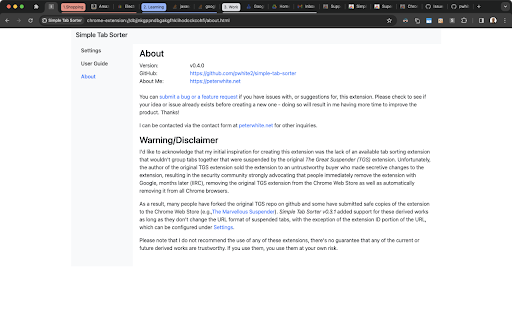

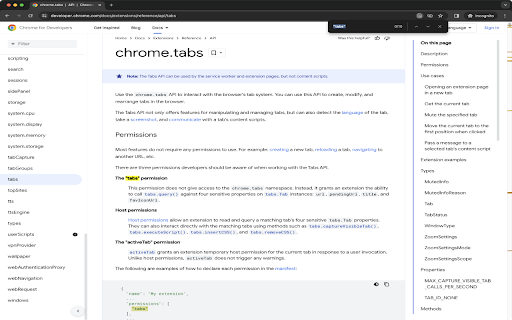
"Simple Tab Sorter" is a free and open-source Google Chrome extension for people who want quick and easy user-customizable tab sorting and grouping. * Respects Google Chrome's Tab Groups. * User configurable sort behavior for handling tabs suspended by extensions forked from The Great Suspender (please review the User Guide under Options for configuration instructions). * Simple manual override of tab group sort order. Bug reports are welcome at https://github.com/pwhite2/simple-tab-sorter/issues. If you want additional functionality, please take a look at https://chromewebstore.google.com/detail/super-tab-sorter/jjhppbooocacaccnhjninhmigbfmpnkh instead. PLEASE READ BEFORE INSTALLING AND SUBMITTING NEGATIVE REVIEWS: 1. Simple Tab Sorter v0.4.0 and later require Chrome version 88 or later. If you're using an older version of Chrome, you can manually install v0.3.3 by following the instructions at https://github.com/pwhite2/simple-tab-sorter#install-as-an-extension-from-source . 2. "Read your browsing history" permission warning during install in versions 0.4.0 and later... Chrome changed the permissions message for "tabs" permissions for manifest v3 extensions. The new release (0.4.0) isn't doing anything with the tabs API that it wasn't doing before - i.e., it doesn't have access to your browser history, just the currently open tab URLs which are required to sort by URL. You can see the requested permissions for this extension at https://github.com/pwhite2/simple-tab-sorter/blob/master/src/manifest.json. The developer documentation for the "tabs" API (https://developer.chrome.com/docs/extensions/reference/api/tabs) states: "The "tabs" permission This permission does not give access to the chrome.tabs namespace. Instead, it grants an extension the ability to call tabs.query() against four sensitive properties on tabs.Tab instances: url, pendingUrl, title, and favIconUrl." As you'll see, there is NO mention of "history" anywhere in the "chrome.tabs" developer documentation. To have access to your browsing history, an extension would have to specify "history" in the manifest.json permissions, which you can verify this doesn't, as documented at https://developer.chrome.com/docs/extensions/reference/api/history. 2025-05-27: Version 0.4.2 released * Fix extension stuck in welcome/update message loop due to apparent browser implementation change. 2023-12-19: Version 0.4.0 released * Converted to Chrome manifest v3 * Added support for Chrome's Tab Groups 2023-04-25: Version 0.3.3 released * Fixed https://github.com/pwhite2/simple-tab-sorter/issues/21 - now compatible with Chrome's new suspended tabs. 2021-02-21: Version 0.3.1 released * Removed Google Analytics code * Added support for extensions derived from The Great Suspender now that it's been removed from the Chrome Web Store and derivative works have been submitted. Changes viewable at https://github.com/pwhite2/simple-tab-sorter/pull/12 2020-06-29: Version 0.3.0 released * Added "Sort pinned tabs" option and disabled it by default * Added short form to collect user feedback when extension is removed

Super Tab Sorter
"Super Tab Sorter" is a free and open-source Google Chrome extension for people who want user-customizable tab sorting and grouping. This is a more feature-rich version of Simple Tab Sorter, designed to contain feature requests that might conflict with Simple Tab Sorter's design goals of remaining "Simple" and lightweight. 1. Respects Google Chrome's Tab Groups. 2. "Sort By URL" sorts by domain, sub-sorts by host name. 3. "Sort By Custom" is like "Sort By URL", with the ability to simply override the order of tabs manually - demonstrated in https://github.com/pwhite2/super-tab-sorter/blob/master/STS_Custom_Sort_Demo.mp4 4. Optional dedupe while sorting. 5. User configurable sort behavior for handling tabs suspended by extensions derived from The Great Suspender (please review the User Guide under Options for configuration instructions). If you encounter any issues, or have ideas for improvements, submissions at https://github.com/pwhite2/super-tab-sorter/issues and pull requests are greatly appreciated. PLEASE READ BEFORE INSTALLING AND SUBMITTING NEGATIVE REVIEWS: 1. Simple Tab Sorter v0.4.0 and later require Chrome version 88 or later. If you're using an older version of Chrome, you can manually install v0.3.3 by following the instructions at https://github.com/pwhite2/simple-tab-sorter#install-as-an-extension-from-source . 2. "Read your browsing history" permission warning during install in versions 0.4.0 and later... Chrome changed the permissions message for "tabs" permissions for manifest v3 extensions. The new release (0.4.0) isn't doing anything with the tabs API that it wasn't doing before - i.e., it doesn't have access to your browser history, just the currently open tab URLs which are required to sort by URL. You can see the requested permissions for this extension at https://github.com/pwhite2/simple-tab-sorter/blob/master/src/manifest.json. The developer documentation for the "tabs" API (https://developer.chrome.com/docs/extensions/reference/api/tabs) states: "The "tabs" permission This permission does not give access to the chrome.tabs namespace. Instead, it grants an extension the ability to call tabs.query() against four sensitive properties on tabs.Tab instances: url, pendingUrl, title, and favIconUrl." As you'll see, there is NO mention of "history" anywhere in the "chrome.tabs" developer documentation. To have access to your browsing history, an extension would have to specify "history" in the manifest.json permissions, which you can verify this doesn't, as documented at https://developer.chrome.com/docs/extensions/reference/api/history. ------------------------------------------------------------------------------------------------------------------ 2025-05-27: Version 0.5.3 released * Fix extension stuck in welcome/update message loop due to apparent browser implementation change. 2023-12-19: Version 0.5.1 released * Removed "Test" from Settings dialog and removed unused file. 2023-12-18: Version 0.5.0 released * This is the initial release, forked from my work on Simple Tab Sorter 0.4.0 (to be released shortly after this) * Added "Dedupe tabs (in current window)" option and disabled it by default * Sort By URL sorts by root domain name and sub-sorts by host name

Group Tabs
This is a Chrome extension that sorts and groups tabs. * Feature: Not group for domain or sub-domain that has only 1 tab. # Access to data This extension access all tabs, but uses only the URL of the site open in the tab. Use this information when sorting or grouping tabs.

Tab Sorter 2
Enhance your browsing experience, one click at a time Introducing TabSorter2 - the browser extension designed to revolutionize the way you manage your tabs! Say goodbye to tab clutter and hello to seamless organization with just one click. 🅴🅵🅵🅾🆁🆃🅻🅴🆂🆂 🆃🅰🅱 🅼🅰🅽🅰🅶🅴🅼🅴🅽🆃 [FREE]: • 💫 Quickly sort your tabs by domain and title for easy navigation. • 🔄 Merge all your windows into one streamlined interface. • 🎲 Spice things up by shuffling your tabs for a bit of fun! • 💥 Collapse: Create groups of domains with more than 2 tabs opened [NEW] 🅰🅳🆅🅰🅽🅲🅴🅳 🅵🅴🅰🆃🆄🆁🅴🆂 🅵🅾🆁 🅿🅾🆆🅴🆁 🆄🆂🅴🆁🆂: • ↔️ Split your window vertically or horizontally to tailor your browsing experience. • 🏷️ Take control with Domain Uniting, perfect for grouping or isolating tabs from the same domain. • 🧠 Optimize your memory usage with Memory Optimization, freezing and unloading tabs to save valuable resources. • 🧹 Say goodbye to clutter with Domain Cleanup, closing all tabs from a specific domain across all windows. • 🚫 Eliminate duplicates with Tab Deduplication for a cleaner browsing experience. 🅲🅾🅼🅱🅰🆃 🆃🅰🅱 🅰🅳🅳🅸🅲🆃🅸🅾🅽: • 🎯 Dive into Focus Mode to eliminate distractions and boost productivity with a clear canvas. • 📚 Easily return to your tabs with Unfocus when you're ready to dive back in. 🅾🆁🅶🅰🅽🅸🆉🅰🆃🅸🅾🅽🅰🅻 🅱🅻🅸🆂🆂 🆆🅸🆃🅷 🆂🆃🅰🅲🅺🅸🅽🅶 🅼🅾🅳🅴: • 🗂️ Keep your windows neat and clutter-free after a domain split with Stacking Mode. • ✨ Tidy up: Feeling overwhelmed? In one clean sweep, tidy up your messy tab life 🧹 [FREE - Experimental for 50+ tabs opened] Why wait any longer? Embrace the essentials for free indefinitely or subscribe to support continuous development and unlock all current and forthcoming features 🙌. Seize control of your browsing journey today with TabSorter2. Your tabs will thank you for it 😉!

Close duplicate tab
At work, I get a lot of notifications from GitHub, Redmine, Backlog, and so on. If you keep opening them in a new tab to read them later, you will have too many tabs in no time. This Extension allows you to organize them in an instant and reload the remaining tabs to make them up-to-date! * Chrome Extension does not work on some Google pages and on opened web pages before installing this tool. Please reload the page you want to use this tool once after installation. - When targeting all windows, modified to prioritize closing tabs that are not in the current window. - Improved the tab closing logic to handle duplicates correctly. - Added a flag to forcibly update the URL when clicking on intra-page links, such as those in the table of contents. - Update function "Divide all tabs for each hostname" - Option added to group tabs into the same window according to the number of sheets when there are only a few tabs with the same hostname.
