
cgaghnpgecpbcjclbggfboeplfkbodfk

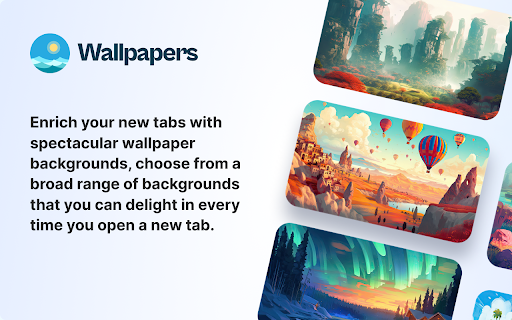


The Wallpapers - New Tab Extension Will Display Mesmerizing Images Of Diverse Wallpapers In Your New Tab. The Wallpapers - New Tab Extension Will Display Mesmerizing Images Of Diverse Wallpapers In Your New Tab. Enrich your new tabs with spectacular Wallpaper backgrounds, choose from a broad range of backgrounds that you can delight in every time you open a new tab. To alter the background image, click the Change Background Icon in the top right on the new tab. By clicking "Add to chrome", I consent and comply with installing Wallpapers - New Tab search setting will be furnished by Microsoft Bing and what's provided by the service, Terms of Use and Privacy Policy.

The Big 5
The perfect way to explore the most dangerous wild animals of Africa right from your browser home page. With stunning images and daily quotes related to The Big 5, you'll be able to select your favorite from our image bank. The Big 5 extension also provides easy navigation to your frequently used tabs, ensuring an efficient and enjoyable browsing experience. We welcome your feedback and suggestions as we continue to add and upgrade features to make The Big 5 browser extension the ultimate destination for wildlife enthusiasts. Download The Big 5 extension today and start your virtual safari! By clicking "Add to chrome", I accept and agree to installing The Big 5 extension and setting Chrome™ New Tab search to Microsoft Bing provided by the service and the Terms of Use at https://the-big-5.mnsdigitalmedia.com/terms-and-conditions and Privacy Policy at https://sites.google.com/mnsdigitalmedia.com/privacy-policy. The Big 5 extension replaces your New Tab search engine and provides a new search experience with search results by Microsoft Bing.

Peapix New Tab Background
Customize your new tab background with a beautiful Bing homepage images. A beautiful New Tab page, replaces new tab page background with Bing homepage images. This extension replaces your New Tab page with a customized start page. On every new tab, see the beautiful Bing homepage image along with your most-visited sites. You can easily turn the web search and most visited sites on and off. Add to Chrome now! - Quick the web Search by Bing and Google. - See today's Bing homepage image and download it. - Migrate Manifest V3. - Remove the list of the most-visited websites. - New UI layout. - Add you most-visited sites. - Easily turn off web search and most visited sites. - Add search box, support Google, Bing, Baidu, DuckDuckGo and more. - Add Bing's daily images of Spain. If you have any suggestion or question, please leave us a message.

Tropical Horizons Wallpapers
'Tropical Horizons Wallpapers' is an extension that brings a touch of paradise to your desktop. Tropical Horizons Wallpapers is a Chrome extension that offers a wide range of stunning tropical-themed backgrounds to choose from every time you open a new tab. Users are also presented with a shuffle button located in the top right corner of the screen that let's them switch out the current background. In addition, social widgets are located at the bottom of the screen enable easy access to your social media accounts. By clicking "add to chrome", I accept and agree to installing Tropical Horizons Wallpapers extension and setting chrome new tab search provider to Microsoft Bing as described by the service in terms of use https://www.agile-soft.dev/terms.html and Policy https://www.agile-soft.dev/privacy.html All pictures took from Unsplash with commercial license You may uninstall the extension at any time To remove our extension from Google Chrome: 1) Click on the three vertical dots icon in the upper right-hand corner of your Chrome browser 2) Go to "Settings" 3) In the left menu that appears, click on "Extensions" 4) From the list of installed Extensions, locate the extension you would like to uninstall

Custom New Tab Background
Set a custom new tab background or wallpaper. Just that, nothing else. Make sure the image is smaller than 5 MB Set a custom background image or wallpaper on new tab page. Icon by lexacahyani from the Noun Project
