
cepjdemmcidfafbjofammfgacjjmeged

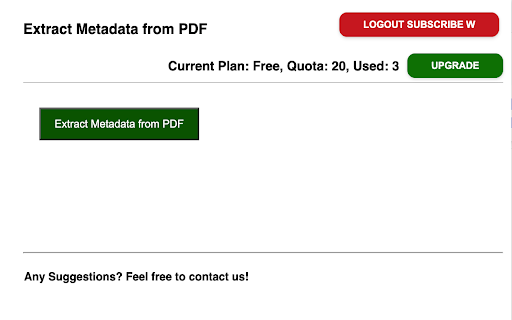
Extract Metadata from PDF Files and Export to CSV/XLSX. 📣 Overview: This browser extension is designed to retrieve Metadata Information from PDF documents. It enables users to extract Metadata such as "Title", "Subject", "Author", "Creator", "Producer", "size", "lastModifiedDate", "CreationDate", "ModDate", "Language", "Keywords", "PDFFormatVersion" from PDF files. Is it Free? ✔️ Absolutely! The basic functions are completely free to use, but users can opt for an upgrade to access additional features. 📧 Feedback and Help: If you have any questions or need assistance, don't hesitate to contact us via the following link: https://forms.gle/Lv1AsneQWGYz4joz8 🔒 Privacy and Security: We give high priority to your privacy. All extracted data are processed locally and will never be shared with our servers. We do not store your data.

Instant Data Scraper
Instant Data Scraper extracts data from web pages and exports it as Excel or CSV files Instant Data Scraper is an automated data extraction tool for any website. It uses AI to predict which data is most relevant on a HTML page and allows saving it to Excel or CSV file (XLS, XLSX, CSV). This tool does not require website specific scripts, instead it uses heuristic AI analysis of HTML structure to detect data for extraction. If the prediction is not satisfactory, it lets the user customize the selections for greater accuracy. This type of scraping technology is much more convenient, because it does not require large user created libraries of scraping scripts, which often become filled with outdated and redundant versions. This means that our scraping method works just as well with small and lesser known websites, as it does with global giants like Amazon. Also, our users do not need to have any coding, json or xml skills! Instant Data Scraper FEATURES: * Detecting data for extraction with AI. * Detecting when dynamic data has loaded. * Delay and maximum wait time customization for desired crawling speed * Support for pagination on websites. * Automatic navigation to next page via buttons or links. * Support for infinite scrolling. * Extracted data preview with copy and paste support. * Data export to Excel spreadsheet or CSV file. * Extracted data column renaming and filtering. This extension is completely FREE. Instant Data Scraper works well in unison with SEO tools, CRM recruiter systems, sales leads management tools or email marketing campaigns. Web scraping and data downloading is made easy with our tool. Furthermore, you have data security and privacy as the scraped data does not leave your browser. Instant Data Scraper USE CASES: * Lead generation for companies and freelancers. * Growth hackers looking for easy ways to collect data. * Recruiters looking for job candidates. * Crawl results from search engines. * Get product pricing data from e-commerce websites. * Amazon sellers, distributors and review analysts. * Get email and addresses and phone numbers from directories. * Get contact info from professional association websites. * Scrape reviews and ratings. * Analyze posts for likes, comments, connection and contacts. * Extract emails and ID from social media profiles. Developer promise: This extension does not contain any malware or spyware beyond standard Google Analytics.

Download Files as PDF by cloudHQ
Convert and download files as PDF documents. Convert any file into a high-quality PDF - no matter the format. Select a single file or an entire folder from your Google Drive™, or upload files directly, and let the conversion happen automatically. Documents, spreadsheets, presentations, and images are all transformed into professional PDFs in seconds. Once ready, your PDFs are easy to save, share, or print. Simplify your file management with fast, effortless PDF conversion. Key features: * Convert and download any file as PDF: One click is all it takes: select your files and instantly download them as a PDF * Full support for all type of files (images, txt, docs, spreadsheets, etc.) * Every file you convert your files, it is instantly stored in your Google Drive™ and / or downloaded straight to your computer. * No complex software required * Batch support: Convert and download large number of files in parallel (or all files in a folder) How to use: * Install the extension * Go to drive.google.com * Select a folder or file and in dropdown select "Download Files as PDF". * You can also click on the "Download Files as PDF" icon in the upper right corner of your browser and upload files to be converted to PDF cloudHQ. Helping your productivity, 1 click at a time. cloudHQ website: https://www.cloudhq.net/ App website: https://www.download-as-pdf.com/ Pricing: https://www.download-as-pdfcom/pricing Support page: https://support.cloudhq.net/category/browser-extensions/download-as-pdf/ Blog: https://blog.cloudhq.net Google Shared Drive, Google Drive, and Google Workspace are trademarks of Google LLC. Use of these trademarks is subject to Google Permissions.

Airtable Extractor by Table Capture
Allows you to extract data from an Airtable shared view to Excel (XLSX), CSV or JSON. How it works: • Just right-click to download in your desired format • You get 5 free exports, afterwards you can purchase a 30-pack of exports or a license for unlimited exports. Special Thanks: This extension is a fork + update of one made by Gonçalo Cabrita (gmcabrita.com).

Table Capture
Copies HTML tables to the clipboard or exports them to Microsoft Excel, CSV, Google Sheets, Office 365, etc. Table Capture gives you the ability to easily capture HTML tables for use in a spreadsheet, whether using Microsoft Excel, Office 365, Open Office, Google Sheets, etc. Features: • Copy tables to the clipboard with the proper row & column separators • Export to Google Sheets • Batch export tables to the clipboard, Excel & Google Sheets • Capture tables (or any repeating items on a website) • Exports of up to 250 rows Table Capture Pro features (requires annual subscription): • Download tables directly as an Excel spreadsheet or as a CSV file • Capture multi-page tables and tables that load as you scroll • Copy tables to the clipboard as Markdown • Screenshot tables (save as PNG images) • Export tables to Office 365 • Create "Recipes" for handling tables on specific websites • Export tables from PDF files (locally and from the web) Table Capture Cloud features (requires subscription): • Real-time sync to Google Sheets • Magic Columns: AI-based column parsing • Table Talk: Ask ChatGPT free-form questions about your data! • Ollama Integration: Use a local LLM for your advanced data processing needs Support & Testing: support@georgemike.com • Please test the extension on the tables provided here: https://www.georgemike.com/tables/test/
