
ceeackimohhoibchhooifgikfibjfmmk
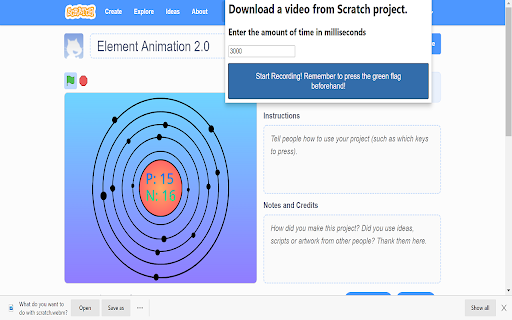
A Chromium/Firefox Extension to download files from Scratch This extension downloads videos from Scratch. You just need to specify the number of milliseconds! This even works with interactive projects!

Free Adblocker for Chrome by Open Adblocker
Free Adblocker for Chrome by Open Adblocker Block ads across the web with Open Adblocker, the best free open source adblocker for Chrome. We keep our goal simple: Blocking all types of ads on all pages in one click for enjoy an easy, clean ad free browsing experience. 🍪Automatically block annoying cookie consent pop-ups across the internet for a smoother browsing experience. ⚙️A completely redesigned settings page with quick access to filters, feedback, and bug reporting. Add Open Adblocker to your browser access these features: 🧩Lightweight, memory efficient adblocker extension for Chrome - Easily block banners, popup, pop under and video ads. 🎥 Block YouTube Ads - Skip distractions and enjoy uninterrupted viewing experience. 🌐 Choose the domains you want to block - Control which sites have ad blocking on or off. 🧱 Block malware and adware - Stop unwanted and misleading content across the web. 📊 Tracking protection filters – Block trackers, analytics scripts, and tracking parameters in URLs. ⚙️ Transparent and Open Source - Our entire codebase is open source and available on GitHub. 🍪 Hide and block Cookie banners - Automatically remove cookie pop up banners across the internet. 🔌 Social media filters – Remove Like/Share widgets and embedded social elements. 🆕 The ability to report a bug - Report issues directly from the settings page to help improve Open Adblocker. Why Open Adblocker? - Lightweight hustle free experience, just one click and you are set. - Built in free cookie consent popup blocker - Optimized memory consumption. - True open source transparency. - Block cookie banners. How to get started? 1. Click “Add to Chrome” and confirm installation. 2. Pin it to your taskbar for quicker access. 3. Open the open adblocker extension and turn Ad blocking on or off. What’s New 🛡️ Advanced security filters enhancement – Block malicious sites, phishing URLs, scams, malware, badware risks, and extensive anti-malware lists. 🔌 Social media filters – Remove Like/Share widgets and embedded social elements.

Extension Source Downloader
Download the source code for chrome extensions via toolbar popup in .zip or .crx formats. This extension allows you to download the source code for chrome extensions. Please open the toolbar popup and add a valid extension URL in the designated input field (top section). You can also navigate to the chrome web store, find an extension, and then open the toolbar popup. The URL for the active tab will be automatically inserted into the input field. Once the URL is added, the related extension ID will be extracted and written in the - Current extension ID - area. Now, please click on the - Download as CRX - or - Download as ZIP - buttons to start downloading the extension as ".zip" or ".crx" formats. Please note that the progress bar in the toolbar popup shows you the current progress for downloading the extension. Once downloading is done, the final file will be available in the default download location on your machine. Note: The extension interface supports dark mode. To switch the interface theme to dark, please press the moon icon in the bottom-right toolbar. If you have a feature request or found a bug to report, please fill out the bug report form on the addon's homepage (https://mybrowseraddon.com/extension-source-downloader.html).

Get CRX
Get source .crx extension file of any Chrome extension *Now working on both old and new Chrome Web Stores* Instantly get .crx source file of any free Chrome extension via right click context menu.

Chromium NetLog dump viewer
A standalone WebApp for viewing chrome://net-export NetLog dump files The net-internals events viewer and related functionality has been removed from Chrome, so this extension can show NetLog dumps created with chrome://net-export
