
cdeneedpmhjckodlolnppfaebbgkkklc
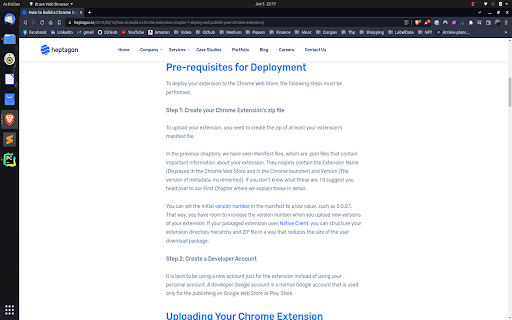
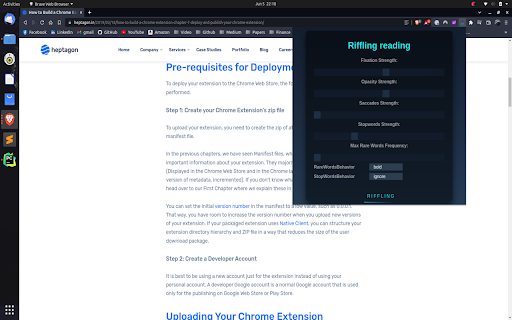
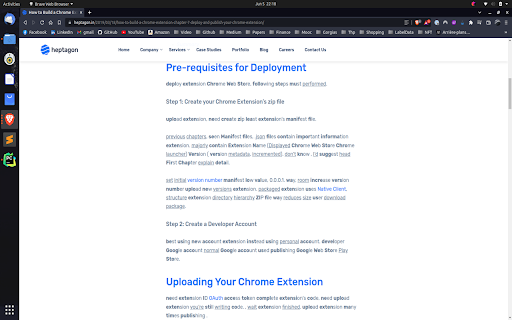
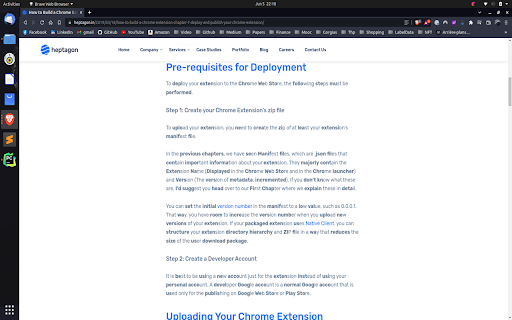

Riffling is a new method facilitating the reading process by guiding the eyes through text with artificial fixation points, based on the "Bionic Reading" method. As a result, the reader is only focusing on the highlighted initial letters and lets the brain center complete the word. This improved version of bionic reading, allows you to play with many tunable parameters, based on your preferences. You can change: * the Fixation (increase or decrease the number of characters per words highlighted) * the Saccades (increase or decrease how often do we highlight a word) * the Opacity (increase or decrease the font-weight for the highlighted words) * the Stopwords (increase or decrease the number of words that are considered as "not meaningful") * the StopWordsBehavior (how do we handle the stopwords: remove , underline, strikethrough, ignore or bold them) * the MaxRareWordsFrequency (increase or decrease the frequency of apparation of a word to be considered as "very Important") * the MaxRareWordsBehavior (how do we handle the stopwords: highlight , underline, strikethrough, ignore or bold them)

Dyslens
Dyslens is making the web more accessible for people who have different reading needs and suffering with dyslexia. Dyslens is a open source chrome extension, built and designed to make web more accessible for people who have different reading needs and suffering with dyslexia. Features: * Text to speech * Text font and color custom update * Line focus to improve readability and focus * Overlay Tint to make reading easier on the eyes

Extension manager
★ English version ★ 1. Managing extensions in the Chrome side panel. 2. Enable and disable extensions directly from the management interface. 3. Enable or disable multiple extensions at once. View detailed information about extensions such as ID, permissions, status, etc. 4. Remove extensions directly from the management interface.

Bionify | Read faster!
Open source text converter designed to help you read faster! Read any kind of public website faster with Bionify! Bionify converts any public website into Bionified format, which alters texts so that the most concise parts of words are highlighted. This guides the eye over the text and the brain remembers previously learned words more quickly. This extension is 100% free and open source, and you may find the source code here: https://github.com/Cveinnt/bionify. As Bionify is open source and free, it is NOT associated with the paid Bionic Reading® APIs. We use our own highlighting algorithms and do not violate their copyrights. If this extension helped you, feel free to leave a star! Please note that the extension currently don't support any kind of locally uploaded contents, such as PDFs. INSTRUCTIONS * Pin the Bionify extension to your Chrome extension bar * Go the the public website you want to read * Click on the extension icon * Click on the toggle button to start reading with Bionic Reader! If you have any questions or comments, feel free to submit an issue on the GitHub repo. This is in early development and improvements, features, and fixes will be soon to come!

BioRead
A chrome extension that enables bionic reading in the current webpage In today’s world, where everyone is riddled with a myriad of things to do, it’s difficult to stay focused on any one single task. This calls for discovering new techniques that may help us manage our time more efficiently. A bionic reader is a step forward in this direction. A bionic reading format is a relatively new type of typeface which has proven itself to be beneficial for users with neuro divergent tendencies. It involves bolding the first few letters of a word, thereby making it easier for readers to glide through the text and stay focused. The following work proposes an extension by which, users can seamlessly switch between their original content and the Bionified content of their active webpage and affect efficient reading techniques with in their browser.
