
ccnilljhekkfkmfhoifpkkfdfjhdafim
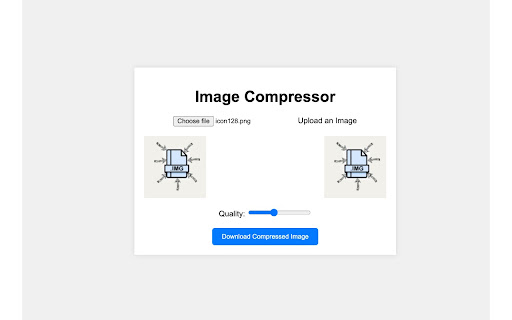
A Chrome extension to Compress images Image Compressor Web App A simple, client-side web application for compressing images using JavaScript, HTML, and CSS. This app allows users to upload an image, adjust the compression quality, and download the compressed version—all without requiring any server-side processing. Features *New Feature* Bulk Images downloader Client-Side Compression: All image processing is done in the browser, keeping user data private and ensuring fast processing. Real-Time Quality Adjustment: Adjust the compression quality with a slider to balance file size and image clarity. Preview of Original and Compressed Images: See both the original and compressed images side-by-side to compare quality. Download Option: Download the compressed image in JPEG or PNG format, depending on the original image's format. How to Use Upload an Image: Click the "Choose File" button and select an image from your device. Adjust Quality: Use the quality slider to set the compression level (lower values increase compression but may reduce quality). Download Compressed Image: Click the "Download Compressed Image" button to save the compressed version. Compression Settings The app uses a canvas element to handle image processing. You can control the compression quality with the slider: PNG Images: Retain transparency and do not use quality settings (saved in lossless format). JPEG Images: Use the quality setting to adjust compression, with values ranging from 0.1 (high compression) to 1.0 (low compression, higher quality). Limitations File Size and Resolution: Very large images may cause performance issues or fail to load due to browser memory limits. Transparency: For images with transparency (e.g., PNGs), the app defaults to PNG format. However, converting these to JPEG will remove transparency, filling transparent areas with a white background.

Enhanced Image Viewer
Features: ✓ Position images in center or top left corner ✓ Set custom background color ✓ Zoom, rotate, pan and scroll images with improved controls ✓ Flip images horizontally and vertically ✓ Pixelate images for viewing pixel art and lossless formats ✓ Hide scrollbars ✓ View images in the current tab ✓ Works with local files and incognito mode ✓ Enhances images on Reddit • No more headers and footers on images opened directly • Works with single images and image galleries in an overlay ✓ Enhances images on image hosting sites • Skips the continue button • Shows the image full-screen automatically Feel free to leave any feedback you might have on the support page or contact us by email.

Google Docs Image Zoom
Docs Image Zoom is a Chrome extension that enables image zoom in Google Docs Docs Image Zoom is a chrome extension that enables image zoom/downloads in Google Products such as Docs/Spreadsheets/Slides. Instruction: In the opened document, click the image you want to zoom. You will see the zoom icon in the right top corner of the image. Click it. The popup with the zoomed image will appear. To close the zoomed image popup, simply click outside of the zoomed image popup or click the close icon in the right top corner of the zoomed image popup. Disclaimer: The developer of this extension owns no rights or related in any way to the "Google Docs" software and related trademarks. This extension is not endorsed by any legal entities owning the rights to the "Google Docs" software and related trademarks. Use this extension at your own risk and discretion.

Request Interceptor
Request Interceptor Extension for Chrome. Request Interceptor: Native HTTP/HTTPS Traffic Manager for Chrome Request Interceptor is a developer tool that allows you to seamlessly intercept, monitor, and route network traffic directly within your browser. Core Features: - Forward, drop, or pause incoming/outgoing requests. - Modify header values and POST payload data on the fly. - Add or delete custom request headers. - Filter interceptions by specific resource types. - Export request details as JSON and browse history. What is New in Version 3.0: - Bulk Actions: Instantly "Forward All" or "Drop All" intercepted requests with a single click. - Advanced Filtering: Isolate specific request types (GET, POST, PUT, DELETE) with interactive multi-select dropdowns. - Color-Coded UI: HTTP methods now feature color badges for faster visual scanning. - Improved UX: Added confirmation dialogs for deletions, "Select All" toggles, and one-click clear buttons for search inputs. - Stability: Fixed edge cases to prevent crashes while routing headless request payloads. What is New in Version 2.0: - Upgraded the extension to the modern Manifest V3 architecture. - Added a dedicated alert page and improved error messaging output. - Refined UI copy (e.g., changing to "Save as a JSON File"). - Added titles to the History and Settings pages for better navigation. - Extension windows now close automatically when you stop debugging. - Added full support for non-Latin characters.

One-Click Image Saver
A browser extension to save images with one click. Save image with a customizable keyboard + mouse shortcut or via context menu. Note: to make it truly one click, you need to turn off "Ask where to save each file before downloading" in your Chrome settings. Otherwise Chrome will ask you for each file where to save.
