
ccjiagdfcfhdofiinnjkmkanbppbholn
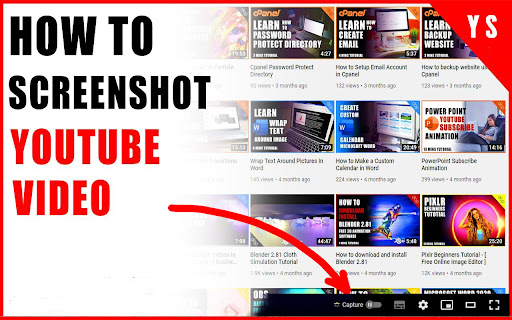
Are you looking for a way to take screenshots of some of your favourite videos on YouTube? You can easily capture images from any video on the popular streaming platform with the Chrome extension (CE) YouTube Screenshot (YS). 👍👍👍 Users can quickly capture screens directly from their web browser with this simple and free tool. Simply install the extension, open a YouTube video and click the "Take Screenshot"📸 button located in the bottom right corner of your screen. You can then save or share your screenshot with friends or family with just one click! YS is perfect for capturing memorable moments from music videos, comedy sketches, sports highlights - anything you want to remember forever! It is also great for creating tutorials, allowing users to easily illustrate step-by-step instructions without having to record entire clips. What's more, all screen captures are automatically saved, so you never have to worry about losing them again! With its easy-to-use interface and convenient features such as auto-save, YS makes capturing online content easier than ever. So why wait? Download this handy CE today and start capturing those special moments now!✅✅✅

Video DownloadHelper
Download Videos from the Web. Download videos from the web. Easy, smart, no tracking. Best video downloader for 10+ years! Video DownloadHelper supports 1000+ websites (Dash, HLS, MPD, …), live streaming, high-definition and conversion to your preferred formats (MP4, MKV, WebM, …). Video DownloadHelper also support audio download (extract audio from videos into MP3s). Please note that this extension doesn't support YouTube.

YouTube Screenshot Button
Screenshot button for YouTube. Just click and let the magic happen. Also works on YouTube Gaming. Changes: 16.10.2025 Adjust layout to align with recent YouTube interface updates 05.05.2022: Fix a bug related to file names.

Screenshot YouTube
Take a screenshot of any YouTube video with one click. Adds a “Screenshot” button to the YouTube video player which saves a screenshot of the currently playing video as a file, or copies it to the clipboard, or both. Optionally with keyboard shortcuts, and buttons for changing the playback rate. New in version 3.0.0: moved to the newly required manifest v3, and removed the history permission, which should also make the screenshot button more reliable. This extension does not contain any malicious or tracking code. No viruses. No ads. Only good software. Thanks to Ari Velazquez, and Zertsu for their contributions.

Screenshot for YouTube™
A Screenshot for YouTube™ extension is a software program or browser extension that enables a user to take screenshots or still images from YouTube videos. This extension are design to enhance the user experience of browsing YouTube and provide additional functionality beyond what is available by default on the platform. With a Screenshot for YouTube™ extension, a user can pause the video at any point and capture an image of the current frame. This can be useful for a variety of purposes, such as creating thumbnails for YouTube videos or capturing images for research or documentation.
