
cbgpccnhhadkjclgabiacdkfcibedmai


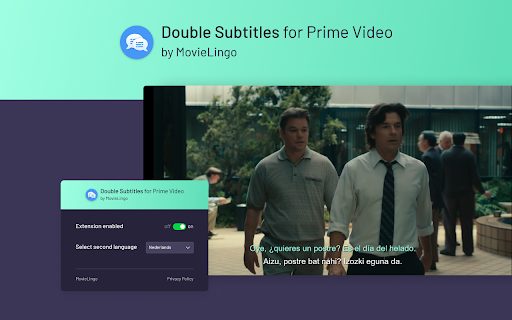
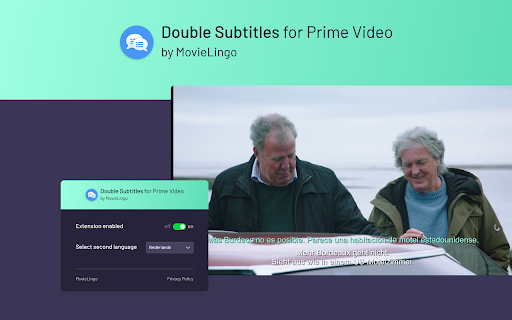

Extension allows for displaying additional subtitles above the standard Prime Video ones. Boost your Prime Video experiences with "Double Subtitles for Prime Video" by Movielingo! 🎬🌐 Do what you love, and learn languages in an easy, enjoyable way. 🎓🌟 Double Subtitles extension allows for displaying additional subtitles above the standard Prime Video ones. Select the language of additional subtitles from the list in extension pop-up window. 📝🔀 Fun, ease, and effectiveness, all in one extension! 😁🚀 Regardless of your level, "Double Subtitles for Prime Video" is your personal language tutor at your fingertips. 👨🏫🌍 Click on the extension. ➡️ Add it to your Chrome browser. 🔀🖱️ Refresh the Prime Video page. 🔄 That's it! Now, just choose the language you want to learn from extension pop-up window, and start enjoying your learning. 🎉🗣️ Join us and start your multilingual journey today! 🚀🌍 Note: This extension is not affiliated with, endorsed by, or connected to any of the companies or products mentioned. All trademarks and registered trademarks belong to their respective owners.

Traditou: Dual Subtitles for Prime & More
Provides auto-translated dual subtitles on streaming websites: PrimeVideo, Noovo.ca, TeleQuebec.tv, Tou.tv, and TV5Unis.ca. Traditou intercepts the original subtitle files sent from the website servers, parses them and displays the original subtitles along with translated subtitles on the bottom, with Google translate. This extension can be used with a number of streaming websites: Amazon Prime Video, Tou.tv, Noovo.ca, TeleQuebec, and TV5Unis, with the goal of language learning in mind. You can find a detailed tutorial for Traditou through the popup panel on the upper-right side of the browser. Feel free to pin Traditou on your Chrome menu bar for easy access. Traditou is free and open-source: https://github.com/chuyunshen/traditou Regarding the warning popup box upon installation: *Traditou reads and changes your data solely to fetch subtitle files from video streaming servers and display the subtitles on your webpage.* *Browser history: Traditou reads only your current URL to only see if you are on PrimeVideo, Tou.tv, Noovo, TeleQuebec, or TV5Unis, so subtitle services can be provided.* NOTE: these supported video websites often release updates that break the functionalities of Traditou. When that happens, please email me so I can fix them promptly!

Dual Subtitles & AI Translation - InterSub
Use dual subtitle AI translation dualsub for language learning, immersive translate meaning of words: Spanish to English to Japanese 🚀 Unlock the Full Power of Language Learning with InterSub! Turn every video session into a personal language classroom with InterSub, the premier dual subtitle translator for immersive and effortless learning. Whether you’re streaming movies on Netflix, enjoying YouTube videos, or diving into courses on Udemy, our video translator subtitle for long videos brings seamless subtitle translation directly to your screen. 💡 What’s New * Forced AI-translation for second subtitles based on original. * Support for new platforms: Bilibili.tv. * Subtitle appearance customization: subtitle background opacity, text color, text outline color. * AI Language Buddy chat – ask AI-powered questions about slang, grammar, usage, or get extra examples without leaving the screen. Now you can type your questions and save definition of a given explanation to your vocabulary. 🎥 How Does InterSub Subtitle Translator Elevate Your Viewing? 1️⃣ Instantly translate subs into multiple languages, including Spanish to English, English to Japanese, English to German, Russian to English, English to Russian, and English to Turkish. 2️⃣ Hover over subtitles for an instant word meaning, lemma details, and accurate AI language translation - no pausing or manual searches required. 3️⃣ Automatically generate missing captions through our translator, enhancing your viewing even when track in your native language isn't available. 4️⃣ Easily save new words and phrases to your vocabulary, sync with popular apps like AnkiDroid, or export your word lists to Excel for convenient review. 🌍 Your Ultimate Online Subtitle Translator: Forget traditional subtitle translation services or cumbersome manual methods like Google translation. InterSub simplifies video-based learning by embedding dualsub directly in your videos. Instantly translate subtitle tracks, words and phrases with our powerful AI video subtitles technology, optimized for accuracy and natural language fluency. 🔑 Why Choose InterSub over Others? - Supports dual subtitles (dual subs) to simultaneously display original and translated texts. - Features ChatGPT AI subtitle capabilities, allowing you to understand complex idioms, slang, and cultural nuances right in your browser. - Offers real-time AI instant translate words on a page, including collocations, frequency, and pronunciation, making vocabulary acquisition intuitive and enjoyable. 🎯 Compatible Platforms: InterSub seamlessly integrates across multiple platforms: ➤ Netflix ➤ YouTube ➤ Prime Video ➤ Crunchyroll ➤ Coursera and more! The full list is here: intersub.cc/#platforms No matter where you prefer to watch, InterSub is the ultimate AI translator companion. 📖 Build Your Vocabulary Faster: InterSub Subtitle Translator transforms passive watching into active learning: • Instantly translate Spanish to English words, phrases, and sentences, enhancing bilingual proficiency. • Translate subtitles effortlessly from Russian to English, making challenging content accessible. • Use built-in language translator features to clarify word meanings and language nuances instantly. 📝 Premium Features for Accelerated Learning: Take your experience further with our premium subtitle translation services: * Unlimited word lookups and translations * Advanced AI language translation and collocation detection * AI-generated dual subs for unmatched clarity * Full access to personal vocabulary * ChatGPT translation features for real-time linguistic insights 💲 Flexible & Affordable Pricing: InterSub offers versatile plans designed for every learner: ▸ Free Plan: Get up to 15 lookups/month or unlimited lookups with ads - perfect for casual learners. And unlimited dual subs are included! ▸ Premium Plans: Enjoy AI translation starting at just $1.5/month with our unique pay-as-you-go options for ultimate flexibility or use subscription plan for unlimited translations. 📱 Learn Anytime, Anywhere: Your vocabulary syncs seamlessly with mobile apps and chatbots: 1. Capture new words directly from videos. 2. Review them on-the-go via apps like AnkiDroid or Telegram bots. 3. Export your vocabulary data effortlessly to Excel for offline or on-the-go studies. 💬 Real-Time ChatGPT AI Subtitle Insights: No more switching tabs to translate subtitles or search meanings - integrated AI Language Buddy offers immediate insights into grammar, slang, and cultural contexts. With InterSub’s advanced AI meaning explanations, you stay focused and engaged throughout your viewing. 🎓 Ideal for Everyone: InterSub Subtitle Translator suits diverse users: • Students mastering foreign languages • Busy professionals needing rapid language comprehension • Cultural enthusiasts exploring new linguistic horizons • Educators looking for effective video-based teaching aids 🌐 Extensive Language Support: InterSub currently supports 30+ languages, delivering exceptional AI dual subtitles translation in languages like English, Spanish, Portuguese, Ukrainian, and more. Visit our platform page for a complete list! 🔧 Easy Setup in Minutes: Getting started with InterSub is simple and straightforward: ▸ Install our translate extension (completely free!) ▸ Choose your preferred subtitle translation language settings ▸ Start watching videos - translate subtitle instantly with intuitive hover interactions 🛠️ Advanced RTL Language Support: Optimized specifically for right-to-left languages such as Arabic, Hebrew, and Urdu. InterSub ensures clear, readable subs for all linguistic contexts. 🔝 Why Users Love InterSub: - Sophisticated dual subtitles with "show only on pause” feature - Real-time AI subtitle translator for effortless comprehension - Instant AI video translate functionality with no delay - Seamless mobile app integration for learning on-the-go - Transparent and flexible subscription options Forget outdated Russian word translator tools or clumsy browser tabs; InterSub dualsub is your definitive solution for effortless AI instant translate words on a page. 🌟 Ready to Revolutionize Your Video Viewing Experience? InterSub is more than an online subtitle translator - it’s a powerful AI subtitle tool designed to make language learning natural, enjoyable, and seamlessly integrated into your daily life. Start using InterSub today and transform your favorite video platforms into dynamic language classrooms! Experience the future of subtitle translation with InterSub Dual Subtitles Translator - where entertainment truly meets education!

Double Subtitles for Disney+ by MovieLingo
Extension allows for displaying additional subtitles above the standard Disney+ ones. Boost your Disney+ experiences with "Double Subtitles for Disney+" by Movielingo! 🎬🌐 Do what you love, and learn languages in an easy, enjoyable way. 🎓🌟 Double Subtitles extension allows for displaying additional subtitles above the standard Disney+ ones. Select the language of additional subtitles from the list in extension pop-up window. 📝🔀 Fun, ease, and effectiveness, all in one extension! 😁🚀 Regardless of your level, "Double Subtitles for Disney+" is your personal language tutor at your fingertips. 👨🏫🌍 Click on the extension. ➡️ Add it to your Chrome browser. 🔀🖱️ Refresh the Disney+ page. 🔄 That's it! Now, just choose the language you want to learn from extension pop-up window, and start enjoying your learning. 🎉🗣️ Join us and start your multilingual journey today! 🚀🌍 Note: This extension is not affiliated with, endorsed by, or connected to any of the companies or products mentioned. All trademarks and registered trademarks belong to their respective owners.

NflxMultiSubs 2021 (Netflix Multi. Subtitles)
Bilingual Subtitles for Netflix (fixed) Best ever Chrome/Firefox extension to unleash bilingual subtitles on Netflix! This is a fixed and updated re-release of the original NflxMultiSubs. This version contains a fix for the 2021 Netflix redesign that broke the original, and has various other bugfixes and improvements. Click on the extension button to access the extension settings. Note: this extension will only show the subtitle languages that are available in your country. Features: - Enable secondary subtitles in the available languages (incl. image-based subtitles like Japanese, Chinese, Russian, …) - Smart selection on secondary subtitles. Choose between 3 subtitle activation modes: disabled; automatically match subtitle language to audio language; or remember the last selected language. - Seamless integration with native Netflix player UI -- switch languages in place - Adjust playback speed with a hotkey ( [ and ] ) - Free and open source! Report bugs by creating an issue on Github (https://github.com/gmertes/NflxMultiSubs) or send me an email (click "contact the publisher" on the right of this page). v3.0.0: - Fix Chrome version with experimental manifest v3 support v2.3.5: - NEW: improved font size settings. This should make font size better adaptable to various monitor sizes and resolutions. - Fix a crash in the candidate subtitle server selection. v2.3.4: - NEW: Extra out of region languages can now be used as secondary subtitles. To do so, activate the wanted language as a primary subtitle first. The language will then show up in the secondary subtitle list ready to be used. After selecting the wanted language as secondary sub, the primary language can be switched back. For now you have to do this for every new playback. - Fix the subtitle color picker on Firefox - Fix key binds for the playback rate controller (now [ and ] for all keyboard layouts) v2.3.0: - Fix critical bug in subtitle builder - NEW: You can now change the color of text-based subs from the settings page. v2.2.10: - Fix primary sub scaling - Improve secondary sub scaling for 4K displays - Show vertical scrollbar when subtitle list overflows v2.2.3: - NEW: Add secondary language options (disabled, audio, last used) - Fix subtitles overlapping in certain cases - Fix image-based subtitle scaling - Fix image-based subs sometimes falling outside of top screen edge v2.2.2: - Improve subtitles activating on the first try without requiring a refresh v2.2.0 (first release): - Fix for the September 2021 Netflix redesign that broke the original extension
