
cbagleaaaocejmdeichhdkmjebpljckh
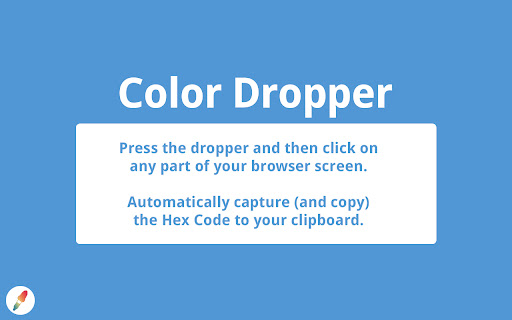
An easy-to-use eyedropper tool that automatically copies the Hex Code of the desired color. Press the dropper icon on the menu bar or use keyboard shortcut and then click on any part of your browser screen. Automatically capture (and copy) the hex code to your clipboard. A small tooltip shows what color you currently have selected and, when clicked, will tell you what hex code is successfully copied. Easy to use. Copies color in just one click. Extremely useful for developers and artists. Won't work on new tab page, Chrome settings pages, and the Chrome Web Store. Works on the latest versions of Chrome.

ColorPickster – One-Click Color Picker & Eyedropper Tool
ColorPickster lets you quickly pick colors from any site or image. Simple color picker and eyedropper tool – no extra setup. Discover ColorPickster – your smooth and efficient color picker tool made for everyday use. Whether you're browsing a site, exploring visual content, or working on creative projects, ColorPickster helps you grab and reuse any color you see on the screen. This smart color picker combines a precise eyedropper tool, a handy color dropper, and quick copy functionality – all in one lightweight interface. It’s built for professionals and casual users alike, making it easy to pick colors without using complex design software. With one simple click, you can hover over any element, preview its color in real time, and copy the exact HEX, RGB, or HSL value to your clipboard. ColorPickster turns color discovery into a seamless part of your daily browsing. 🧲 Eyedropper Tool Preview – Hover your mouse to preview and select with pixel-level accuracy. 📋 Auto-Copy to Clipboard – The moment you click, the color code is ready to paste. 📂 Color History – Easily access your recently picked colors for reuse. ColorPickster is your go-to color picker tool for web design, branding, presentations, and daily creative tasks. Whether you're selecting brand colors, grabbing design references, or building digital content – it fits right into your workflow. ✅ Fast and simple to use ✅ No setup or login required ✅ Works on all websites and web apps ✨ Add ColorPickster to Chrome and turn every page into a color palette. Your color picker and eyedropper tool – exactly when and where you need it.

Eyedropper - color picker tool
"Eyedropper" is a lightweight extension that lets you capture any color on the screen. Click "Pick color" to select a color and immediately retrieve its exact color code. ➡️ Supported formats: HEX, RGB, HSL, etc. ➡️ Adding specific colors to a favorites list ➡️ Color editor ➡️ Automatic copy to clipboard ➡️ Local history of your recent pickers ➡️ Keyboard shortcut to launch the picker at any time No data is sent; everything stays on your computer. Color Picker requires permissions for its primary function of selecting colors on websites. We do not collect any data or track your browsing activity. Your privacy is important to us. Install Color Picker to boost your productivity today!

Hex code picker
Use Hex code picker to grab hex color codes from any webpage. Quickly identify colors and copy hex codes for all your design needs! The hex code picker chrome extension is a must-have tool for designers, developers, and anyone who works with colors. This versatile extension is your ultimate color code picker, enabling you to seamlessly grab and utilize hex codes from any webpage. Whether you're a seasoned developer or just dabbling in design, the colour picker tool ensures precision and efficiency in managing your color palettes. 💡How to Use the hex code picker extension 1️⃣ Download and install the extension from the chrome web store. 2️⃣ Navigate to any webpage you want to pick. 3️⃣ Activate the extension by clicking on its icon in your toolbar. 4️⃣ Use the tool to hover over the desired color. 5️⃣ Copy the hex code with a single click. Whether you're a professional designer, developer, or enthusiast, this tool ensures your workflow stays smooth and productive. 📌Here’s what makes the hex code picker stand out: - instant color detection - hover over any part of a webpage to pick and copy the hex code effortlessly. - built-In colour palette - refine your selected or experiment with shades and tones using the intuitive palette. Perfect for when you need a precise match or want to explore variations. - color history log - never lose track of your favorite hex code colour picker selections. The history feature logs all your past picks, helping you stay consistent across projects. - offline functionality - work without an internet connection. All your color hex picker data is stored locally on your device, ensuring privacy and accessibility anytime, anywhere. Using the hex code picker is as simple as: 1. Installing the extension from the Chrome Web Store. 2. Clicking the extension icon in your toolbar. 3. Hovering over any webpage element to pick hex color values. 4. Refining the shade with the built-in picker with palette. 5. Saving or copying the hex color code directly for use in your designs. This extension is great for: ➤ Web developers who need a reliable tool to pick hex codes and create beautiful websites. ➤ Graphic designers looking for a quick way to grab and manage color codes for their projects. ➤ Marketers and brand managers who want to keep their branding consistent with precise colors. ➤ Students and hobbyists who are just starting out in web or graphic design and want an easy way to explore colors. 🌟Benefits of hex code picker - Simplifies color selection with a color picker tool that’s always available. - Saves time by eliminating the need for external color-picking software. - Provides privacy with all data stored locally, keeping your work secure. - Supports offline use, making it the perfect tool for remote work and travel. 💬Frequently asked questions ❓Does the tool work offline? 💡Yes, the hex picker works as long as the webpage is loaded in your browser. ❓Is it compatible with dark mode? 💡The interface is optimized for dark modes for a seamless experience. ❓Is it possible to edit the hex code after selection? 💡Yes, simply click on the selected color in the extension popup and adjust it using the built-in color palette. Whether you’re tackling a complex design or just picking a hex color from a webpage, this color picker makes the process simple and efficient. From coloring picker tasks to developing precise designs, this tool has you covered. 👆🏻Click Add to Chrome button and install the hex code picker to your Chrome browser today and experience the best picker tool for your needs.🌈

Eye Dropper X
Get color from a page with color pick tool in a click If you looking for: ⭐️ ColorPicker ⭐️ Eye Dropper ⭐️ Photoshop Color Picker for Chrome ⭐️ The best tool for web designer ⭐️ 100% Free ColorPicker
