
cajembcfemcbohfggmgmngjdhaindllc

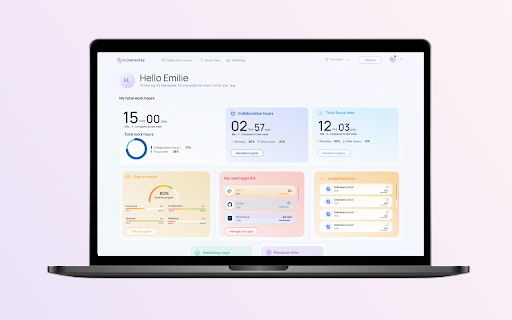

Extends the compatibility of Flowfinitee on Chromium-based browsers so that URLs of active tabs can be detected. This extension offers URL detection support for Chromium-based browsers with the Flowfinitee desktop application for better insights into your time expenditure.

DigitalPage Web Clipper
Another quick and easy way to record your pages! Use the new DigitalPage Web Clipper to conveniently record desired information. You can easily summarize using AI. - Put an end to just scraping off too much information. AI will summarize everything and make it concise and neat! You can record and save pages in various forms. - You can save in bookmark, text, HTML, image, and PDF formats. You can link together recorded pages. - Link your pages to continue your train of thoughts and stimulate your imagination. You can share your interesting pages with others. - Share with your friends and other users through the page sending feature. Spend more time on creative thinking and put your mind to rest. Just record, and DigitalPage will do the rest!

Factsplat Tabs and Bookmarks Manager (Light)
The Factsplat Tabs and Bookmarks Manager makes it easier than ever to find and organize your links and tabs! Note: Sign up with a free account on Factsplat.com to use this extension! Factsplat structures and simplifies your digital life. This lighter version comes with all the same features, but without Factsplat.com on new tabs. To get the best experience of the Factsplat extension, check out the full extension: https://chrome.google.com/webstore/detail/factsplat-tabs-and-bookma/cfincihagpobgffcamhpeojhjbikifkh?hl=en&authuser=1 No more forgotten links, or long unreadable lists of tabs. Experience the satisfaction of closing all your tabs, knowing that Factsplat is keeping them safe. The Factsplat Tabs and Bookmarks Manager lets you swiftly save your tabs to Factsplat. Declutter your browser and move your tabs into organized dashboards. Use Factsplat to create visual dashboards with the links and information you use for all your different projects. Create dashboards for any purpose (your work, a project, a hobby etc.) and organize your related links and notes, and even share them with others. The Factsplat Tabs and Bookmarks Manager makes building your dashboards in Factsplat faster and easier than ever. With Factsplat as your new tab page, you can rest assured that all the information you need is easily available at any time. Download the Factsplat Tabs and Bookmarks Manager and register (or sign in) to Factsplat with extended superpowers! Factsplat side panel for tab management: While on Factsplat, use the added side-panel to easily drag your current tabs right into Factsplat, and finally close down those 30+ open tabs. Import bookmarks: Got a bunch of bookmarks you want to get sorted out? The Factsplat extension let's you import your stored bookmarks directly into your splats with a single click! Save your current tab: Save a link to the current tab on your Factsplat dashboards in just one click! Within your dashboards, you can then visually organize your links, drag them into collections, etc. Save text and links: Right-click interesting and important links and text you find online, and save it directly to one of your Factsplat dashboards. Feel free to contact our team at support@metaito.com and we’ll reply as soon as possible.

Better WorkFlowy
Extension for improvement workflowy. Source code and bug tracker https://github.com/nekitcorp/better-workflowy

Luckynote
Luckynote: Your Personal Web Notes & Bookmarks Messenger Save web content as chat messages and organize everything in one place. Turn any saved item into a task instantly. KEY FEATURES: • Web Clipper: Save pages, text, and images with one click • Chat-Style Organization: Everything saved appears as a message to yourself • Quick Tasks: Convert any saved content into a to-do item • Smart Bookmarks: Save and organize web pages with rich previews • Instant Sync: Access your notes across browser and mobile apps PERFECT FOR: • Saving articles for later reading • Creating quick tasks while browsing • Collecting research and references • Building a personal web archive • Organizing shopping wishlists Save smarter, organize better with Luckynote's messaging approach to web content management.
