
bplejbaicgjafneipkgikahgengigkpe
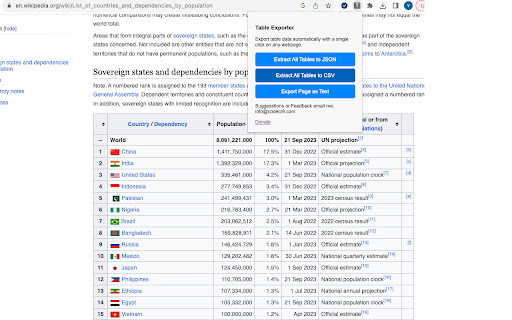
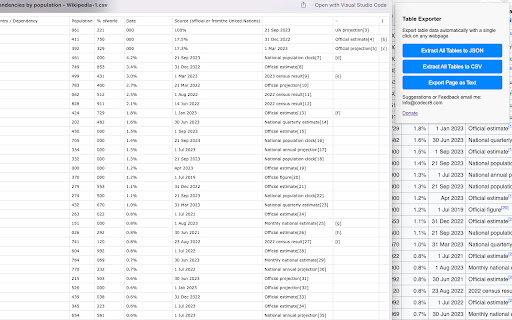
Extract tables on webpage to CSV or JSON. Forget about manually selecting tables and content. The tool will find all html tables on a page and make a json or csv of each one.

Capture Table
The Ultimate Web Table Extraction Tool – Compatible with 99% of Websites and UI Frameworks! The Ultimate Web Table Extraction Tool – Compatible with 99% of Websites and UI Frameworks! Effortlessly extract tables from any website and take control of your data with our powerful web table extraction software. Perfect for developers, analysts, and professionals alike, this tool ensures seamless compatibility with 99% of websites and front-end UI frameworks. Say goodbye to manual table extraction and streamline your workflow with one-click simplicity. - One-click Extraction of All Tables: Extract every table on a web page instantly with a single click, saving you valuable time. - Unmatched Compatibility: Easily extract tables from 99% of websites and front-end frameworks, even those with complex layouts and dynamic forms. - Export to Google Sheets: Directly export your extracted tables to Google Sheets for quick and easy collaboration. - Batch Export to Clipboard, Excel, and Google Sheets: Extract and export multiple tables at once, reducing repetitive tasks. - Capture Multi-page and Scrolling Tables: Automatically extract tables that span multiple pages or load dynamically as you scroll. - Copy to Clipboard as Markdown: Easily copy tables in Markdown format for use in code documentation or text editors. - Screenshot Tables (PNG Format): Instantly capture and save tables as high-quality PNG images, ideal for reports and presentations. - Export to Office 365: Seamlessly transfer tables to Office 365 for editing, analysis, and presentation. - Flexible Export Options: Download your tables in Excel, CSV, or HTML format, giving you maximum flexibility for data management. - Customizable Table Selection: Fine-tune the selection of tables and data ranges to extract exactly what you need. - Excel-ready Adaptations: Automatically adapt tables for easy use in Excel, eliminating formatting issues and simplifying data manipulation. - Handles Complex Table Structures: Capable of extracting even the most intricate table layouts and structures, making sure no data is left behind. Take the hassle out of data extraction and boost your productivity with our feature-rich table extraction tool. Whether it's for data analysis, reporting, or presentations, we’ve got you covered! Let me know if there’s anything else you’d like to add or modify!

Table Capture
Copies HTML tables to the clipboard or exports them to Microsoft Excel, CSV, Google Sheets, Office 365, etc. Table Capture gives you the ability to easily capture HTML tables for use in a spreadsheet, whether using Microsoft Excel, Office 365, Open Office, Google Sheets, etc. Features: • Copy tables to the clipboard with the proper row & column separators • Export to Google Sheets • Batch export tables to the clipboard, Excel & Google Sheets • Capture tables (or any repeating items on a website) • Exports of up to 250 rows Table Capture Pro features (requires annual subscription): • Download tables directly as an Excel spreadsheet or as a CSV file • Capture multi-page tables and tables that load as you scroll • Copy tables to the clipboard as Markdown • Screenshot tables (save as PNG images) • Export tables to Office 365 • Create "Recipes" for handling tables on specific websites • Export tables from PDF files (locally and from the web) Table Capture Cloud features (requires subscription): • Real-time sync to Google Sheets • Magic Columns: AI-based column parsing • Table Talk: Ask ChatGPT free-form questions about your data! • Ollama Integration: Use a local LLM for your advanced data processing needs Support & Testing: support@georgemike.com • Please test the extension on the tables provided here: https://www.georgemike.com/tables/test/

tableExtractor - Extract table with styles
Extract table with linkUrls,images & styles from websites. Export to excel, xlsx, csv, markdown, json, sql, png file. Extract Chart 📢 Extract table with styles,links & images from any webpages 🔔 Top Features ✪ Only table capture extension that retain styles,url links & images ✪ No Signup or subscription required ✪ Don't ask permission: "Read and change all your data on all websites" ✪ Output format: csv,markdown,xlsx,microsoft excel,google spreadsheet,png,json,sql ✪ Copies HTML tables to the clipboard or exports them to Microsoft Excel, CSV, Google Sheets, Office 365, etc. ✪ Extract Chart ✪ Lightweight 20kb only ✪ No permission required ✪ no tracking, no Ads ### How to use tableExtractor ## Using Popup window Pin tableExtractor after install extension Click on tableExtractor or (Alt + T ) to open tableExtractor popup Window All table from current webpages are displayed. Select format from format selector Edit table if you want Click on on Copy or download button to export table ## Using Right-click contextMenu Right click over table and select Extract table or Chart option from menu list Table preview dialog popup. Select format from format selector Edit table if you want Click on on Copy or download button to export table You can mail us: docrailhelp@gmail.com

BacklinkPilot
外链资源收集与管理工具,智能标注网页内容,AI生成高质量评论。 🚀 核心功能 智能外链分析 - 自动分析网页上的外部链接属性 - 实时标注和高亮显示潜在的外链机会 - 与Ahrefs数据无缝集成,快速获取链接价值评估 AI驱动的评论生成 - 支持多种AI提供商(Gemini、DeepSeek、OpenRouter) - 两种评论模式:纯内容评论 & 产品推广评论 - 自动语言检测和翻译功能 - 生成自然、高质量的评论内容 高效数据管理 - 集成飞书API,一键保存分析数据 - 侧边栏界面,便捷的多标签操作 - 自动识别评论表单位置 - 安全的数据传输和存储 ✨ 主要特色 - 即插即用:安装后立即可用,无需复杂配置 - 多平台支持:适用于各类网站和博客平台 - 安全可靠:采用Manifest V3标准,确保数据安全 - 智能识别:自动检测页面语言和评论区域 - 批量处理:支持大规模外链数据分析和管理 🎯 适用场景 - SEO外链建设和分析 - 内容营销推广 - 竞品外链研究 - 博客评论营销 - 品牌曝光度提升 💡 使用方法 1. 安装扩展后,点击工具栏图标打开侧边栏 2. 在任意网页上自动识别外链和评论机会 3. 使用AI功能生成个性化评论内容 4. 一键保存数据到飞书进行统一管理
