
bpebdpbpmejoebeeemcblghakglllkmo

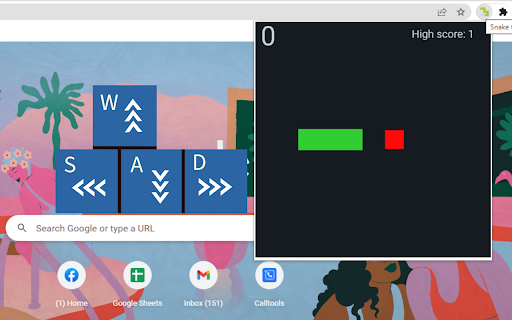
That traditional snake 🐍game but in a popup and offline. 1. Install and pin 📌 the extension to Chrome. 2. Play from any Google Chrome tab 1. Works offline, no ADS 🚫, and 100% free 🆓. 2. Keyboard ⌨️access, press the spacebar to start playing. 3. Saved and synced high scores across your devices. Play the snake 🐍 game offline now without opening a new window.

Endless Snake
The game of snake has always been the same simple formula, moving around the snake in a field gathering food to grow while avoiding your own body. This take on snake is different, more reminiscent of the chrome Dino game we all know and love. Navigate the snake with the arrow keys or WASD through the paths as the speed increases in order to beat your high score! A perfect idle game while you wait for something.

Apple Snake Game
The objective of the game is to eat as much fruit as possible without colliding four borders of game area. The snake must move around the board to collect apple, which appears randomly on the screen. The player can control the snake's direction by using the Arrow keys or WASD. As the snake eats apple, its body grows longer, making it more challenging to navigate through the board without running into something. To boost the game's excitement, we've set the snake to move fast right from the start. Have fun with it! If you'd like to try its professional version, use the link below the Restart button. Additionally, we've showcased our featured game extensions after game over for even more fun options! CHANGELOG ========== Version 0.2.4 - 0.3.1 - Remove new game section in the footer - Update game pro version link - Add WASD movement support - Prettify code and styles - Update google analytics Version 0.1.6 - 0.2.3 - Display featured games after game over - Update featured game name - Present game pro version link - Enable dynamic updates for featured game list Version 0.1.4 - 0.1.5 - Improve the section on new games Version 0.1.0 - 0.1.3 - Initial release and feature updates

Level Maze
The play is very simple, just move the top-left red block to touch the green block at the bottom right corner in the given time (20s). Use the Arrow keys or WASD to move and keep an eye on the timer bar at the top of the maze to see how much time you have left. Only when you win current game, you can go to next level. If you want to go back to level 1, just click reset button when current game is over. Try to challenge yourself to see if you can win at the level of 10 or higher (really hard!!!). The maze is randomly generated based on current difficulty level and the map will be different each time the game starts. Have fun with the maze game! To discover the shortest path, click the link located below the 'Restart' button. To enjoy even more, check out some of our featured game extensions on the game over page. CHANGELOG ========== Version 0.2.3 - 0.3.4 - Update the link of the shortest path - Enable dynamic update of featured games - Add WASD movement support - Prettify code and styles Version 0.1.8 - 0.2.2 - Add the link of bonus features - Add the link of the shortest path - Display featured games after game over Version 0.1.7 - Fix allowing moves after losing - Enable Space/Enter keys for next level Version 0.1.3 - 0.1.6 - Add the section of new games - Update new game list with time - Update level maze icon Version 0.1.0 - 0.1.2 - Initial release of maze game - Improve interface and features

The Snake Game
Snake is a game genre in which the player controls a developing line that eventually becomes its own principal barrier. The player controls a dot, square, or object on the playing board. It creates a trail behind it as it goes ahead, mimicking a snake. How to Play: Move around with the arrow keys and eat the dots. Avoid crushing yourself. History: Worm, the earliest known home computer version, was created in 1978 by Peter Trefonas on the TRS-80 computer. Technical Note: This extension uses a WebAssembely built on the snake, and it is optimized to run in the popup area. The extension runs in a sandboxed environment, and it works completely offline. Visit the FAQs page for more info.
