
bongjkoajofkfpofginnhecihgaeldpe
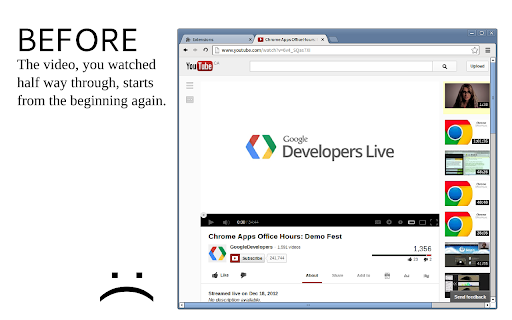
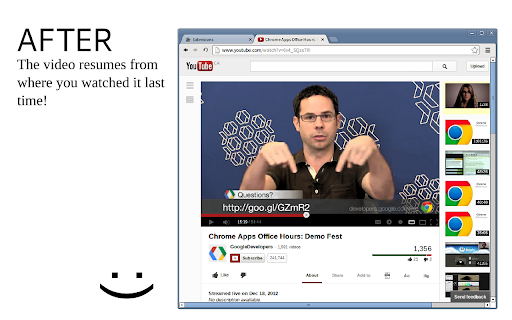
Automatically resumes YouTube videos from where you played them last. Without this extension, for example, when you click through YouTube videos, back and forth, they always start from the beginning, even those, you left watched half way through. No more. With this extension, previously watched videos will resume from where you left them at. Even if you restart your browser. Version 2.0.0 Migrated to V3 Manifest + light refactoring and move to ES6 Version 1.2.3 fixes jumping to previously stored position when given a URL with explicit timestamp Version 1.2.1, 1.2.2 fix playback issues with updated YouTube interface. Version 1.2.0 brings additional options, such as considering a video finished if only a few seconds remain on it and expiring older videos. Version 1.1 and up now handles YouTube videos, posted on other websites.

Video Downloader Professional
Download videos from web sites or just collect them in your video list without downloading them. - download and save videos playing on a website to hard disk - select between different resolutions if the site supports it ( e.g. at Vimeo) - play found MP4 videos via Google Chromecast on your TV or play it on your Google Home. - add videos easily to your video list. There you have quick access to the videos and you can play them at any time, without having to return to the orignial web page. You also have the option to play the videos in any size (currently available at selected video providers like Youtube and Vimeo) If you have problems or videos which cannot be downloaded please don't give a bad rating but write us an email to support@link64.com and help us to improve this software. Thank you! Important: We had to lock the download of YouTube, Instagram, Dailymotion, Vk and Tiktok videos because of restrictions of the Chrome Store. There are always videos which are protected by the sites and cannot be downloaded. If you still want to download these videos, we recommend our app at www.videodownloaderultimate.com for all browsers. Privacy Policy: Video Downloader professional does not collect or send any personal data. Non-personalized data (which is the address of the video or part of it) is sent in these cases: - When you manually add videos to the video list a request is sent to the origin website to get information about the video (like title, thumbnail) - When you play a video in the video list, then the playing code of the origin website is loaded and executed. - When opening the Video Downloader professional menu a request is send to the origin of the found videos to receive the video length. - On some supported video sites, we are loading additional information from these sites to get the addresses of the video files.

YouTube Shorts Normal Player
Plays YouTube Shorts in the normal YouTube player so you can rewind the videos. This free add-on for Google Chrome loads all videos from YouTube Shorts in the normal YouTube player for a better user experience. The simple browser extension allows you to rewind videos and view the YouTube Shorts like they were normal YouTube videos. This Chrome extension also lets you block the AI dubbing on YouTube Shorts. It's very simple and there aren't any distracting features -- it just does one thing: lets you watch YouTube Shorts in the normal video player. To manually view a YouTube Short in the regular YouTube player, take the video ID and change the URL from a path like `/shorts/1234` to a path like `/watch?v=1234`. This extension does the URL redirect for you automatically so you don't have to think about it.

Video Recall for YouTube™
Manage open and saved YouTube™ videos to pick up right where you left off. If you're like me you probably have 15 YouTube videos open in another Chrome window that just sit there. You watch a couple minutes here and there but OH! Windows Update just ran again and is forcing a restart soon. Ok well you just close that window and you can reopen it again after the restart with all your tabs intact. OH all the videos are starting from the beginning..cool. If you have ever found yourself in this nightmare scenario then this is the extension for you. It sports a simple to use interface allowing you to easily manage your open and saved YouTube videos. FEATURES: -View and save open YouTube videos and their play positions so you can pick up right where you left off. -Sync saved videos and positions across any computer you are logged into Google Chrome on. IMPORTANT: If you have any YouTube videos open at the time you install this extension, you will need to reload them once this extension is installed. This is due to the way Chrome extensions interact with other pages. OPTIONAL: If you are interested in using the feature that allows you to sync your saved videos across multiple computers (i.e. your home computer and your work computer) you will need to make sure some settings are enabled in Chrome: - Verify you are logged into your Google account in Chrome by going to your Chrome settings (chrome://settings/) and in the "Sign In" section, make sure you are signed in. - In the same area of your settings, you will also need to make sure your account is set to sync extension data by clicking the button labeled "Advanced sync settings" (chrome://settings/syncSetup) and make sure "Extensions" is checked. NOTICE: Upon installation Chrome warns you that this extension can view browsing data. Chrome does this because the extension needs to be able to open and close tabs as you manage them through the extension. Since it is able to access your tabs, Chrome views that as accessing your browsing data since the URL can be extracted from the tab. This extension will only ever interact with YouTube tabs and it does not log any data other than your videos you want to save and their play positions. If you have any questions about this feel free to contact me! Icon and store art by Jake Muronaka Update History: 1.4.2 -Updating to latest Extension manifest version 1.3: A slight re-branding: -Changing name and various assets. Previous name did not make it clear that this extension is not sponsored by, associated with, or otherwise affiliated with Google. Otherwise, nothing has changed and I will continue to support this extension. Please contact me if there is any confusion/questions about this! 1.2: -Added the ability to search for saved YouTube videos -Minor bug fixes 1.1.91: -Google updated Chrome recently and it appears to have changed the speed at which inactive tabs respond to messages that are sent to them. Due to this change if you have any YouTube videos open in an inactive tab (any tab that is not the one you are currently looking at) then YouTube Recall will take an extra second or two to load the open videos. I do not have much visibility into what changed on Chrome's end in Google's most recent update so I have been unable to resolve this hiccup quickly. I will be actively looking into ways to mitigate this behavior but in the meantime I am updating YouTube Recall to clearly display when it is attempting to load the open videos to avoid confusion. If the delay in loading speed bothers you one way to avoid it is to only have one YouTube tab open at once and make sure it's the active tab (the tab you're looking at) when you open YouTube Recall. I apologize for any inconvenience this may cause. 1.1.9: -Added a "Reveal In Saved" selection to the right click menu for open videos if the selected video is in your saved videos. Clicking this will scroll the saved videos list to the entry you selected and highlight it briefly. I've found this helps when you have a particularly long list that can become a pain to visually search through when you are trying to locate the one video you have open in order to delete it. -Removed the "Open" and "Open In Tab" buttons from the right click menu when right clicking a saved video that is already open. -Removed the "Play" button from the right click menu when right clicking an open video that was just opened in another tab and you have not viewed that tab yet. Previously, the "Play" button would not actually cause a video to play if it was opened in a different tab and you had not navigated to it yet. This is due to the way Chrome/YouTube work as the player will not respond to Play/Pause commands until you have initialized the player (viewed it on it's tab) 1.1.5: -Fixed a bug where attempting to save more than ~35 videos would fail due to Chrome's file size limits -Fixed a bug where if a video with an ampersand(&) in the title is open, then none of the open YouTube videos would load in. -I'm a QA team of 1 and these were weird bugs (ok, not the first one) what do you want from me? ¯\_(ツ)_/¯ 1.1.2 - 1.1.4: -Fixed a bug involving YouTube videos that are no longer available from the user who uploaded them. 1.1.1: -Fixed a bug involving the positioning of the context menu when the saved videos lists exceeds 8 videos 1.1: -Added a context menu when right clicking on any saved or open videos that allows individual operations to be performed on a video. -Added a Go to Tab button to quickly navigate to an open video. This is available in the context menu for any open video. -Added Play/Pause controls. This is available in the context menu for any open video. -Added a play icon indicator for videos that are playing. -Optimized settings page. 1.0.8 - 1.0.9: -Improved user experience for lower-end computers. 1.0.7: -Added an option for open entries to appear bold if they are already saved. Options are accessible by clicking 'Options' under YouTube Recall on your Extensions page. 1.0.6: -Fixed issue with opening videos in the current tab when the current tab is a non-YouTube page. 1.0.4: -Added a simple options menu accessible from the Chrome Extensions screen that contains preferences for opening saved videos in the current tab and auto-checking videos that are open by default allowing you to quickly make changes to all of them at once if you prefer. -Added ability to open videos from Saved Videos by double clicking them.

Watchmarker for Youtube
Automatically mark videos on Youtube that you have already watched. Youtube keeps track of your watch history and automatically marks videos that you have already watched. They however only mark recently seen videos, which is kind of disappointing. This addon fixes this issue and keeps track of your entire watch history, such that not only the recently seen videos are being marked. ***How can the persistence of the database be ensured?*** There is an export and import feature, which makes it easy to create a backup of the history. This backup can easily be archived such that you can ensure that you never lose your history. ***How can I make sure that the database is complete?*** The automatic synchronization only considers the recent activity. You are thus encouraged to manually initiate a complete synchronization in the settings, which incorporates as much of your history as possible. ***Something is broken, I demand a fix!*** Please be considerate when leaving a review, this is a free extension that I invest my spare time in. If there is something that does not work then please file an issue on Github where it is easier for me to track.
