
bnkifneleaknlodbdncgnpbdffngdgjo


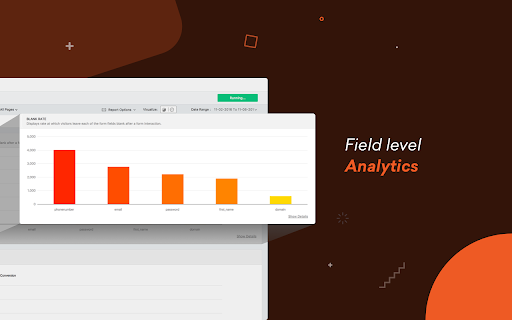
Freshmarketer is industry’s first ever helper extension to optimize your website. Change all your intuitions on your website to insights in one place. With the new-age web optimization tool - Freshmarketer, you can instantly optimize your website and gain valuable insights. Freshmarketer is quick, easy and has totally evolved to fit modern users. Why you’ll love optimizing websites with Freshmarketer's chrome extension ★ Freshmarketer instantly loads your website with our live editor. ★ Better than your traditional CRO software, Freshmarketer lets you avoid page loading. ★ Generate reports for all your visitors swiftly- We don’t sample your data. ★ Track your visitors on dynamic elements- Say ‘no’ to screenshots. ★ A/B Testing - Create, Compare and Win Freshmarketer's intuitive editor allows you to create variations of your website in just a click. Well, you don’t require any technical know-hows to find the right fit for your website. Not just that, it’s integrated with Google Universal Analytics. ★ Split URL Testing - Revamp your entire site Compare various pre-designed variation of your website with Split URL test. Use Freshmarketer's regex targeting option to compare multiple pages with a common pattern, like never before. ★ Heatmaps and Scrollmaps - Visualize user behavior Freshmarketer tracks visitors interactions even on dynamic elements of your website. Take unlimited screenshots of your heatmap reports and is absolutely device specific. Get actionable insights and find where visitor gets stalled in your website. Start your 30-day free trial (no credit card required) with unlimited experiments!

Majestic Backlink Analyzer
Majestic backlink analysis straight into your browser. Over 60,000 installations. Get instant link counts and see who is linking to the page you are browsing without having to go to a separate link analysis tool. FREE backlink count data with much more detail for Majestic.com account holders. This backlink checker from Majestic gives you a really fast way to see the strength of any page based on its backlink information. Because Majestic crawls the whole web, it does not have to rely on a third party for the data. You can immediately see the Trust Flow, Citation Flow and Visibility Flow for any web page directly on the URL bar and you can see summary information about the number of domains and URLs linking to this page. Topical Trust Flow is now integrated into the tool. This now shows you the topic (or category) of each backlink. Information provided free includes: Link Profile charts, link counts at the URL, subdomain and root level and three Flow Metric scores from 0-100 for pages you visit (speed limits apply). Majestic subscribers can very easily link their account to the extension and can then see more detail about links to the page your browser is on. including: *Backlink Detail*: A list of the 10 strongest backlinks to the page (with a link to more), including the URL, anchor text, Citation Flow, Trust Flow, Visibility Flow and the dates first and last seen. The primary Topical Trust Flow is also embedded. *Anchor Text Detail*: A list of the 10 strongest anchor texts (with a link to more) used in links to the URL, including the link counts and domain counts linking with this text and the relative Citation Flow and Trust Flow associated with these links. The primary Topical Trust Flow is also embedded. *Tools*: You can easily delve deeper into URLs by using many of Majestic's backlink analysis tools directly from the extension. *Add to Bucket*: If you are interested in reviewing the URL later, you can press the "Add to Bucket" button to add the URL straight into your Majestic account for later backlink analysis. Who wrote this Analyzer and How? Majestic is one of the UK's fastest growing tech companies, ranked 18th in 2014 in the Deloitte fast 50 list. Unlike many tools that rely on scraping third party data, Majestic is one of the largest web crawlers on the planet, collecting data directly from the web. It even has its own search engine. This independence has made Majestic's Trust Flow metric one of the most reliable and consistent ways to evaluate pages on the internet at scale the score, which is a log score between 0 and 100, gives a valuable insight. More recently, Majestic has launched and integrated Topical Trust Flow into into the Chrome extension, giving more precise analysis of a URL's power and influence. Majestic does not track your crawling behavior at all in this plugin and it will not slow down your browsing. Until you click on the extension, it remains idle and passes no data at all. At that point it simply looks up the data we have already indexed regarding the URL you are currently visiting. Majestic's full privacy policy is described at https://majestic.com/company/privacy-policy

Analytics Debugger
Your Single Source of Truth (SSOT) for debugging analytics implementations Formerly known as "GTM/GA Debugger," our tool is your ultimate Single Source of Truth (SSOT) for debugging analytics implementations! Are you a developer, analyst, or marketer committed to achieving top-tier web analytics and tracking results? Look no further! Our powerful debug tool is meticulously crafted to simplify your life. Analytics Debugger streamlines your daily debugging tasks, boasting user-friendliness for all while delivering in-depth insights to advanced users. v2.4.6 - Adds support for Chartbeat - Fixed Amplitude Regional Collection Endpoints 🛠️ Wide Compatibility: Our tool seamlessly supports a variety of analytics and tracking tools, including: - Google Tag Manager - Google Analytics - Tealium - Piwik Pro / Matomo - Adobe tools - and most commonly used Marketing Pixels. to mention some of them (Check the full list here) 🔒 Privacy Enhancement: Rest assured, our tool injects code only after DevTools has loaded, with no background monitoring. 🚀 Tools: Supercharge your tracking implementation with a rich toolkit including - GTM Preview Enhancer: USe this tool to bypass all the limitations from the original Preview Mode - Google Analytics Debug Libraries Loader - Block GA3/GA4 Hits: Prevent your - Export Features - Real-Time Data - Enhanced Ecommerce Reports - Data Filtering for Focused Insights - Clicks Blocker: Prevent being redirected to next page - and much more! Get started today and elevate your analytics debugging and optimization process effortlessly. Unlock the full potential of your analytics and tracking endeavors – streamline your workflow, enhance privacy, and gain profound insights seamlessly. Download now and experience the transformation! Changelog: You can check out our latest updates on our GitHub repository. https://github.com/analytics-debugger/analytics-debugger-browser-extension Support / Feedback: Offered via the Store or using the Github Repository Official Documentation: For detailed guidance, visit our official documentation at https://www.analytics-debugger.com/tools/browser-extension Don't miss out on this game-changing tool. Elevate your analytics game today!

HubSpot Social
Share and publish to HubSpot from anywhere on the web. CREATE SOCIAL CONTENT FROM WHEREVER YOU ARE Draft and schedule posts to share the webpage you are currently visiting to Twitter, Facebook, LinkedIn, Instagram, and more by clicking on the extension icon in Chrome. Right-click text on any page and choose "Share Text via HubSpot" to publish that snippet to your social channels. SEAMLESS INTEGRATION WITH YOUR HUBSPOT ACCOUNT See all of your content that you post or schedule with our Chrome extension from right within your HubSpot account. Posts scheduled or drafted in the extension can be edited in the Publishing section and the Calendar just like posts created from within the HubSpot app. When published, they will track clicks and show performance in the Reports section. PERMISSIONS WE ASK FOR In order for this extension to work we make requests to HubSpot APIs on your behalf. This will trigger a warning upon installation to Read and Change your data on all HubSpot.com sites. PRIVACY POLICY HubSpot Social uses the HubSpot Privacy Policy. Read more here: https://legal.hubspot.com/product-privacy-policy

UET Tag Helper (by Microsoft Advertising)
This extension helps to identify issues in Microsoft Advertising UET tags • Navigate to any page of your website and the tag helper will tell you which UET tags are on the page and if they are working correctly. • Find out if your conversion goals or Dynamic Remarketing lists have been set up correctly on your website. • Learn about the issues that are encountered and how to fix them.
