
bmjdphmeahpgoogbghhjhfnnclhpfjab
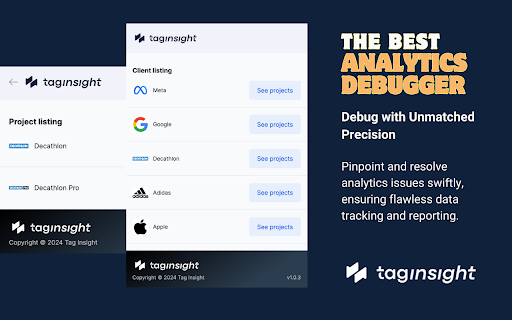
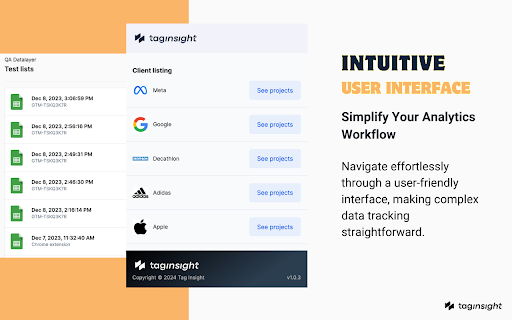
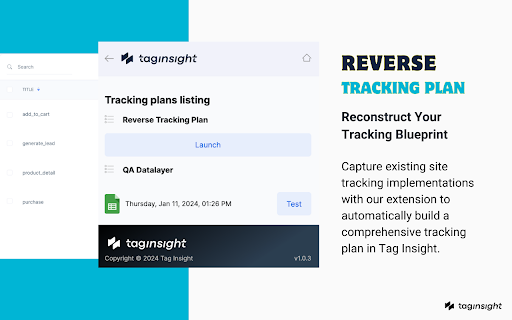
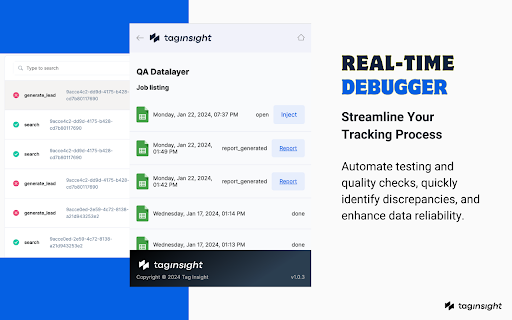
That extension brings many features of Tag Insight (an analytics software as a service) to the chrome browser. Description and Advantages of the Tag Insight Chrome Extension: The Tag Insight Chrome Extension serves as a vital bridge between web environments and the Tag Insight SaaS platform. It's specifically designed to facilitate the testing of web analytics and tracking implementations. Seamless Integration with Tag Insight SaaS: The extension works in tandem with the Tag Insight platform, capturing dataLayer data (of the Google Tag Manager DataLayer variable) and interactions from web pages for analysis within the SaaS. Efficient Data Capture for testing: It streamlines the process of gathering dataLayer data for quality assurance tests, enabling the Tag Insight platform to analyze and provide feedback. Simplified Testing Process: Users can initiate and conduct tests effortlessly directly from their browser, with all results and analytics being processed and displayed in the Tag Insight SaaS interface. Advantages for Users: Enhanced Testing Efficiency: By simplifying the data collection process for tests, the extension saves significant time and effort, allowing users to focus on interpreting results and making decisions. Centralized Analysis and Reporting: With all testing results and quality assurances accessible through the Tag Insight SaaS, users benefit from a centralized, comprehensive view of their analytics performance. Streamlined Workflow: The Chrome Extension enhances the overall functionality of Tag Insight by enabling quick and easy data collection, leading to a more streamlined workflow in web analytics and tracking. User-Friendly Design: Designed for ease of use, the extension requires minimal technical expertise, making advanced analytics testing accessible to a broader range of professionals. In summary, the Tag Insight Chrome Extension is an integral component of the Tag Insight ecosystem, designed to enhance the efficiency and effectiveness of web tracking and analytics testing. Its primary. Role is to facilitate data collection for the SaaS platform, where detailed analysis and reporting take place. This integration offers a streamlined, user-friendly approach to web analytics, making it a valuable tool for professionals in the field.

TagHound - Analytics/GTM/Pixel Debugger
Debug Google Analytics, Google Tag Manager dataLayer, Google Ads, Facebook Ads & +18 ad platforms pixels: Twitter, TikTok and more TagHound Analytics/GTM/Pixel Debugger by Assaf Trafikant helps you validate your analytics tools implementation as well as ad platforms pixels and Google Tag Manager dataLayer events - all in one tool. It works all the time for all the supported platforms at once. In total, TagHound Analytics/GTM/Pixel Debugger supports 22 analytics and ad platforms, including Google Analytics 4 (and older versions) & Google Tag Manager (events and dataLayer viewer), to give you a holistic tracking and pixel analysis experience. Just navigate to any page, open your DevTools panel (F12), or click the extension icon (less information) and it will show you all your pixels and events, with a never-seen-before error validation (over 1200 validation rules). Just click the event to see all the data in a clear format, grouped by attributes. TagHound Analytics/GTM/Pixel Debugger allows you to group events by type, performance and attributes. You can RECORD your debugging activity while navigating through any website and even export the results. TagHound Analytics/GTM/Pixel Debugger his all-in-one tool, giving you a clear high-level overview as well as detailed data harmonization between all platforms . Three ways to see and debug the events ================================= 🟩 Clicking the extension icon 🟩 Using DevTools 🟩 On-screen toast messages TagHound Analytics debugger & Ad platforms pixel helper features ====================================================== 🟥 Read all supported pixels at once 🟥 Clear view of each pixel parameters, grouped into categories with over 1200 validation rules 🟥 Filter pixels by type 🟥 Record activity across page and export the results 🟥 Group tags by type/ad platforms 🟥 Sort tags by execution time, platforms, etc. 🟥 Exclude domains from being tracked by the extension to optimize performance Google Tag Manager features ======================== 🟨 dataLayer viewer 🟨 You can change the dataLayer name (the default dataLayer will always be tracked) 🟨 In the "Options" screen (the gear icon) you can add enhancements to Google Tag Manager Assistant (see pictures above): 🟪 Sort tags alphabetically 🟪 Highlight tags fired multiple times 🟪 Highlight tags with errors 🟪 Hide paused tags Release notes ============ 1.3.4 - Temporary removal of custom endpoints 1.3.2,1.3.3 - Minor bug fix 1.3.1 - Updating GA4 debugger, minor UI changes 1.3.0 - Supporting S2S custom endpoints 1.2.6 - Fixing Google Tag Assistant enhancements 1.2.5 - Update to GA4 debugger (new EU endpoints), design adjustments 1.2.2 - Update to GA4 debugger (privacy sandbox fine-tuning) 1.2.1 - Added Sleep-mode 1.2.0 - Adding on-screen debugging with toasts messages! Some refactoring for performance. 1.1.4 (1/4/2024) - Name change, performance optimization 1.1.3 - Adding Floodlight. Updating Facebook Ads pixel, improving performance and filters. 1.1.2 - Removal of self-hosted pixels tracking 1.1.1 - Bringing back GTM toggle to save browser memory. 1.1.0 - Improving GTM dataLayer parsing. 1.0.9 - Adding Google consent for Google-based tags 1.0.8 - Adding GTM toggle for less impact on browser memory. Turns OFF after 2 minutes of idle and redesign Settings page 1.0.7 - Updating Microsoft UET & LinkedIn ads tracking. Removing Google Optimize. 1.0.6 - Ability to change GTM dataLayer name, adding enhancements to GTM Tag Assistant 1.0.5 - Improving GA4 debugging 1.0.3 - Improving Facebook Pixel debugging 1.0.2 - Improving TikTok, LinkedIn & Taboola pixel tracking 1.0.1 - Removing redundant code and typo fix 0.9.3 - Google Ads conversion tracking improvement 0.9.1 - Google Analytics 4 debugger upgrade + code optimization 0.9.0 - Performance version. Decreasing the extension weight by 70%. 0.8.8 - Now supports Amplitude + improving Google Tag Manager performance. 0.8.7 - Adding Plausible Analytics, Umami Analytics & AB Tasty 0.8.6 - Fixing display bug for some users 0.8.5 - Improving GTM dataLayer viewer 0.8.4 - Improving Google Tag Manager events parsing 0.8.3 - Improving LinkedIn pixel tracking and Google Analytics 4 ecommerce validations 0.8.2 - Supporting the new TikTok custom events 0.8.1 - Upgrade Google Analytics debugging 0.8.0 - Update Google Analytics 4 CDN 0.7.9 - Updating Facebook pixel 0.7.8 - Upgrade Google Analytics debugging 0.7.7 - Removed cookie module 0.7.5 - Fixed: Some websites bloat GTM dataLayer with faulty values which caused the extension to break 0.7.4 - Adjusting TikTok standard events 0.7.3 - Major performance improvement, adding GTM JSON viewer 0.7.1 - Adding more events to Google Tag Manager dataLayer tracking 0.7.0 - Adding Google Tag Manager tracking 0.6.9 - Bing Ads changed to Microsoft Ads + minor bug fixes 0.6.8 - Adding MixPanel 0.6.5 - Adjusting to Facebook new pixel 0.6.1 - Faster recording 0.6.0 - Supports Snap Ads pixel, TikTok & Reddit pixel upgrade 0.5.9 - Adding Errors view in extension popup 0.5.2 - Fixing LinkedIn account ID identification 0.5.2 - Update TikTok pixel 0.5.0 - Adding Google Ads Conversion tracking 0.4.4 - Adding Google Ads Remarketing tracking and Bing Ads 0.4.2 - Adding AppsFlyer & TikTok tracking, update Twitter pixel 0.4.1 - Adding Pinterest pixel 0.4.0 - Adding Facebook & Quora & Google Optimize pixel tracking, Adding the ability to record activity 0.3.9 - Adding Taboola, Outbrain, LinkedIn and Google Analytics tracking 0.3.5 - Adding Twitter & Reddit pixel tracking 0.0.1 - Initial version

Piano Tag Inspector
Tag Inspector for Piano Analytics is a tool enabling you to verify the Piano Analytics tagging in place on your site. Check the values present in your Piano Analytics tags. Open Tag Inspector and go to your website. All Piano Analytics events will appear in the tool, allowing you to verify that they are functioning correctly. To go further, log in to your Piano Analytics account in order to access to more detailed information. We’re interested in getting your feedback, so please don’t hesitate to share your thoughts with us via the feedback button available in the extension.

Consent Mode Inspector by InfoTrust
Check the status of Consent Mode, display gcs & gcd parameters, and view real time consent signals.🔐 Consent Mode Inspector is a lightweight Chrome Extension designed to monitor Google Consent Mode, providing real-time insights into gcs and gcd parameters sent with Google Tags, alongside current signal states found under google_tag_data.ics.entries. ● Real-Time GCS Code Display ↳Instantly view the latest GCS code being sent with a Google Tag. ● Detailed GCD Code Insights ↳Understand the latest GCD code with comprehensive explanations of each value. ● Dynamic Table View ↳Explore the google_tag_data.ics.entries object directly from the DOM for in- depth analysis. If ad_user_data or ad_personalization are granted or denied, then you have v2 setup. ● Consent History Tracking ↳Keep a history of tags fired, including GCS codes and their consent states at the point of firing. ● One-Click Screenshots ↳Easily screenshot the extension's display to share the current consent results with your team or for your records. ─────────── Update Notes ─────────── ● GCD parameter calculator ↳Edit the gcd parameter and view what different values may mean. Copy paste in a whole gcd parameter or update single characters to quickly view what it may mean. ● Bug Fixes ↳Fix various bugs and add improvements ─────────── Feedback and Support ─────────── Your input is invaluable to us! For questions, comments, concerns, feature requests, or bug reports, please feel free to reach out to ✉️ ryan.bulcher@infotrustllc.com. or visit 🔗 https://infotrust.com/google-consent-mode-inspector We're here to assist and look forward to enhancing your experience with Consent Mode Inspector. ⚠️ Please Note ⚠️ This extension serves as a tool for a Google product that is continuously evolving. As such, both Google's product and this extension are subject to changes. We advise not to rely solely on this extension for consent or compliance verification.

DataLayer Checker Plus
The simplest way to debug and verify dataLayer implementations without using the browser console Growth Academy is excited to announce the release of DataLayer Checker Plus , featuring several features . NEW FEATURES: - Inspect DataLayer on any website - Auto colouring for different data types - Inspect dataLayer in a Shopify Store if dataLayer is enabled through customer events or theme. - UI Improvements - Connect GTM in any website - Bug Fix All messages pushed to the dataLayer will be listed in the extension tab, whether they occur on page load, through events, or are manually pushed. Simply install the extension, visit any website, and click on the extension icon to display the dataLayer content. The basic setup is compatible with the default dataLayer in Google Tag Manager. This extension also assists you in inspecting the dataLayer enabled through Customer Events on a Shopify store. To enable this feature, navigate to the settings page of the extension and activate the “Shopify Custom Pixel DataLayer Checker”. If you have not enabled the dataLayer through Customer Events, there is no need to make any changes—the default settings will function correctly. You found a bug ? Please contact us on contact@growthacademy.io Thank you for your help and your support!
